


philby25
Members
-
Joined
-
Last visited
Everything posted by philby25
-
-
 Yeah im using Radiance V now and it works really really well, next hurdle for me is the rear message board for the code 3 defender wont display "Random Breath Testing" as it shows in the textures :/ Do you know of anything to fix that?
- 28 comments
- 7 reviews
-
Yeah i did abit more research and realised that i was looking at it all the wrong way :) Now using your patterns with Radiance V :)
- 25 comments
- 3 reviews
-
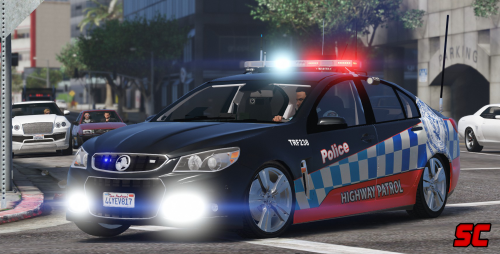
Hey macgregor ive been trying to use the Aussie Flash Patterns but i cant seem to make it work like its been shown in many videos utilising your light patterns. Any chance you could help me out? I'm using MooseYTY Holden VF Commodore and the lights appear dim on the code 3 defender
- 25 comments
- 3 reviews
-
Hey moose i downloaded this awesome model and it works great in game i'm just having an issue with the lights they aren't showing up all that well (lightbar is dim and lights in grill hardly flash) ive installed Macgregors Aussie Flash Patterns however im struggling to get the light bar to look like the one depicted in your photos and various videos people have made utilising this model. any help would be absolutely amazing
- 28 comments
- 7 reviews
.thumb.png.6f99bb4fad52c9370106155e3469f842.png)
