Gilbo
Members
-
Joined
-
Last visited
Files posted by Gilbo
-
Information:
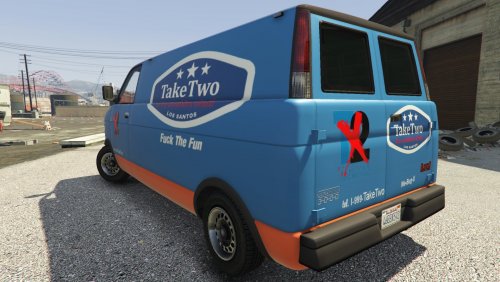
Thank you everyone for the positive support, it really means a ton to me considering this is my first mod. I will try to make more ''Fuck TakeTwo'' mods. However I cant promise anything for now because first I need ScriptHookV to be updated because I fucken reinstalled my game -_- Love y'all ♥♥♥
----------------------------------------------------------------------------------------------------------------------------------------------------
Installation:
1. ~Use OpenIV and navigate to update/x64/dlcpacks/patchday11ng/dlc.rpf/x64/levels/gta5/vehicles.rpf
2. ~Enable ¨Edit Mode¨ and simply drag and drop the yft, hi.yft and ytd files included in this download.
3. ~Have Fun.
----------------------------------------------------------------------------------------------------------------------------------------------------
Texture edited by Gilbo with Photoshop.
- 102 Downloads
- 16 Comments
Submitted