
SgtPeppersbr
Members
-
Joined
-
Last visited
Everything posted by SgtPeppersbr
-
If anyone is having the same problem that I am I pirated the game, downloaded the Mr Dj repack and the game is now working on 1.0.7.0 A real shame I had to pirate the game to get it to work.
-
I'll unistall GTA IV, install again and do the tutorial all over again, thanks. Indeed I'm playing it on an laptop, my specs are: I7-5500U 2.40GHZ 16Gb of ram Amd R7 260 I know it's bad but it should run a 2007 game, I play GTA V on it without any problems :( Again, thanks for helping me. Also, I'm playing the steam version, should I torrent it to see if it works?
-
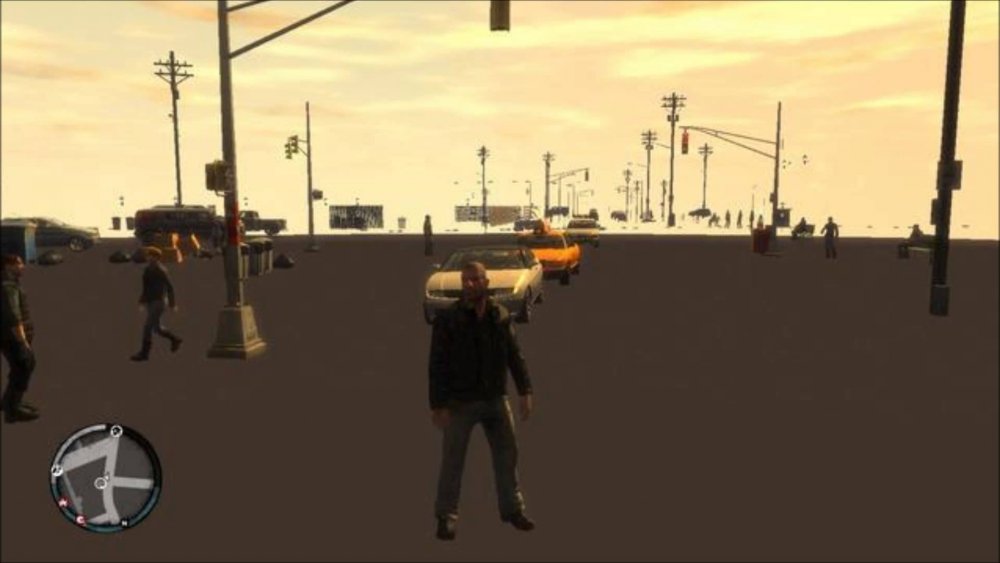
First of all I want to thank you for creating this tutorial, it's pretty easy to understand even to a complete noob like me. I did the tutorial step by step and it worked but now when I play GTA IV the buildings and roads simply doesn't appear. Last time I tried to play GTA IV (two years ago I think) I had that problem, tried to fix it (even contacted rockstar for help) but I failed and unistalled the game. What should I do? Pic related is not mine but it's the same problem I'm having