


ohiomarine44641
Members
-
Joined
-
Last visited
Everything posted by ohiomarine44641
-
Folks, I know that most questions don't get answered on here, but I'm curious about reflections... I'm no pro when it comes to this stuff, but I've changed the cone angles of the reflections narrowed down, but I'm wondering if anyone knows how to change the shape. This is for the stock emergency vehicles NON ELS. What I'd like to do is narrow down the vertical reflections and widen the horizon to make them a bit more realistic. Any useful thoughts or input would be truly appreciated.
-
Hi all, just a quick question... I know you can rotate and even change the size of the els lights in the settings file, but is there a way to raise it up or down? I prefer my lights smaller and more focused, but when I do that they're mostly on the ground. Any thoughts? Jon
-
Hi all, I don't get on much, but I've attempted to search but have had no luck on what I'm looking for... if this is in another forum, a link would be greatly appreciated. So anyway, whether it's patrolling or back-up response you typically see the same vehicles. So is there a way to have the other type of vehicles respond, or does the game just randomly choose? Also, is there a guide where you can upload additional emergency vehicles as well? Again, thank you in advance! Semper Fi, Jon
-
Well there seems to be many others having issues so I bit the bullet and have completely reset my laptop with a fresh install of Windows. I'll install the game tonight or tomorrow and hope from there. I'll laugh at myself if it was something simple I overlooked but I'm totally stumped and have read much of the great advice given by others here on the forums but just haven't had any luck.
-
**Bump**
-
Already done but thanks for your suggestion. I also have a copy on my external drive. I'm certainly no expert, but playing since the days of LCPD on GTA IV I'm usually able to solve the issues pretty quickly. I haven't played much since my wife passed last year but now I'm back and seem to be having issues even after following the recent suggestions I've read on and off of the forums. I'm just wondering if there is something I'm missing. I haven't done any other mods or anything yet because I wanted to make sure it plays first. Any help will be sincerely appreciated. Stay safe!
-
Anybody have any thoughts on what I may be missing?
-
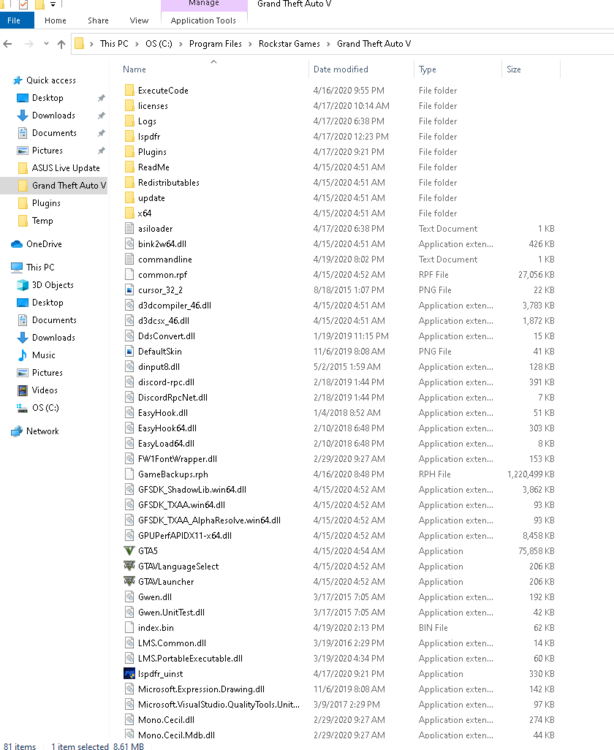
Hey guys, hope everyone is healthy! It's been a while since I've been doing all of this but I'm having some issues loading Rage. The game plays just fine itself with 70+ fps. Here are some of the things I've done, but nothing seems to help: Re-installed GTA V, Script Hook and RPH All up to date including Windows When that didn't work, I even installed Windows 10 fresh and is currently up to date. Re-installed GTA V, Script Hook and RPH All up to date including Windows. I've been reading about the anti-virus exception and also the plugin time out to 60000 and forced windowed mode. My game is retail and is green at the bottom of the RPH settings and everything seems to set up just fine. But I must be missing something simple but have run out of ideas. Any help is appreciated! Semper Fi Jon RagePluginHook.log
-
Obviously, my intention was not to "jack" the thread, I wasn't sure if my issue was related in any way. So my apologies to the OP. Thank you for the link.
-
I appear to be having the same issue, I have pretty much the same setup. The error I get is "Exception EFCreateError in module DSOUND.dll at 0001165C5. Cannot create file "C:Program Files (x86)2K Games/Grand Theft Auto IVasilog.txt" I followed the video step by step to avoid the error, to no avail. By the way, everything is installed, and updated. I've attempted to install lcpdfr three times.


