snajp
Members
-
Joined
-
Last visited
Everything posted by snajp
-
Arrest manager has multiple suspect transport ability, but as far as I know, it only works for 2 at a time
-
I've already tried that, even go to character menu and back, but still nothing, but my companion app showed my status and location correctly //Tried to resync my character, all it did was to delete all stats and activities from that day. Still nothing
-
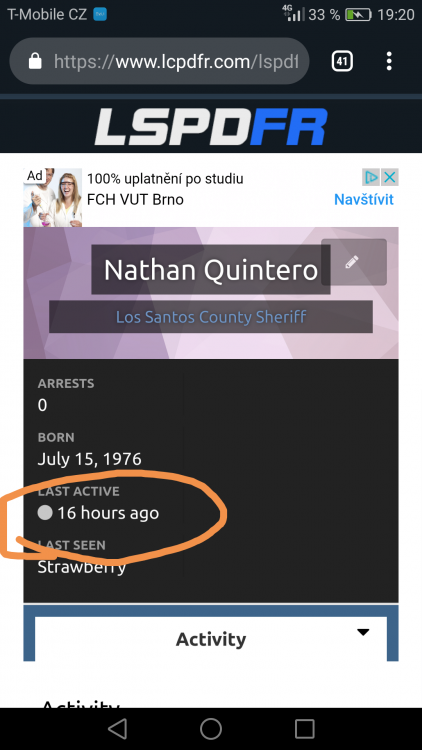
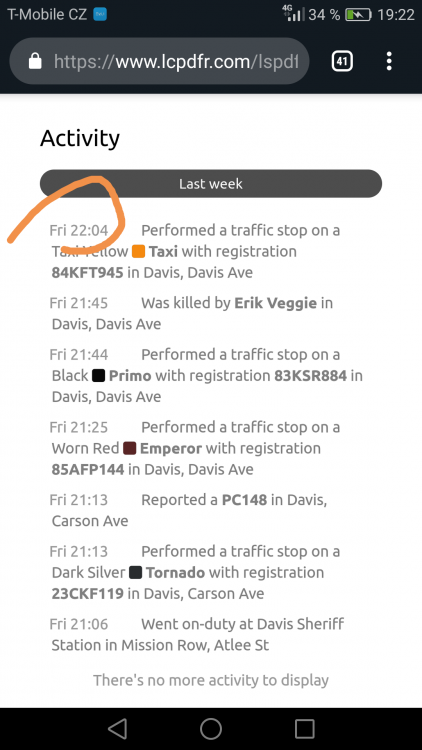
There seems to be a problem with my character and lspdfr sync. I know about stats not being recorded because of plugins, but my activity tab is still showing friday. I tried going on duty both ways, the force duty and station, but my activities are still at friday. Is there a way to fix it? Also can I change my character birthdate?
-
 I've been using EUP before RDE and I noticed, that the Sheriffs have different shoulder patches. Should.I reinstal it or is it fine? Also if I have BCSO addon, does the LSSD still spawn in some areas?
- 1,524 comments
- 85 reviews