
Michael F
Members
-
Joined
-
Last visited
Everything posted by Michael F
-
Looks awesome! Will you be releasing it?
-
Seems to be working fine now, not sure why. Haven't touched anything so computer was just having a meltdown. Thank you though. Please close this thread.
-
Update: Will get on and the game now will Load up but it now sit's on loading LSPDFR. Progress i suppose lol
-
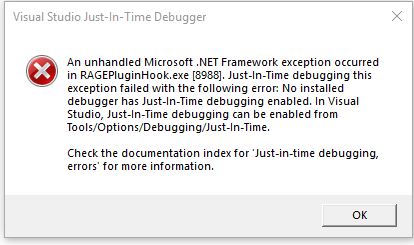
Doesn't appear to be making a new log at all. I have tried reinstalling RAGE and LSPDFR separately but i'm more confused because it was working fine, hadn't made any modifications etc. I have a suspicion that it's my computer but i wouldn't know why as i also haven't made any changes etc. I have tried restarting it too to no avail. Cheers I got this when i clicked DEBUG.
-
Thank you for the quick reply. I have removed those plugins and i seem to be facing the same problem. Michael
-
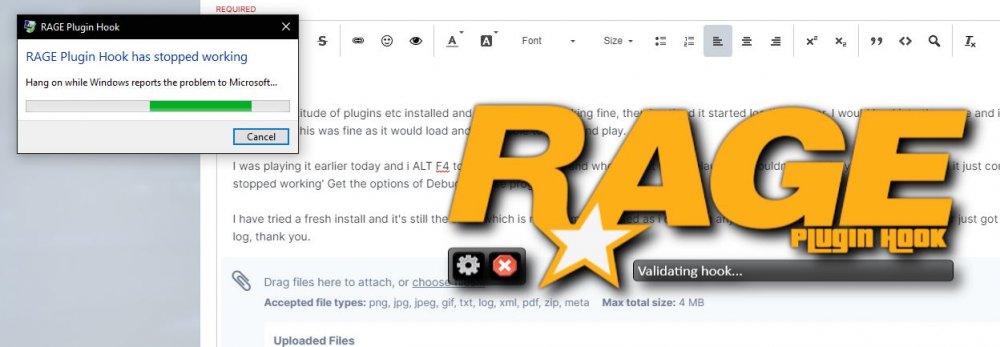
Hey there. I have a multitude of plugins etc installed and my game was working fine, then i noticed it started loading slower. I would load into the game and it would sit on the Loading LSPDFR black screen, but this was fine as it would load and i'd be able to get in and play. I was playing it earlier today and i ALT F4 to play another game and when i went to try relaunch it wouldn't open. I try click on RAGE and it just comes up with 'Rage Plugin Hook has stopped working' Get the options of Debug or close program. I have tried a fresh install and it's still the same which is making me confused as i don't use any anti-virus currently. Brand new computer just got a PC again after 2 years. I will attach my log, thank you. RagePluginHook.log