


Vigres
Members
-
Joined
-
Last visited
Everything posted by Vigres
-
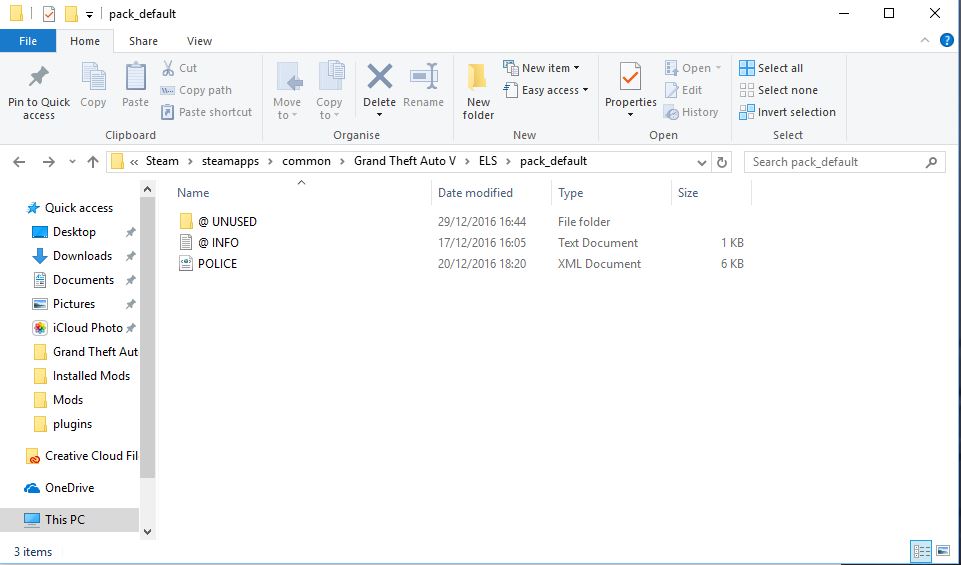
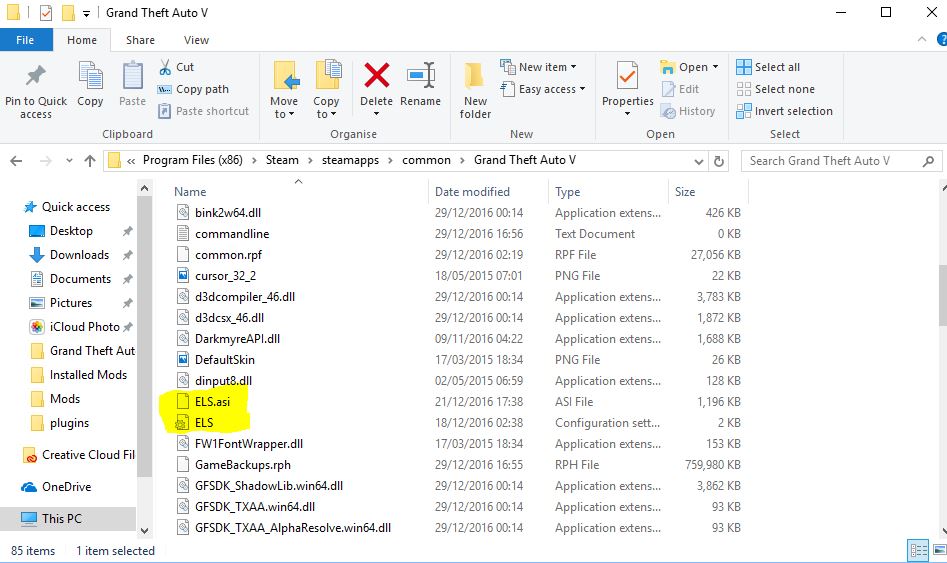
Hi Everyone, Pretty new to LSPDFR although not my first time. I have downloaded ELS v1.00 and a Vehicle with [ELS] compatibility, edited the meta, put the police file in the ELS folder pack_default. Launch the game, go on duty, when I enter the garage the vehicle has about 20 extras (all the lights) have tried them 'on' and 'off' both times and I get nothing. I'm using the default setup and haven't altered any key bindings but can't open the info panel or turn any lights on. The siren works and the tail lights flash but that's it. I love the look of ELS vehicles but for me it doesn't want to work :/ Any help would be appreciated! Thanks :) First Screenshot is ELS folder with the altered 'police.xml' Second is my GTA main directory with the ELS.asi and the ELS config.
-
 Not sure if it's just me but I'm using Bxbugs CVPI and non of the lights work and I can't open the ELS in-game menu. I have removed and done a completely fresh install to 'make sure' it works but still no success have tried it with just one vehicle and others but still nothing. Any help would be great :)
- 2,700 comments
- 241 reviews
