


.png.1ad9d351323f69cb17e78bc343623d83.png)
.png.e36f3d41f96efb42ca4f1ab20dfbd343.png)
TeeKayHaich
Members
-
Joined
-
Last visited
Everything posted by TeeKayHaich
-
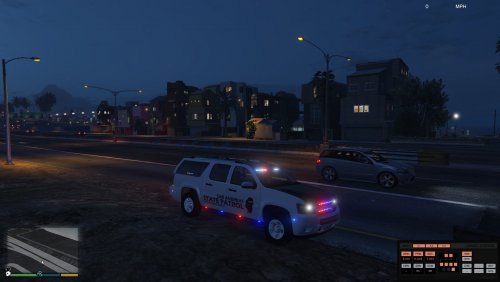 So just to update the problems I was having with the fbi2 slot crashing after I installed this car, seems to be that the problem was to do with "Make Visuals Great Again". I decided to reinstall VisualV recently after trying MVGA for a while, after the reinstall was complete and I spawned the fbi2 car in game with this car still in it it suddenly decided to spawn properly and work without any issues. How MVGA was making that one slot crash I have no idea, just glad I've managed to get it working once again :)
- 69 comments
- 11 reviews
-
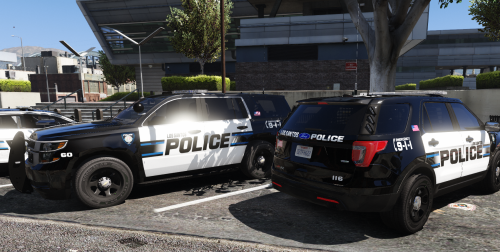 Very impressive work on these skins, multiple liveries for each car which is always a big plus as well. The skins look very nice and their quality is absolutely top notch!
- 41 comments
- 19 reviews
-
-

- 1
-
-
.thumb.png.04a1687a445e54a18a959b7926b87d7b.png) Fantastic stuff with this pack, both cars look really good. Just the right amount of lights I think, not too many but not too little, just superb!
Fantastic stuff with this pack, both cars look really good. Just the right amount of lights I think, not too many but not too little, just superb!- 217 comments
- 38 reviews
-
Gave it a go, still the same crash annoyingly. I suspect for me I may need to completely redo my mods as it seems that the fbi2 slot is entirely gone now and I still have no idea why or how it has happened. Thanks a heap for all your help on this though, really appreciated massively :)
- 69 comments
- 11 reviews
-
Well I have a mod by Lt Caine I think that allows you to not close the door when you get out of a car, though I haven't touched it in months so can't see how that's causing any issues and no I can't spawn in it. I select it in the native trainer and instead of spawning in the car it spawns to my characters right. I can look at it from the outside, walk around it, damage it and even destroy it, but the moment I try to actually get into it is when it crashes. @72will Apparently even the vanilla fbi2 car has the same problem now, tried to spawn it and the exact same crash happened.
- 69 comments
- 11 reviews
-
Yeah gave it a go, still crashed. Seems I can walk around it and even blow it up no worries, but the moment I press the key to get in it the game crashes.
- 69 comments
- 11 reviews
-
Ah okay, well I tried to use the default handling line with the updated vehicle files as well and it still crashed. Main thing that baffles me is how the slot is seemingly unusable no matter what car I use which is super weird, can't think of anything else I've changed since it started crashing that could be causing it. Thanks a bunch on that for the hot fix, if one could be found that'd be fantastic :) I'll update if I stumble across a solution at my end.
- 69 comments
- 11 reviews
-
@72will not sure what sort of voodoo is affecting my fbi2 slot but ever since I tried to run the updated version of this mod literally any car I have in that slot crashes the game when I try to get into the car from spawning it in. Instead of spawning in the car it spawns next to me without my character in it. Go to get into it and the game crashes. Tried to figure out myself what the go is but can't seem to find a fix, have all the files from the updated version out of my game now and yet it still crashes from whatever fbi2 car I have installed, more just completely at a loss for what the cause of the crash is than anything else.
- 69 comments
- 11 reviews
-
Yeah I'm also having issues with the car crashing the game since updating the car. Seems to be as I go to get in it and get close to the car it crashes, not sure what could be causing it.
- 69 comments
- 11 reviews
-
 Was also having an issue with the car flipping at high speed direction changes, tried that handling line and it seems to have fixed it so thanks on that :)
- 427 comments
- 75 reviews
.thumb.png.2db96b2149e24402b5548f7c3afc0bdd.png)
.thumb.png.04a1687a445e54a18a959b7926b87d7b.png)
