
SamanthaCarter
Members
-
Joined
-
Last visited
-
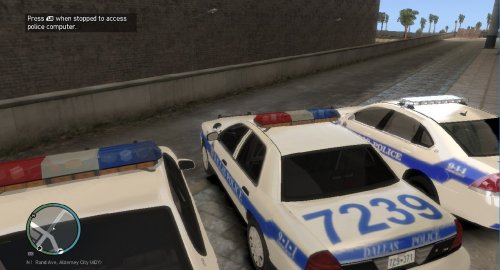 This is a great vehicle pack, vehicles are very nice I would like to advise you on a few things that could be improved at your discretion: The numbers on the CVPI are too big for the trunk and when you look at the vehicle from a distance, the light bar just detaches itself and floats But it is an awesome pack Good Work
- 8 comments
- 2 reviews