


Spexa
Members
-
Joined
-
Last visited
Everything posted by Spexa
-
Yeah I have narrowed it down, for some reason Computer+ only crashes when looking up vehicle info, I can look up peds fine but vehicles naaah. So wierd.
-
I'll try that, I forget is LSPDFR+ the plugin that makes it where you can fill out reports for tickets/arrests? But I do have everything working now, think it was just Computer+, but that sucks because having an actual computer to search on is waaay better.
-
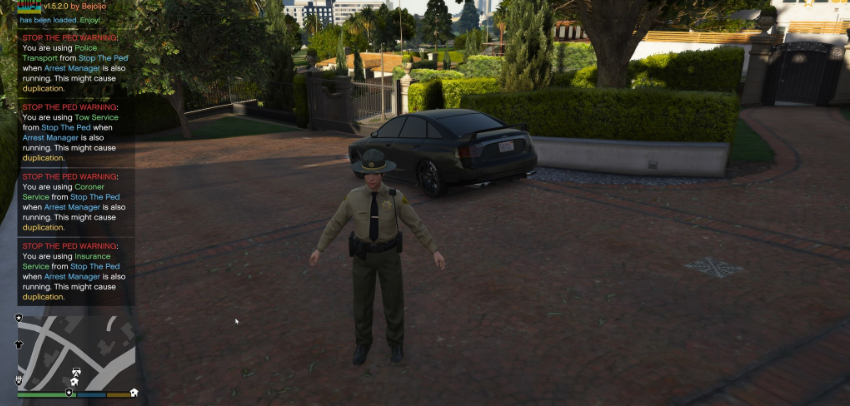
I would say more 75% getting it to actually load/maybe run for 10 minutes and 25% actually playing it haha, I just wish Albo would update his troubleshooter to 0.4 already. Would this be causing the issue or is this 100% unrelated? I just took a screenshot of the Steam screenshot (lol) so sorry if its really small.
-
Yes it is, would you recommend me removing Computer+? because LSPDFR+ to me is an essential.
-
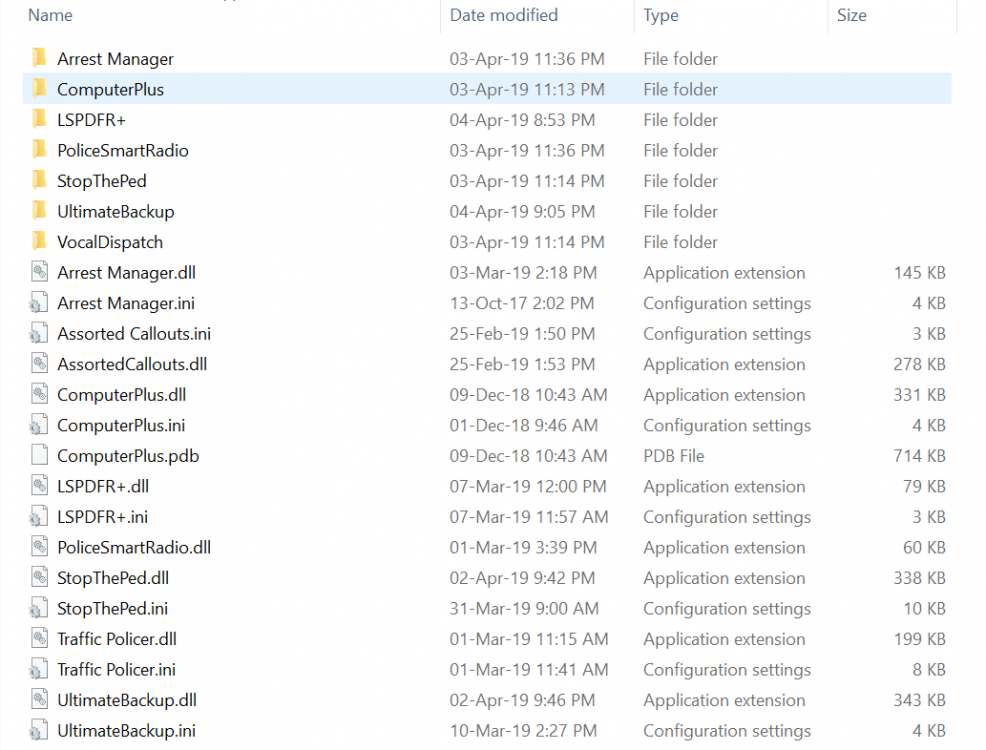
Hi all, I was able to get my LSPDFR to work, but I have ran into a lot of crashes, attached is all the plugins I have. I'll have pulled over a vehicle, I hold E to get into the computer, and when I click on the vehicle license I want to look up LSPDFR crashes the game immediately. What would cause this? Its the only problem I am having so far, hopefully it will be the only one.
-
Hi madcarrot, I believe it was just something in my GTA V folder, I just deleted GTA V & re-installed it and it worked for me.
-
I fixed it myself, just don't know how to delete the forum post. Thanks for replying tho!
-
I have no idea what is happening, my GTA V launches completely fine. I have the latest ScriptHookV, when I try to launch the game with RPH it'll make that inital sound, RPH says "hooking game instance" then lags like hell while moving to bottom left of screen and it crashes immediately. The log file doesn't show it though..? RagePluginHook.log
-
Do you guys think in 0.4 this problem will be fixed? Like just now I responded to an armored truck robbery, we killed all the suspects. EMS got on scene and was seeing if they could revive any of them but then the police ai just went a-wall and started shooting the suspects again when EMS was trying to revive them.. its quite annoying how trigger happy these police AI are, is this going to be fixed in 0.4 or do we just need to deal with it?
-
Is there a way to turn down the audio for the dispatch in the mod? Like it is so loud it kills my ears, I hope there is a way to turn it down! Thanks!
-
Honestly didn't even notice it, I'll take a quick peek and watch it see if it helps me.
-
Probably, but installing them is so damn complicated.
-
I can't for the life of me figure out or get to work different police vehicles in LSPDFR. So I am suggesting that someone should make like a small program/installer where you select the .zip or .rar files the vehicles come as and it automatically installs it for you. That would be amazing.

