


Lumin8
Members
-
Joined
-
Last visited
Everything posted by Lumin8
-
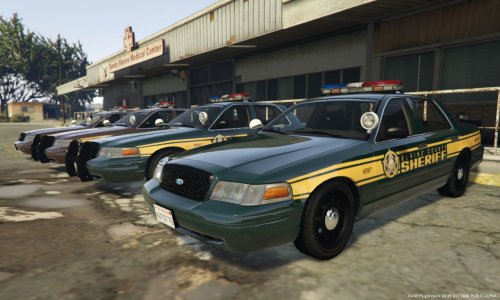 Version 2.2 Due to high demand, I've added a Chevy Tahoe skin too! Minor Fixes to the CVPI Version 2.0 Changed two of the cruisers too "Blaine County Sheriff" cruisers. This gives more variety with gameplay. Blended the decal lines into the lights to look more seamless. Added temp registration plates. Brown color in CVPI and Suburban changed to look less like a cartoon. Version: 1.0 Wanted something clean to use for my Sheriff's department so I came up with these. They're a WIP but I feel they're ready to put out now. I'm also working on a "Blaine County Sheriff's Department" pack to work in conjunction with this one (two cars each). And more car models (Impala, Charger etc...) Also think I may change the brown to a darker brown. The CVPI contains four variants of the skin, The Suburban only currently contains one. If you have any suggestions or ideas please message my on here or on YouTube: http://www.youtube.com/BurgessGaming DO NOT RE-UPLOAD OR EDIT THESE SKINS WITHOUT MESSAGING ME FIRST. INSPIRED and based on this real life "Indiana Sheriff Car" https://www.flickr.com/photos/impd/3717023630
- 9 comments
- 2 reviews
-
 Love this mod! Works perfectly and up till now I've experienced no crash due to this mod. However just an idea for future updates... Maybe request a spike strip up ahead from AI? Maybe by placing a waypoint on the map and pressing CTRL - R or something? Keep up the great work dude.
- 131 comments
- 20 reviews
-
-

- 1
-
-
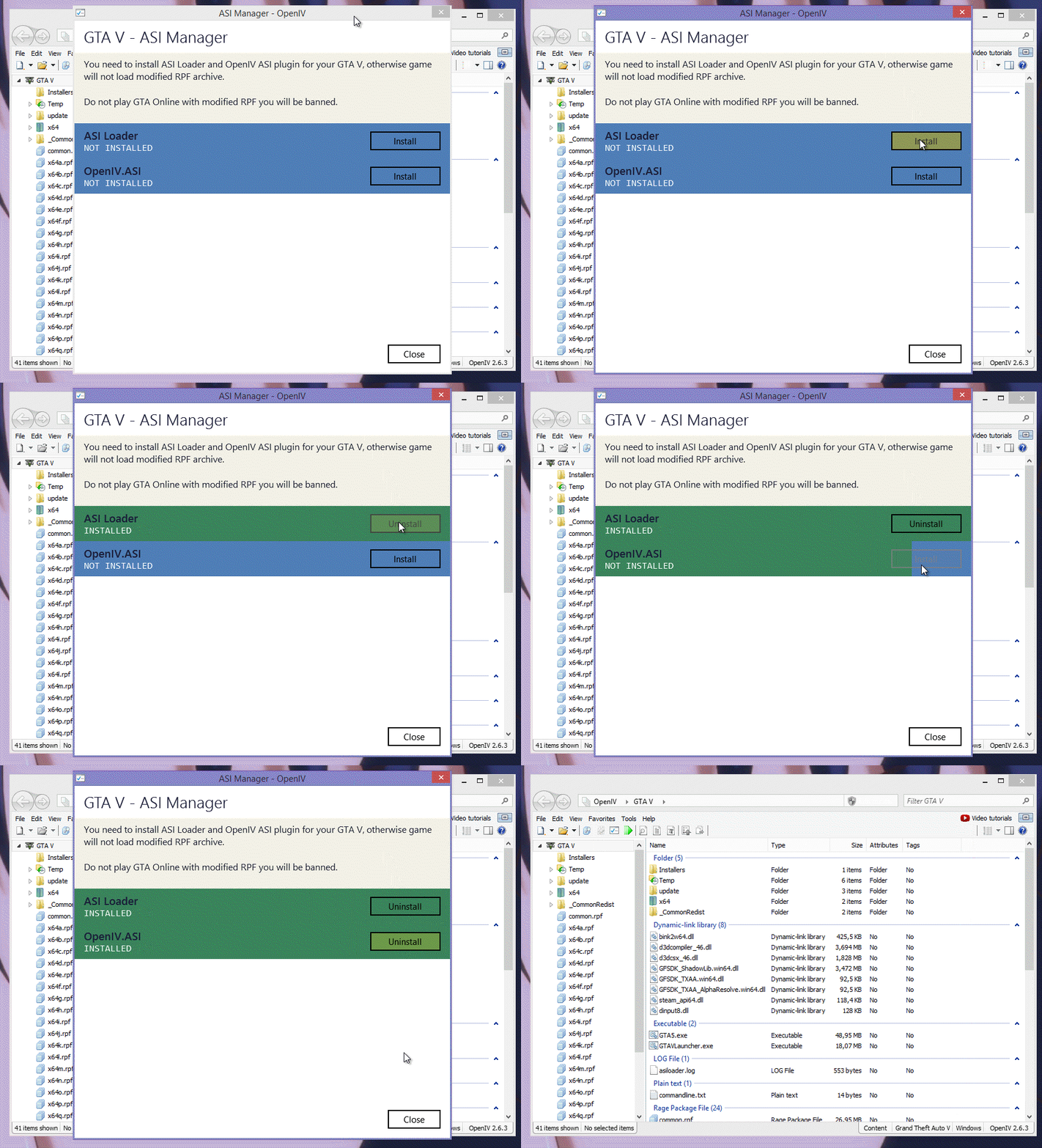
Thank you for the reply Ryan! I have since posting this however found the problem. For some reason my anti virus deleted OpenIV.ASI so that was missing. However after reading your reply I think I'm going to change the the "mod" folder technique, I hear it's a lot more reliable! For those of you that have stumbled across this post via Google and have the Same problem. Open up OpenIV and make sure OpenIV.ASI is installed.
-
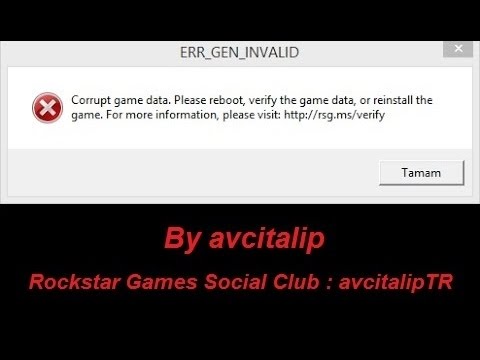
Hey Guys, I've had a look around the forums but I can't see anyone with EXACTLY the same problem as me, I was wondering if anyone could help me? I had LSPDFR working with had all of my car mods installed, then one day GTA randomly wouldn't open. I deleted the whole thing off my computer and started from scratch. I now have LSPDFR working again with all of my plugins working fine. However... I've replaced cars using OpenIV (as I've done hundreds of times) and GTA won't start up it says corrupt. I've reinstalled OpenIV, I've "rebuilt" lots of times but nothing, it wont open. Luckily I do keep a backup up my "update" and "x64e" folders so I pasted them back into the directory and like magic LSPDFR works fine again. It's literally only when I try to add cars..... Any idea why? (and I only REPLACE cars, I do not add new ones.) Thanks, BG.
-
This was my quick, rough take on Lundy's 1985 Ford LTD LX that he recently released. As soon as I saw the car I instantly thought of my favorite game ever! Just something cool for die hard Vice City fans like myself, a blast from the past! Unfortunately I cannot give the car files away yet, You'll have to wait for Lundy to give away his Police version first! Non-Police version available here: https://www.gta5-mods.com/vehicles/1985-ford-ltd-lx
-
This was my quick and rought take on Lundy's 1985 Ford LTD LX mod that he recently released! I instantly thought of my favorite game ever when I saw it. This car has a FULL HD Interior. Just a cool thing for Vice City fans like myself. Unfortunately I cannot give the car files away yet. We'll have to wait for Lundy to release his Police version of it first. Non-Police version available here: https://www.gta5-mods.com/vehicles/1985-ford-ltd-lx

