TornadoChaser93
Members
-
Joined
-
Last visited
Everything posted by TornadoChaser93
-
 For those of you still having issues with this, try the solution that I was given here. It worked for me. http://www.lcpdfr.com/forums/topic/78498-els-issues/?tab=comments#comment-518889
- 2,705 comments
- 241 reviews
-
You are a life saver. That fixed the problem. Thanks for your help!
-
-
Hello everyone! I'm hoping somebody might be able to help me with a little issue that I'm having. I have looked around for people having similar issues and can't find anything, so if I started a topic without needing to I apologize. For whatever reason, my ELS is suddenly not working with the new update. I've updated Script Hook V, but that does not seem to be helping. Everything was working fine before, and my update.rpf has been updated. My problem is that I can turn on ELS like normal (pressing the J key, which cycles through all 3 light modes) and I can bring up the UI, but I'm not getting any lights. The taillights flash, but nothing else will flash. I've reinstalled ELS to no avail, and I have to appropriate files in my VCF container. It was all working great before this update. Could it be something to do with Script Hook not playing nicely with ELS for some reason? Any help would be greatly appreciated.
-
Scratch that, no wig-wags either. Completely stumped, as everything was working great before the game update and the ScripthookV update.
- 2,705 comments
- 241 reviews
-
-

- 2
-
-
Updated Scripthook and ELS still isn't working. Wig-wags and taillights work, but nothing else. Any clue what's going on?
- 2,705 comments
- 241 reviews
-
-
- 1
-
-
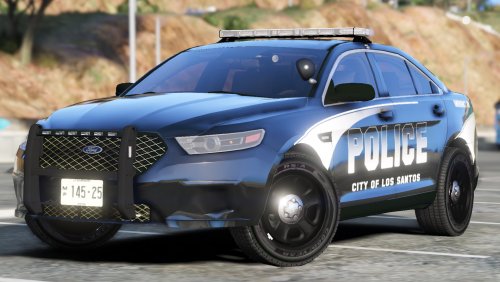
 These models look absolutely amazing in game. The lights are nice and bright, but not overly so to the point of being washed out. The patterns are excellent, and the attention to detail is fantastic. To top it off, there are options to change the glass color on the lightbar as well as the laptop screen for each vehicle, and an all blue lighting option for each vehicle. These cars have earned a permanent spot in my game. Keep up the excellent work, BradM.
- 147 comments
- 65 reviews
-
-
- 1
-
-