Creators: Due to background reprocessing of files, approvals and file security checks may be delayed. Thanks for your patience.

fschd1
Members
-
Joined
-
Last visited
Everything posted by fschd1
-
-
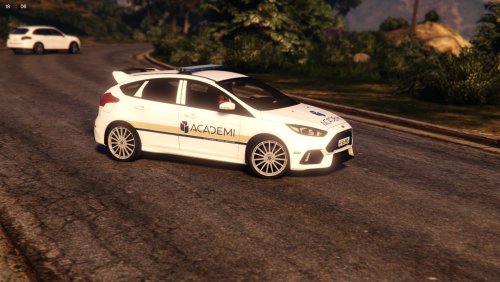 read my comment
 -
put this in your MPheist carvariations meta at the top under <variationdata> and then go to Vehicles.meta and put this line <audioNameHash>police</audioNameHash> and all sirens will work <Item> <modelName>dilettante2</modelName> <colors> <Item> <indices content="char_array"> 134 134 156 156 </indices> <liveries> <Item value="true" /> <Item value="false" /> <Item value="false" /> <Item value="false" /> <Item value="false" /> <Item value="false" /> <Item value="false" /> <Item value="false" /> </liveries> </Item> <Item> <indices content="char_array"> 134 134 156 156 </indices> <liveries> <Item value="false" /> <Item value="true" /> <Item value="false" /> <Item value="false" /> <Item value="false" /> <Item value="false" /> <Item value="false" /> <Item value="false" /> </liveries> </Item> <Item> <indices content="char_array"> 134 134 156 156 </indices> <liveries> <Item value="false" /> <Item value="false" /> <Item value="false" /> <Item value="false" /> <Item value="true" /> <Item value="false" /> <Item value="false" /> <Item value="false" /> </liveries> </Item> <Item> <indices content="char_array"> 134 134 156 156 </indices> <liveries> <Item value="false" /> <Item value="false" /> <Item value="true" /> <Item value="false" /> <Item value="false" /> <Item value="false" /> <Item value="false" /> <Item value="false" /> </liveries> </Item> <Item> <indices content="char_array"> 134 134 156 156 </indices> <liveries> <Item value="false" /> <Item value="false" /> <Item value="false" /> <Item value="true" /> <Item value="false" /> <Item value="false" /> <Item value="false" /> <Item value="false" /> </liveries> </Item> </colors> <kits> <Item>157_massacaro2_modkit</Item> </kits> <windowsWithExposedEdges /> <plateProbabilities> <Probabilities /> </plateProbabilities> <lightSettings value="1" /> <sirenSettings value="1" /> </Item>
-
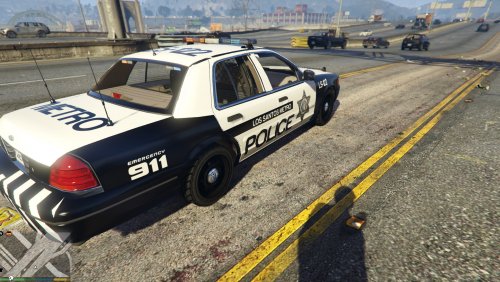 Could you please do a los angeles version
 -
-
-
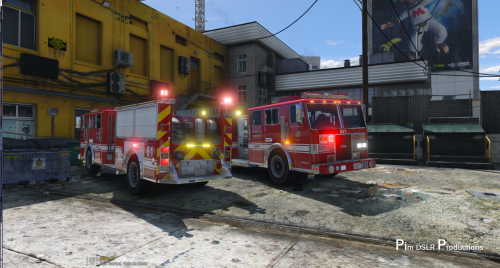 Will it work though ? I tried adding more than 4 skins to the ambulance but it crashes. why is skin 2 a template ? i am scared it would crash my game . I know the real la fire department use 4 colours . Red white yellow orange
- 58 comments
- 20 reviews
-
? Think it does ? I don't think so ? Slot 2 is a template Why not make 8 skins for the ambulance and fire truck and put them in the model?
- 58 comments
- 20 reviews
-
-
 I HAVE RDE SO I WILL TRY IT I ADDED IT TO PEDS .METE IN RDE DLC COMMON DATE BUT ITS CRASHING AFTER ABOUT 10MINUTES I CANT FIND YOUR CAR PACK ?
- 8 comments
- 1 review
-
-
-
could you change the security vehicle that spawns in game and add sirens and lights working say for example i wanted to change it to a cvpi what should i do ? thanks in advance
-
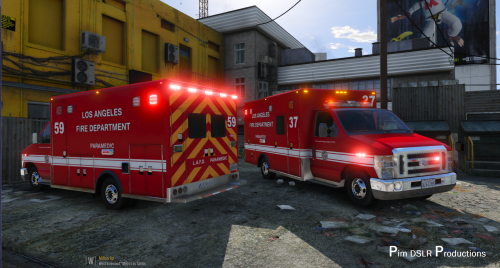 lovely mod but 4k skins is crashing my game do you have lower resolution skins ?
- 42 comments
- 19 reviews
-
-
-
-
-
-
-
-
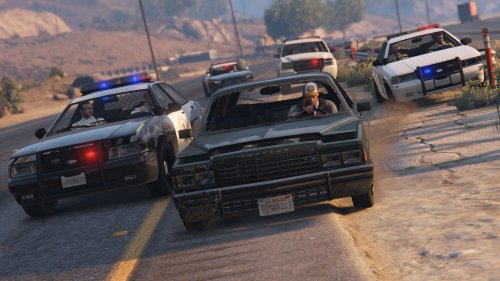 Is it possible to do a version with the added SAHP cars but without the army spawning ?
 -
 Could you make a version that has 2 bars on top Arjent and mx7000. Also a version with Arjent and Vector light bar. that way I can use this as police and sheriff cruiser
- 139 comments
- 38 reviews
-
-