


rgminto
Members
-
Joined
-
Last visited
Everything posted by rgminto
-
are you saying you have replaced vehicles ? if so and your experincing texture loss gta5 begins to see texture loss when vehicles are above 25mb in size or if they contain too many polygons the follwoing topic should help
-
-
what are your lspdfr settings we may have to disable some things to troubleshoot what is causing the issue.... if you are able to load in game it could be a settings issue try the following Main.PreloadAllModels = false Main.DisableGameBlipHiding = True Main.DisableMultiplayerMap = False Main.DisableAmbientScriptHooks = True Callouts.Multiplier = 250 Callouts.DisableBigRadar = True WorldEvents.IntervalMultiplier = 0 WorldEvents.MaxNumberOfEvents = 0 Chase.CopsCanCommandeerVehicles = False Ambient.DisableAmbientGameCopSpawnBlock = True AmbientSpawn.MaxCopsInArea = 0 AmbientSpawn.MaxSpawnedCopsInArea = 0 Networking.DisableServerCommunication = True Networking.DisableDiscordRichPresence = True Chase.DisableTrafficDensityAdjustments = True AmbientSpawn.DisableRandomUnits = True Chase.DisableAmbientAI = True PoliceStation.DisableAmbientSpawn = True
-
you can follow these steps to revert game versions and make scripthook playable with current rockstar launcher https://steamcommunity.com/sharedfiles/filedetails/?id=1086279994 This is a hard revert so first revert from rage then do the article steps and you will be able to play with scripthook
-
Hey guys you can revert your steam version to be playable with previous scripthook and current launcher until scripthook updates just follow this article and set your steam to offline mode https://steamcommunity.com/sharedfiles/filedetails/?id=1086279994
-
What are your lspfr settings try this Main.PreloadAllModels = false Networking.DisableServerCommunication = True Networking.DisableDiscordRichPresence = True Main.DisableAmbientScriptHooks = True AmbientSpawn.MaxCopsInArea = 0 AmbientSpawn.DisableRandomUnits = True AmbientSpawn.MaxSpawnedCopsInArea = 0 Ambient.DisableAmbientGameCopSpawnBlock = True WorldEvents.IntervalMultiplier = 0 WorldEvents.MaxNumberOfEvents = 0 Callouts.Multiplier = 250 Callouts.DisableBigRadar = false Chase.CopsCanCommandeerVehicles = False Chase.DisableTrafficDensityAdjustments = True Chase.ExhaustionInterval = 25000 Chase.ExhaustionDuration = 30000 Chase.DisableCameraFocus = True Chase.DisableAmbientAI = True Chase.DisableTrafficDensityAdjustments = True PoliceStation.DisableAmbientSpawn = True also take out better ems for testing purposes also add script hook v. net
-
hey the eup pack will replace mp models components, if you are using the most recent lspdfr by default it utilizes mp models mbase and fbase in the outfits.xml and assign these componets/testures to all police . for example older versions of lspdfr used the games default model s_m_y_cop but was not as cutomizable as an mp model so long story short you can either pick each componet and assign them yourself or you can have a preset version and work from there just will take some time finding the componets and textures in the closet Here is a file that sets the configurations for you and next time you are in the police station locker room if you are missing something you can add the componet # and texture # to your data file data/outfits later
-
hey what are your lspdfr settings ?
-
you wont need to do for all models just the ones that exceed 25mb
-
see imalcolms post and that will help this issue
-
nope I experienced texture loss with 16gb of ram as imalcolm stated you must fix textures in the game using his method along with some other optimizations
-
yea I forgot to mention there are 3 spawning measures you have to take into account the Gta V, lspdfr/rph and last but not least is your Gameconfig (which is most important) I use F7YO's gameconfig with GTA base
-
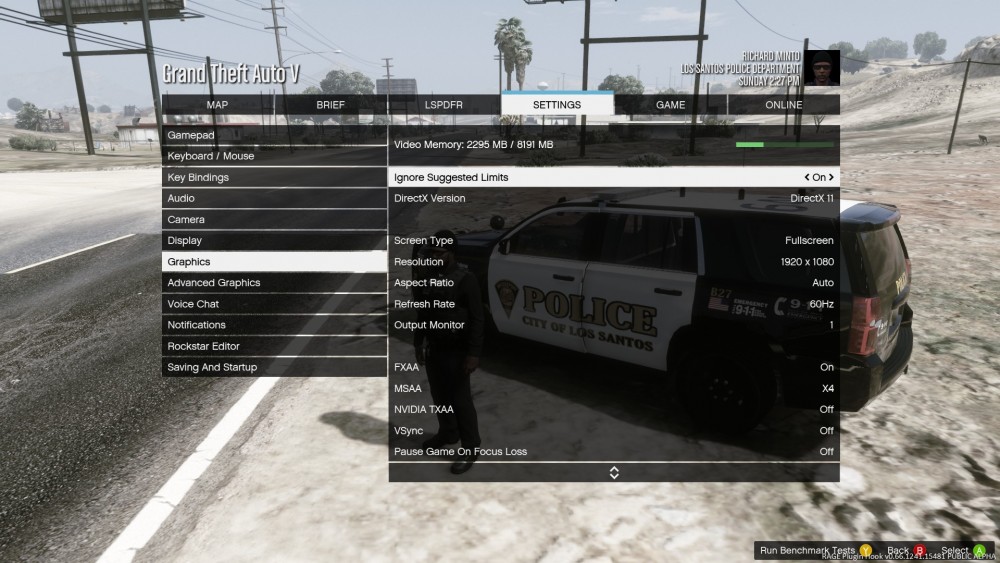
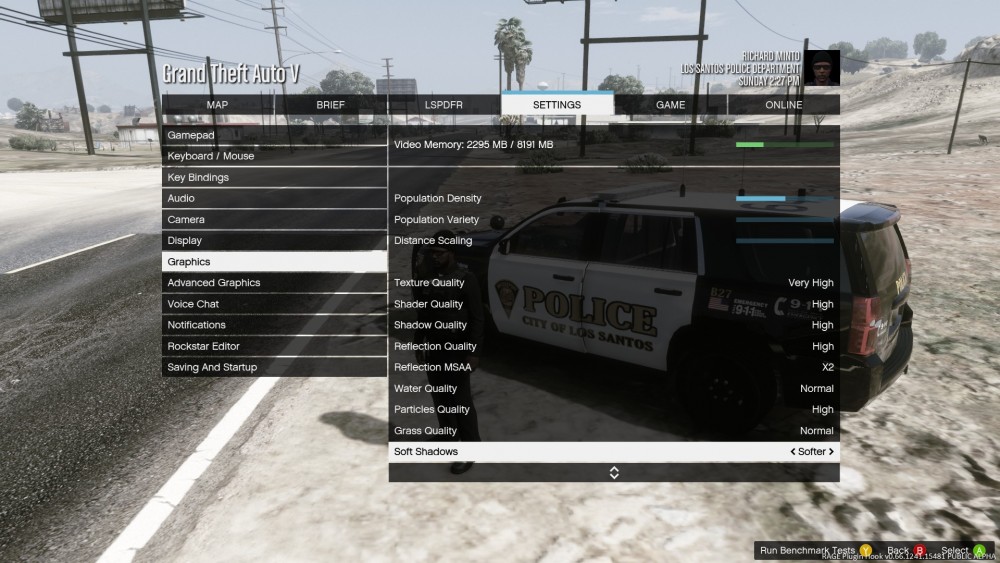
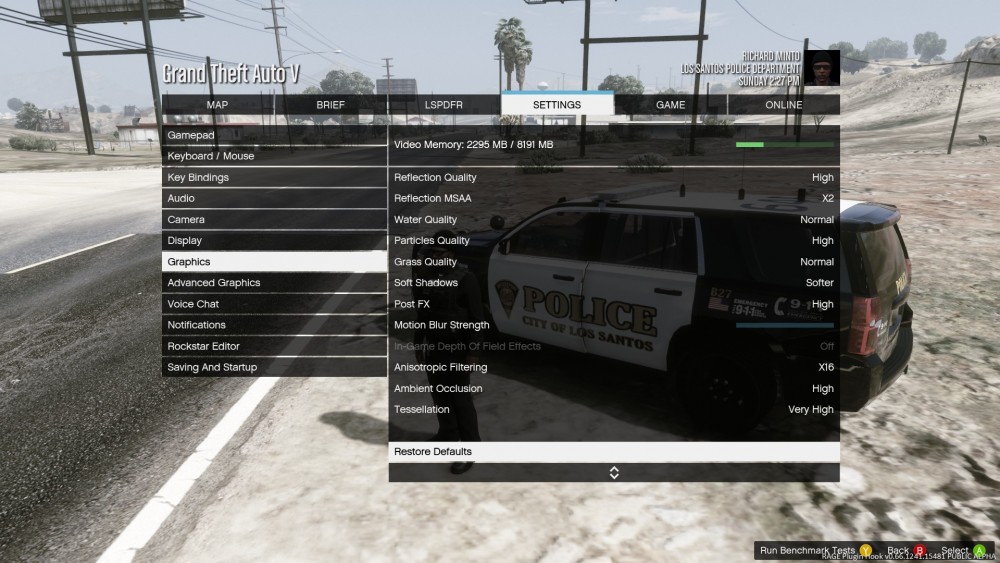
here are my graphics setting for gta5 while playing lspdfr okay 30-40 gives you something to work with In your plugins folder you should check each ini and make sure you have disabled ambient events and certain unused features for plugins this should help also

-
try these settings also what are the contents in your plugins folder ? Main.PreloadAllModels = false Networking.DisableServerCommunication = True Networking.DisableDiscordRichPresence = True Main.DisableAmbientScriptHooks = True AmbientSpawn.MaxCopsInArea = 0 WorldEvents.IntervalMultiplier = 0 WorldEvents.MaxNumberOfEvents = 0 Callouts.Multiplier = 250 Chase.CopsCanCommandeerVehicles = false Callouts.DisableBigRadar = true Ambient.DisableAmbientGameCopSpawnBlock = true Chase.DisableTrafficDensityAdjustments = true Chase.ExhaustionInterval = 25000 Chase.ExhaustionDuration = 30000 AmbientSpawn.DisableRandomUnits = true Chase.DisableAmbientAI = true PoliceStation.DisableAmbientSpawn = true
-
unfornately it sounds like your scripts folder along with your graphics settings are the issue lspdfr utilizles alot of cpu and ram usage no matter how great your specs are so you will have to turn them down and find that sweet spot here is a priority launcher that worked for me along with finely tuned graphic settings that give me 50-60 fps on lspdfr and 130-150 fps SPG also sometimes updating your gpu settings by installing its drivers helps alot https://www.gta5-mods.com/tools/gta-v-high-priority-launcher here are my lspfr settings Main.PreloadAllModels = false Networking.DisableServerCommunication = True Networking.DisableDiscordRichPresence = True Main.DisableAmbientScriptHooks = True AmbientSpawn.MaxCopsInArea = 0 WorldEvents.IntervalMultiplier = 0 WorldEvents.MaxNumberOfEvents = 0 Callouts.Multiplier = 250 Chase.CopsCanCommandeerVehicles = false Callouts.DisableBigRadar = true Ambient.DisableAmbientGameCopSpawnBlock = true Chase.DisableTrafficDensityAdjustments = true Chase.ExhaustionInterval = 25000 Chase.ExhaustionDuration = 30000 AmbientSpawn.DisableRandomUnits = true Chase.DisableAmbientAI = true PoliceStation.DisableAmbientSpawn = true I will post my graphic settings if this doesn't help
-
try with only lspdfr loading on startup in rph settings and see if you still crash
-
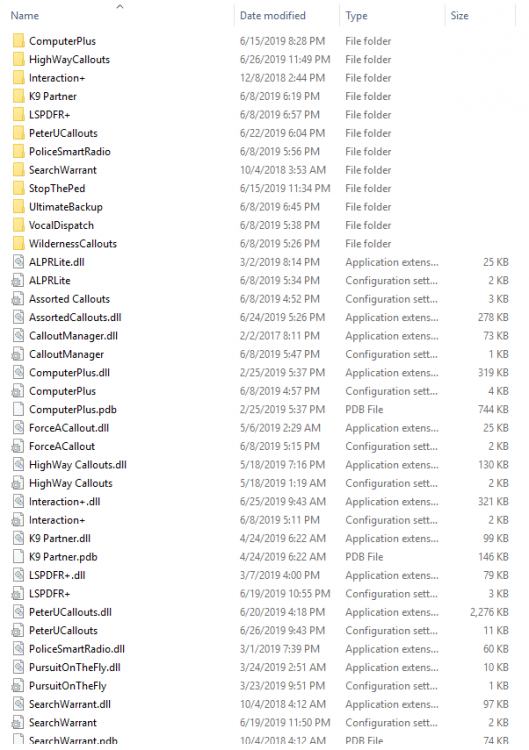
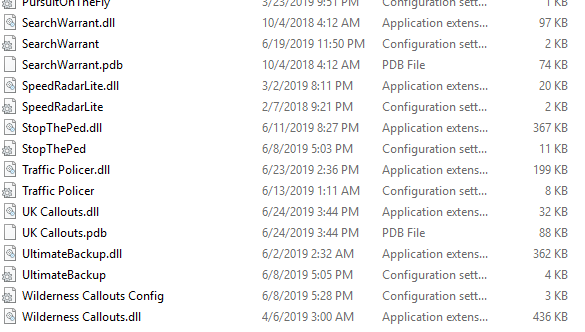
what are your lspdfr settings ? Here are mine and my settings along with a list of testing plugins that work with my computer between 50-60 fps with the new update hopefully this helps Main.PreloadAllModels = false Networking.DisableServerCommunication = True Networking.DisableDiscordRichPresence = True Main.DisableAmbientScriptHooks = True AmbientSpawn.MaxCopsInArea = 0 WorldEvents.IntervalMultiplier = 0 WorldEvents.MaxNumberOfEvents = 0 Callouts.Multiplier = 250 Chase.CopsCanCommandeerVehicles = false Callouts.DisableBigRadar = true Ambient.DisableAmbientGameCopSpawnBlock = true Chase.DisableTrafficDensityAdjustments = true Chase.ExhaustionInterval = 25000 Chase.ExhaustionDuration = 30000 AmbientSpawn.DisableRandomUnits = true Chase.DisableAmbientAI = true PoliceStation.DisableAmbientSpawn = true
-
from the pause menu under lspdfr you can navigate to character selection menu
-
what are the contents of your lspdfr settings file ? try these settings and see if you continue to crash maybe this will help Main.PreloadAllModels = false Networking.DisableServerCommunication = True Networking.DisableDiscordRichPresence = True Main.DisableAmbientScriptHooks = True AmbientSpawn.MaxCopsInArea = 0 WorldEvents.IntervalMultiplier = 0 WorldEvents.MaxNumberOfEvents = 0 Callouts.Multiplier = 250 Chase.CopsCanCommandeerVehicles = false Callouts.DisableBigRadar = true Ambient.DisableAmbientGameCopSpawnBlock = true Chase.DisableTrafficDensityAdjustments = true Chase.ExhaustionInterval = 25000 Chase.ExhaustionDuration = 30000 AmbientSpawn.DisableRandomUnits = true Chase.DisableAmbientAI = true PoliceStation.DisableAmbientSpawn = true
-
Main.PreloadAllModels = false AmbientSpawn.DisableRandomUnits = true Chase.DisableAmbientAI = true PoliceStation.DisableAmbientSpawn = true these setting worked for me ! also change vehicle livery's from 4k if still experiencing texture loss after settings change just add to your lspdfr settings file
-
what are your lspdfr settings ?
-
Hey what are your graphic settings there are many things that can cause lag here is a link to a launcher that may help increase fps by 10 https://www.gta5-mods.com/tools/gta-v-high-priority-launcher
-
do you have preload all models set to true or false ?
-
you should try the following with some adjusted settings this might help https://www.gta5-mods.com/tools/gta-v-high-priority-launcher
-
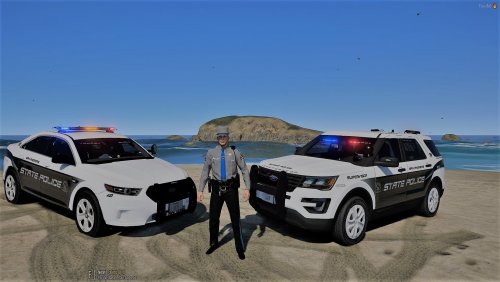 awesome vehicle where is that FPI from ? im from connecticut and this makes my pack complete !
- 28 comments
- 10 reviews
.thumb.png.debb2e8fd42b234303e9e2473fb894e8.png)



