


ThisIsntMyName
-
Joined
-
Last visited
Image Comments posted by ThisIsntMyName
-
-
-
-
N
3 hours ago, NoNameSet said:if you are saying that I should do something like architecture, sadly no because I am new the Zmodeler and all I literally know to do is this. but if you go a few pictures back you can see how the alpha version looked like.
maybe sometime in the future when someone will teach me yes.
(
)
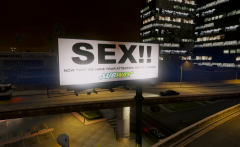
redid the billboards since than
nah im saying like instead of it saying like subway, it could say the ingame product that is the gta v version of it. so like the gta v equivilant to subway or whatever real life company.
examples:
burgerking=burgershot
Vapid=Ford
and i dont know any else lol, but everything is based off of real life products, just name changed.
-
-
-
Edited by ThisIsntMyName
Oh, cant wait! any chance this may be lore friendly for example burgershot instead of burgerking. What I mean is keep the original game product names, but just make them better. Even if it isnt going to be, this is still an amazing project that i'm going to be checking for every day.
-
-
i know i might be over 3 years late to this convo LOL, but where these parts ever released as DEV or privately used? @Caesar
-
-
-
-
-
-
-
-
-
-
-
-
-
-
-
-
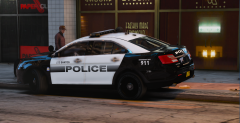

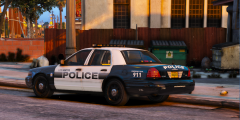


hotted
in GTA V Galleries
·
Edited by ThisIsntMyName
Black and white chevrons.....look amazing!