


Lieutenant Dan
Members
-
Joined
-
Last visited
Everything posted by Lieutenant Dan
-
I believe that inventing these new pieces of technology (for no reason) is kind of stupid, as it doesn't increase visibility to a code 3 police car, and it just has more chance of breaking. To me a lightbar, front grille lights, traffic advisor, side lighting, computer, radio, siren and ALPR are enough for a cop car.
-
Yes, I know that as soon as I spawn police2 (my modded model), the problem ensues. If I have 3 or more models, the game doesn't load. I have never had any of these kinds of problems until now. I downgraded to 1011 using RPH backup.
-
I've tried everything, nothing worked. Also, the game isn't loading anymore. It's just staying on "Loading and Populating Game World". I've tried updating update.rpf, installing a new gameconfig.xml, everything. I really need help because I'm making a callout plugin and I need GTA V to work.
-
I've also never had any problems like this before. HDgamerzPC, I tried many different models. When I use stock models, it works fine. I have an Intel Core i7 4770, and it used to work just fine with custom models before 1011.
-
Lol I've got 16GB RAM, 3GB VRAM, 3.4GHz processor and GTX 980 GPU.
-
My GTA V is not working, because everytime I try to load a car model, the game starts removing/lowering resolution of the road and building beside me, and it's unplayable. Any and all answers are appreciated. (This is my second time trying to get a response)
-
I don't even know, because I can't play it due to the scenery bug xD.
-
It's happening to me as well, I think it has something to do with memory or graphics drivers. I'm going to update my graphics drivers, and I will get back to you once I do on whether they worked or not.
-
But what if I want to put a ski mask on them?
-
Please help me, I'm creating a bank robbery callout and I need to put ski masks on the two robbers. I don't know how to do that though. Any and all help is appreciated.
-
But why would you want a livery that changes? Wouldn't that be pretty unrealistic/silly looking?
-
I'm pretty sure everything you input to the [MODEL].ytd is converted to a .dds format. I've never tried it, but I guess OpenIV would give an invalid format error, or it just wouldn't transfer the GIF at all.
-
Alright, thank you sir :)
-
I want to create a callout where the driver of the vehicle is highly wanted, but I don't know how to change the ped name, warrant status, etc. Can someone help me with this? Please and thank you.
-
Unless you want your lights looking like trash, you need to download a visual mod.
-
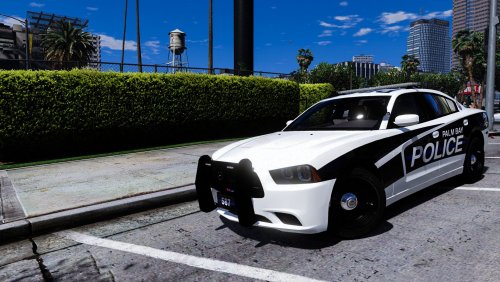 Thank you for fixing it, and as such providing us with a high level of immersion! :)
- 18 comments
- 8 reviews
-
-
Sorry, there is no way to help unless you backed up your previous game version via RPH. I can't send you my backup because it's not allowed, so the only thing you can do is wait. Sorry man. If you did backup your game version beforehand, you can simply replace the steam_api64.dll with an older one (google "steam_api64.dll"), but if you didn't, there is nothing to be done.
-
Inside of the ELS.ini file, in the controls section, there should be control entries (e.g: PRML = 126). Inside of the Documentation folder in the ELS.zip file you download, there are three pdf files. The one that's titled "Default Controls" should contain the keycodes so you can change the controls.
-
Maybe, I'm not sure. Try uninstalling it and reinstalling, maybe try changing some stuff around in the ELS.ini file (open it with notepad), try different models, try reinstalling the models, etc.
-
Go to the documentation folder of the ELS.rar file and look at the three pdf files included, there should be a whole bunch of instructions in there.
-
Check to make sure that the .xml files have the same name as the police slot you are replacing. For Example: A 2014 Charger is replacing"fbi" slot, so the .xml file associated with that car needs to be called" fbi.xml". So you should have 6 .xml files in the pack_default folder.
-
Also go to OpenIV, click on "Tools" on the top and click on ASI manager. Then install "ASI Loader".
-
In the ELS .rar file did you go to "INSTALLATION/Grand Theft Auto V" and dragged those files in there to the GTA main folder?
-
Install the latest ScriptHookV, and make sure to follow all instructions included with the packs and ELS.


