


rastamarshall
Members
-
Joined
-
Last visited
Everything posted by rastamarshall
-
What is that I'm lost because I see everyone keeps saying that? Are you meaning the rph I downloaded? I use the rph 0.46
-
Yes the vehicle is in the mods folder. My rph log is set with F4 10000 loading all plugin if that what you are asking.
-
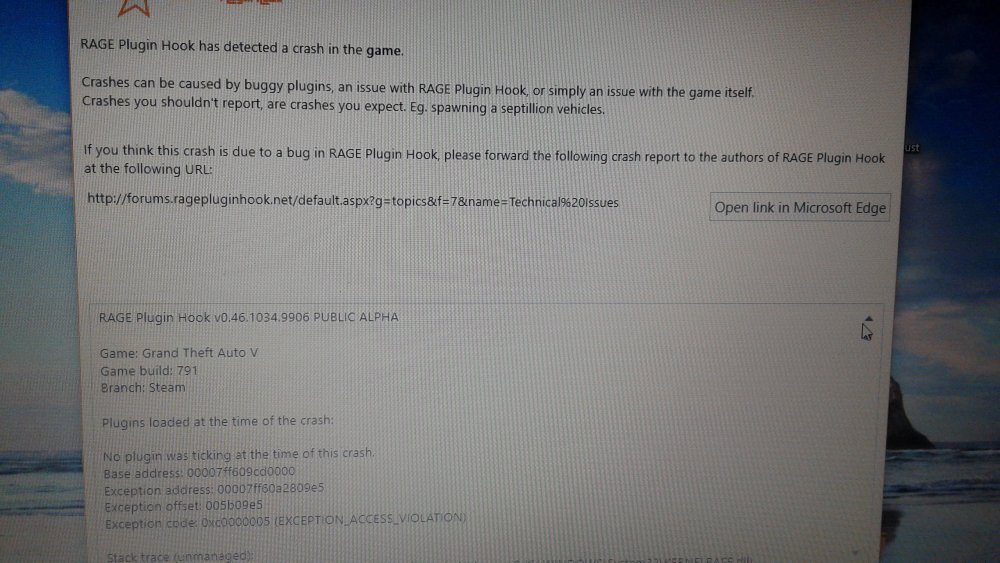
my system specs is intel core i5-6200U processor with 8gbmemory 1tbharddrive integrated intel hd graphics windows10 Dell 15.6 hd display. plugins installed ragehook 0.46, lspdfr, police radio,vocaldispatch,arrest management,one vehicle download, traffice police audio and assorted callouts. my system specs is intel core i5-6200U processor with 8gbmemory 1tbharddrive integrated intel hd graphics windows10 Dell 15.6 hd display. plugins installed ragehook 0.46, lspdfr, police radio,vocaldispatch,arrest management,one vehicle download, traffice police audio and assorted callouts. when it crashes all it say is gtav game crashed and ragehook will do a report on it but i just restart it back up afterwards.
-
I play gtav then after a few minutes of playing it crashes. I have all my files. I hope from having 8gb ram isn't the problem.
