


captnemri
Members
-
Joined
-
Last visited
Everything posted by captnemri
-
Hey guys been apart of this phenomenal movement for a while brings a lot of joy to me I recently ran into a problem with my pc where I had to restore it. I downloaded and installed everything again and Lspdfr and ragehook were working great for about two days now and all of the sudden everytime I try to launch it it says ragehook is already runing and gta 5 has existed. The only time it would load normally is if I go into ragehook a settings and check the box for disabling directx the problem with that is ny police radio and siren mastery and lspdf computer don't work I have a feeling I'm missing a file I went into steam verified game files it deleted all My car mods and still nothing I than went into ragehooks website and read through and reinstalled the requirements such as c ++ and framework and still nothing please I have a feeling I'm missing something I know this happened before I just don't remember how I fixed it if someone can help I would very much appreciate it also sorry for posting here not ragehooks website I just feel more comfortable with this website thanks for the help guys Also forgot to mention it says that ragehook is runing with elevated prevalige and should be ran as administrator which I do by right clicking also it's odd when I reinstalled it today thinking it would fix the issue it didn't even ask me to unblock the files which is weird
-
Also forgot to mention it says that ragehook is runing with elevated prevalige and should be ran as administrator which I do by right clicking also it's odd when I reinstalled it today thinking it would fix the issue it didn't even ask me to unblock the files which is weird
-
Hey guys been apart of this phenomenal movement for a while brings a lot of joy to me I recently ran into a problem with my pc where I had to restore it. I downloaded and installed everything again and Lspdfr and ragehook were working great for about two days now and all of the sudden everytime I try to launch it it says ragehook is already runing and gta 5 has existed. The only time it would load normally is if I go into ragehook a settings and check the box for disabling directx the problem with that is ny police radio and siren mastery and lspdf computer don't work I have a feeling I'm missing a file I went into steam verified game files it deleted all My car mods and still nothing I than went into ragehooks website and read through and reinstalled the requirements such as c ++ and framework and still nothing please I have a feeling I'm missing something I know this happened before I just don't remember how I fixed it if someone can help I would very much appreciate it also sorry for posting here not ragehooks website I just feel more comfortable with this website thanks for the help guys
-
 when is this and arrest manager getting updated i cant play this game without these two mods !!!!! help albo!!!!!!!!!
- 3,646 comments
- 306 reviews
-
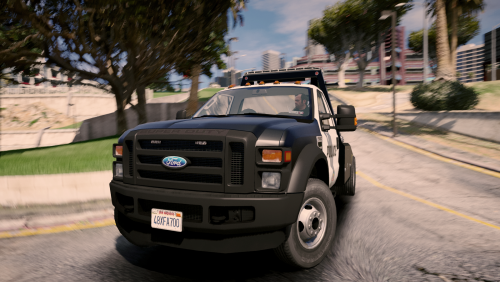 finally ive been waiting for one of these can u make a dodge ram version of it please!!!!!
- 26 comments
- 24 reviews
-
 thank u so much albo your the man!!!!! please keep up the great work!!!!!!
- 1,915 comments
- 242 reviews
-
-

- 1
-
-
I LOVE THIS MOD I THINK IT NEEDS TO BE UPDATED ANY WORD ON WHEN YOUR GOING TO DO THAT BECAUSE ITS NOT WORKING FOR THE CURRENT VERSION OF THE GAME THNKS ALBO!!!!
- 1,915 comments
- 242 reviews
-
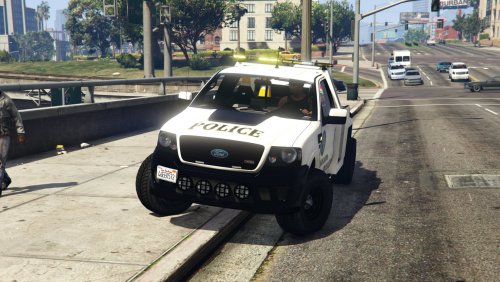 nice can u please make a dodge ram 3500 model of it or a ford f350 please please!!!
- 19 comments
- 5 reviews
