GiveIt110Percnt
Members
-
Joined
-
Last visited
Files posted by GiveIt110Percnt
-
(Ok let me get one thing straight, i am not paying for bandicam after spending $40 on action that apparently doesn't work for gta 4)
DO NOT REUPLOAD THIS ON ANY OTHER SITE
https://youtu.be/f25qmGRWfsM
Also sorry for no license i just dont really like them ._. ...
CREDITS
2012 Dodge Charger
- Model by Turn 10 Studios/Forza 4, converted to GTA IV by aznairsoftdude, using parts converted to GTA:SA by Grimm.
- Hood and Bumper converted by EVI.
- Whelen Liberty lightbar made by KevinDV.
- Whelen Avenger and LIN6 lights made by Cj24.
- Setina Rambar by Turn 10 Studios/Forza 4, modified and converted by aznairsoftdude.
- Divider made by Lt.Caine.
- Toughbook, Antennas, Cameras and Radars modeled by Ridgerunner, textured by Cj24.
- Spotlight made by Cj24.
- Liveries by Cj24.
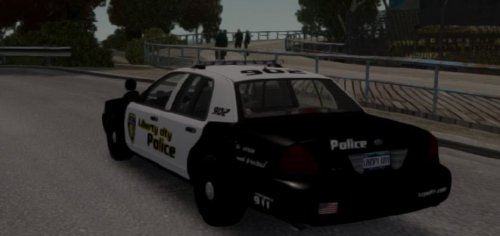
2011 Ford Crown Victoria
- Model is Ford Crown Victoria from Driver SF, converted to GTA IV by F5544, modified by KevinDV and Cj24.
- Rims by Bxbugs123, Textures by Lt.Caine.
- Whelen Liberty lightbar made by KevinDV.
- Whelen Avenger and LIN6 lights made by Cj24.
- Honeycomb Grill made by KevinDV.
- Toughbook, Antennas, Cameras and Radars and Whelen Avenge modeled by Ridgerunner, textured by Cj24.
- Spotlight made by Cj24.
- Liveries by Cj24.
Car models
- 313 Downloads
- 7 Comments
Submitted