supergashbell
Members
-
Joined
-
Last visited
Everything posted by supergashbell
-
Thank you so much for replying, I don't have RivaTuner (nor MSI Afterburner) but I frequently use the GeForce Overlay. I'll try to disable that and update this post. EDIT: It works, that was the issue. Thank you so much @A Stranger you solved my year long problem with LSPDFR.
-
Hi! I am not exactly new to LSPDFR, I've been playing almost every day since 2016 but there's this thing that keeps bothering me A LOT. Now it's out of control and I have to ask you guys. I keep getting this famous "Could not hook game process, insufficient permissions or bad antivirus" that prevents Rage from loading with the game. I have read every single guide, topic or video but can't seem to solve mine. MOST OF THE TIMES I can play with no issues THE FIRST TIME I LOAD RAGE after I rebooted my PC. I can even leave the PC running for 20 hours to work on stuff and try, the first time works but it doesn't the second or third ecc.. UNTIL (not always) I reboot my PC and than it works again (the first time). I tried to: - Be sure the name of the folder where GTA V is located is the correct one (I've reinstalled GTA V that was on disk D to disk C and kept the original name and address) - Uninstall all anti-viruses (I have never had one) AND added a Windows Defender exclusion to GTA V's whole folder as well as a Windows Firewall exclusion. - Change language on my PC to English (maybe the folder "Program Files" wasn't recognised?) - Change my profile to a Windows Administrator account with NO limitations or restrictions (worked the first 3/4 times and then started again worse than before) I really don't know what to do from here. I can't keep waiting an hour+ in order to play 10 minutes of LSPDFR before it crashes and start it all again. Thank you.
-
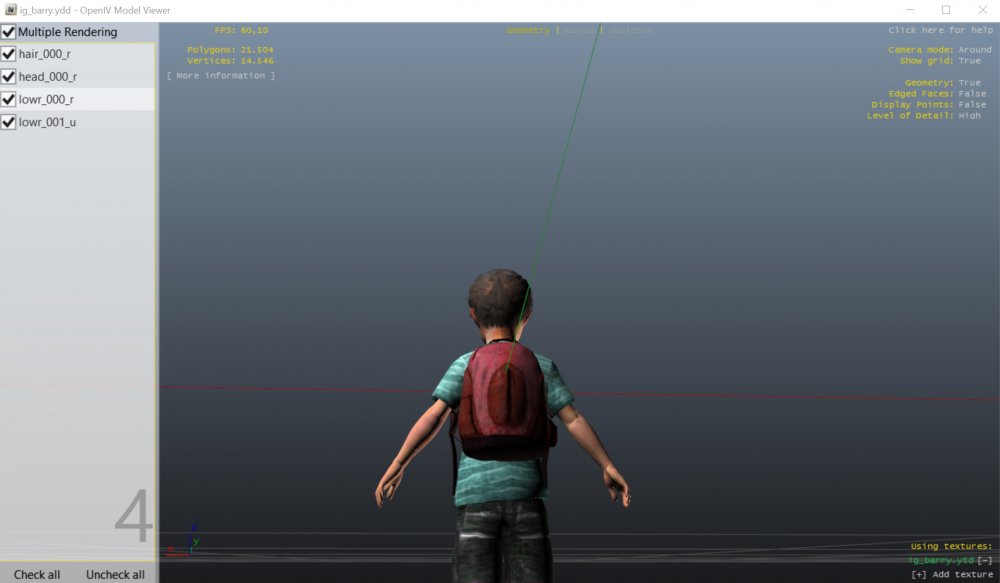
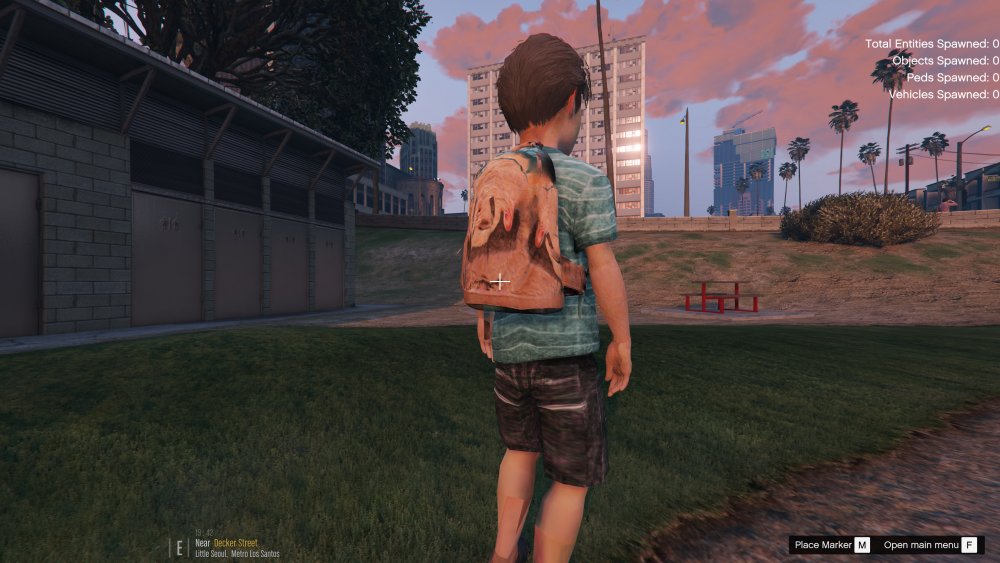
Hi! I am trying to wear a backpack with a model that doesn't have it. I have the model (ig_barry), and I have the backpack from another similar model (ig_bankman). Basically what I'm trying to do is to add the backpack to my model. I've been able to do it by exporting the ".odd" of ig_barry (my model) using OpenIV and adding the backpack manually by copying and pasting the related ".odr" files and meshes from the other model "ig_bankman". I've also added the related string to the file "ig_barry.odd". Everything looks good in OpenIV (the backpack looks fine and is also detachable), but when I load the game the backpack is fixed on the model and it's using the ped's face texture instead of the proper "lowr_diff" one (the backpack). No idea what to do. I hope I've been able to explain myself, it's a bit complicated for me and I haven't been able to find any tutorials online. EDIT: this is how it looks on OpenIV. EDIT2: this is what it looks like in game.