



Arin171
Members
-
Joined
-
Last visited
Everything posted by Arin171
-
.thumb.png.fcb37d0a74ed5f6514f4f91dcd484f5d.png) Awesome skins, not much to say other than that these look really good and I have to say good job on picking the cars for your skins, they fit really really well.
Awesome skins, not much to say other than that these look really good and I have to say good job on picking the cars for your skins, they fit really really well.- 6 comments
- 1 review
-
-

- 1
-
-
Slight issue, the 2018 Charger in the 2K file download is still at a 4k quality. Not sure if it's supposed to be like this or just a mishap. Anyways, it's a great pack and would love to see more! 😄
- 6 comments
- 1 review
-
 If you're using the DLC pack provided "kyultrapack," check through each file( setup2.xml, content.xml, and all meta files) for typos, or if the files weren't transfered correctly. Also,if you want to remake the DLC pack to make sure it's thorough, I recommend following @Transnapastain's (Devin Plays) tutorial on how to make a DLC pack so you don't get lost. (Video link in spoiler below)
- 214 comments
- 38 reviews
-
 Always love the Toronto police cars, glad someone made a pack for them. Great work 😄
- 154 comments
- 46 reviews
-
-
- 1
-
-
@Jedahdiah I don't know if this is something on my end, but where is the Prisoner Transport link, it's giving me the home for LCPDFR.com when I look at it. Thanks in advance!
- 154 comments
- 46 reviews
-
Odd, after that you should just be able to load up rph and it should start through the launcher and therefore load lspdfr.
-
Have you downloaded the newest version of LSPDFR, RPH, & SCRIPTHOOKV?
-
Took me a few tries to get it to work, I found it on a LSPDFR support discord. Yes, and if that doesn't seem to work, as stated in my second comment, launch them both at the same time. Hopefully, Rage Plugin Hook released something which I think is a fix to this issue, but I haven't checked it yet and I am not sure if it is just a workaround for the new launcher.
-
BTW forgot to mention, if it says «Slow System or Insufficient Permissions.» Try to start RPH and GTA V at the same time and see if that works.
-
In order to play with RagePluginHook you will need to launch Grand Theft Auto V either via Steam or the Launcher, load into Singleplayer, tab out and launch Rage. It may take a minute to hook and freeze, but soon after it will still hook.
-
 One of the best skin packs for my favourite LSPD pack. Looks awesome and keep up the great work!
- 65 comments
- 34 reviews
-
NVM fixed the problem.
-
Okay, so I was using the 2017 CHP Mega Pack, and after installing it I got some very very odd textures that flash, freeze my game, get very bright, etc. I don't know what this would really be since I only put in a vehicle pack. Also, Here's my Rage Log to see if there is something there, doubt it though. RagePluginHook_17082019_144129.log
-
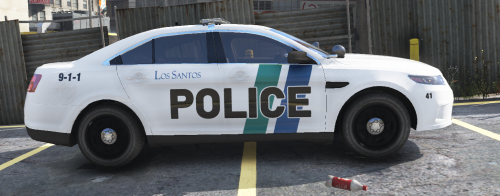 Skins for Thehurks 2016 Ford Police Interceptor Utility and OfficerUnderwoods 2011 Ford Crown Victoria and 2016 Ford Police Interceptor Sedan
 -
I honestly like the older versions of the Impala because they felt more real while playing. But I could give this a try
-
Hello guys, the other day I deleted my GTA V because of other reasons not related to LSPDFR. but when I got back I copied my old cars, visual settings, plugins etc. back until my game Reinstalled and I downloaded LSPDFR again. I did everything as normal when downloading it and then I pasted my stuff back into all the correct locations. But when I start my game, the RPH logo doesn't show, the loading screens don't pop up and then when I get to a certain part of loading it goes into windowed mode and shows me this Image down below. Any fixes for this I have tried re downloading RPH and LSPDFR like 10 times and nothing is working. Some help would be great!
-
Same thing is happening with me, it loads at first but then I get to a ceratin points where it has tons of words no one reads and then it goes into Windowed mode and pops this thing up. Has it been doing that?
-
-
I don't know how do I check this? Didn't work when I changed packs, still did it.
-
Nope, happened when I did the Los Santos MetroPolitan Police Vehicle Pack and the RCMP vehicles pack. I might get rid of them both and see if it helps.
-
No, is just disappears, I can't walk through anything, I don't fall through road. It acts like the regular GTA V with everything inviisble. CPU Intel Core i7 4790 @ 3.60GHz Graphics VS278 (1920x1080@60Hz) iP193A (1366x768@60Hz) NVIDIA GeForce GTX 970 (ASUStek Computer Inc) Could it be because of a dual monitor setup?
-
Whenever I spawn into a police car and sometimes when I get into Uniform, everything Disappears except some props, people, and cars. But all buildings disappear except from a distance. Any fix for it? Screenshot Sorry if I posted this in the wrong area, I am fairly new to using these forums and posting.
-
-
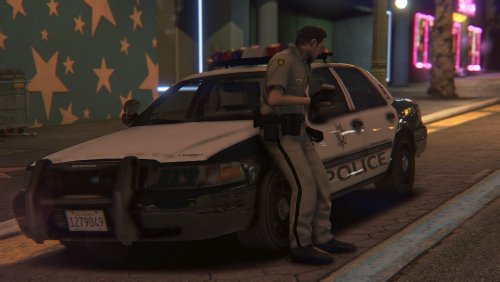 Instructions for installation are in the read me so actually read it. The readme I am looking at has no install instructions as seen here Instructions for installation are in the read me so actually read it. If this isn't the correct readme where the install instructions actually are. If you could give me some then I could be set. I don't like having the regular LSPD Uniforms for the LSMPD Cars pack.
- 21 comments
- 7 reviews
-
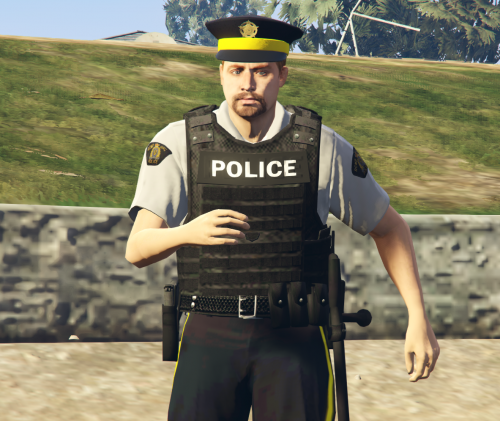 I downloaded all of these files in the correct area, but they do not show up. It only shows the regular Vanilla Uniforms of LSPD, LSSD, etc. Any suggestions on how to fix this?
- 21 comments
- 6 reviews

.thumb.png.fcb37d0a74ed5f6514f4f91dcd484f5d.png)
