




NeulandInternet
Members
-
Joined
-
Last visited
Everything posted by NeulandInternet
-
From the album: Germany, 1996
-
From the album: Germany, 1996
-
From the album: Germany, 1996
-
-
From the album: Germany, 1996
-
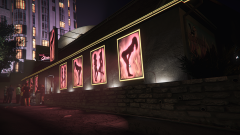
From the album: Germany, 1996
-
Oh my Lord, You saved my whole friggin Week with this! Thank you so much ❤️
-
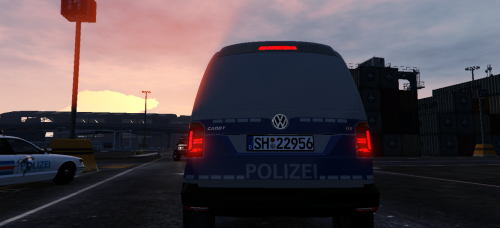 The Livery should fit on this one as well: https://www.gta5-mods.com/vehicles/volkswagen-caddy-traffic-support However, as the original mod featuring the template has been removed by the author, I cannot say for sure if the Link above contains one. I'm sure you'll find one when searching through 5mods, as there is only one Caddy model floating around afaik. 😄
 -
For anyone still wondering about how to change streetlight colors: It's actually more sophisticated than I initially anticipated. You'll have to edit giant sets of LODlights Inverse-RGBI entries in several hundred distantlights.ymap-files, as stated by CVPIPACK, wherein every single streetlight has its one entry, that would make it an exhausting process. Secondly, the coronas of the streetlights will still be at the same position, even when the streetlight has been moved in a mapeditor, hence the solution lies not in Zmod, as for what I wanted to do. If you still want to give it a shot, I suggest you should fire up the latest Codewalker release, available on 5mods, and take a look at the individual streetlights and what distantlight-ymap-file is attached to them, then you have to edit every single one of these ymap-i-RGBI entries that are assigned to the streetlights in order to have all the streetlight corona colors changed. It would be an time-intensive process to do so. However, I'm glad to have found the solution on this issue. Huge thanks to the Users on the Codewalker Discord, this is where the extensive research was made and shared with us; and CVPIPACK for his contributions to this thread, he was right with the lodlights! Good Night.
-
From the album: Germany, 1996
-
From the album: Germany, 1996
-
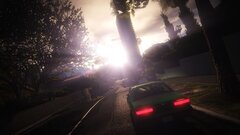
From the album: Germany, 1996
-
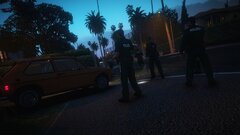
From the album: Germany, 1996
-
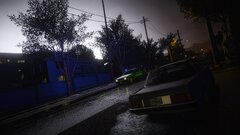
From the album: Germany, 1996
-
-
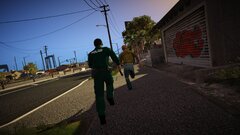
From the album: Germany, 1996
-
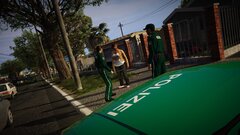
From the album: Germany, 1996
-
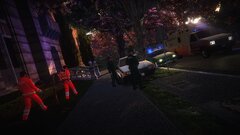
From the album: Germany, 1996
-
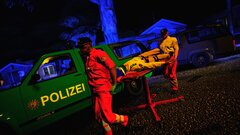
From the album: Germany, 1996
-
Pfad für die Dateien: Grand Theft Auto V\plugins\LSPDFR\SearchWarrant ;) general.xml narcotics.xml neuland1.xml weapons.xml
-
Moin, das war in einem Ralfinger Video und die Datei mit deutschen Items habe ich geschrieben. Das Plugin heißt SearchWarrant und ich kann dir gerne die Dateien schicken, die den Pool an findbaren Items mit deutschen ersetzt. :)
-
 Well, the video is some years old. At the time I posted the link, it was still online, i did not notice that it was taken offline. I just couldn't know. 😉
 -
Nein, das Horn ist keinesfalls das einer RTK 5. @Officer GILLETTE ABDI @light86
-
Wow, these liveries look so cool! Definitely one of the nicest livery designs Europe had to offer in the 80's!
-
 I really like this plugin, adds a lot of immersion to the game. Addon vehicle support would be nice though, there are always the same vehicles responding. Would be cool, if it was possible to link the plugin to the backup.xml or even add a CustomBackup integration!
- 93 comments
- 18 reviews




