Gabbeki
Members
-
Joined
-
Last visited
Everything posted by Gabbeki
-
Ok I will try remove ELS and then I will reply what happend. Thank you for help :) Btw. im using gta iv normal no eflc :)
-
DRF pack V1 ELS V8.51 Just that 2 i think :) I check in control panel and I have just x86 c++
-
Well I "fix" "taxi bug" and after some time my script of RILbudgeted fall down...idk why I will try fix it... LCPDFR I know last time when I went in House to savegame they crash and I try screenshot but it get black :S
-
I will... I have more question :) When I put police mod car I get bug with taxi and 2 more cars,they overload map. I try download Taxi Bug and etc. but I cant fix it. What I can make with that?
-
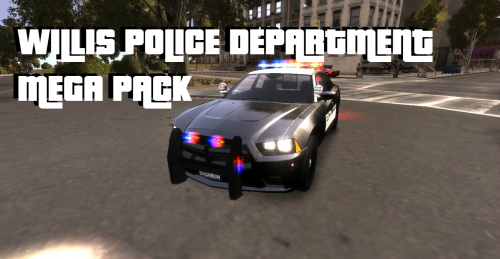 ELS files to ELS folder in GTA IV folder From folder files you chouse car and inport with "GTA IV Vehicle Mod Installer" :)
- 11 comments
- 4 reviews
-
Next time I will screenshot...idk right now... Specs.. Pentium Dual Core 3.2GhZ Ram 4GB Nivida GeForece 9500GT
-
Sure....now I can run game and LCPDFR and after 15min I get some error and I need exit from GTA and get in again.
-
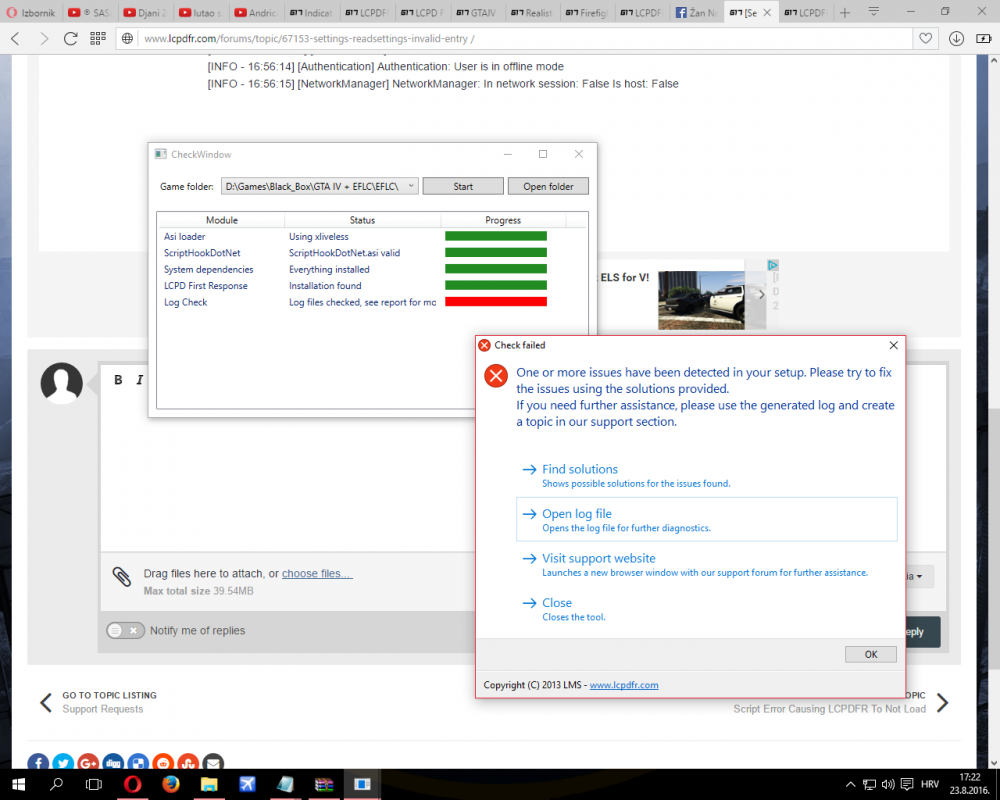
Hi, Today I try install LCPD First Response 1.1 and I get this trouble...... [INFO - 4:56:09 PM] [Log] Started [INFO - 4:56:09 PM] [Main] Main: Initializing... [INFO - 4:56:09 PM] [Main] Main: LCPDFR Engine (C) 2011-2013 LMS [INFO - 4:56:09 PM] [Main] Main: DO NOT USE THIS WITHOUT PERMISSION. YOU MAY NOT SHARE, MODIFY OR DECOMPILE THIS FILE. [INFO - 4:56:12 PM] [PluginManager] Initialize: Loading custom plugins [WARNING - 4:56:12 PM] [Settings] ReadSettings: Invalid entry [INFO - 4:56:12 PM] [Settings] ReadSettings: Suspect transporter POLICE [INFO - 4:56:12 PM] [Settings] ReadSettings: Suspect transporter POLICE2 [INFO - 4:56:12 PM] [Settings] ReadSettings: Suspect transporter PSTOCKADE [WARNING - 4:56:12 PM] [Settings] ReadSettings: Invalid entry [INFO - 4:56:13 PM] [Plugin.Main] Changing language to en-US [INFO - 4:56:13 PM] [Main] Main: Initializing done [INFO - 16:56:12] [ServerCommunication] InitializeConnection: Internet connection available [INFO - 16:56:12] [ServerCommunication] InitializeConnection: Public IP Address is: **.***.***.** [INFO - 16:56:14] [ServerCommunication] InitializeConnection: Found configuration for the masterserver, going to use API server v2.lcpdfr.onlineservices.g17media.com [INFO - 16:56:14] [ServerCommunication] InitializeConnection: Establishing session with the LCPDFR server... [WARNING - 16:56:14] [ServerCommunication] InitializeConnection: Failed to connect to the LCPDFR server (The remote server returned an error: (502) Bad Gateway.). Multiplayer is deactivated [INFO - 16:56:14] [Authentication] Authentication: Server not available, trying to authenticate offline [ERROR - 16:56:14] [Authentication] Authentication: Authentication failed. Couldn't reach server or no valid lease available [INFO - 16:56:14] [Authentication] Authentication: User is in offline mode [INFO - 16:56:15] [NetworkManager] NetworkManager: In network session: False Is host: False Can anyone help? Thanks in advance. And "Check window"