Dylanc431
Members
-
Joined
-
Last visited
Everything posted by Dylanc431
-
Hmm, that's really odd, considering I went from Windows 7 straight to 10, but I also re installed my C++ redistributables After installing from the link you shared I'm now not able to start the game at all: "Seculauncher Failed To Start Application [2000]"
-
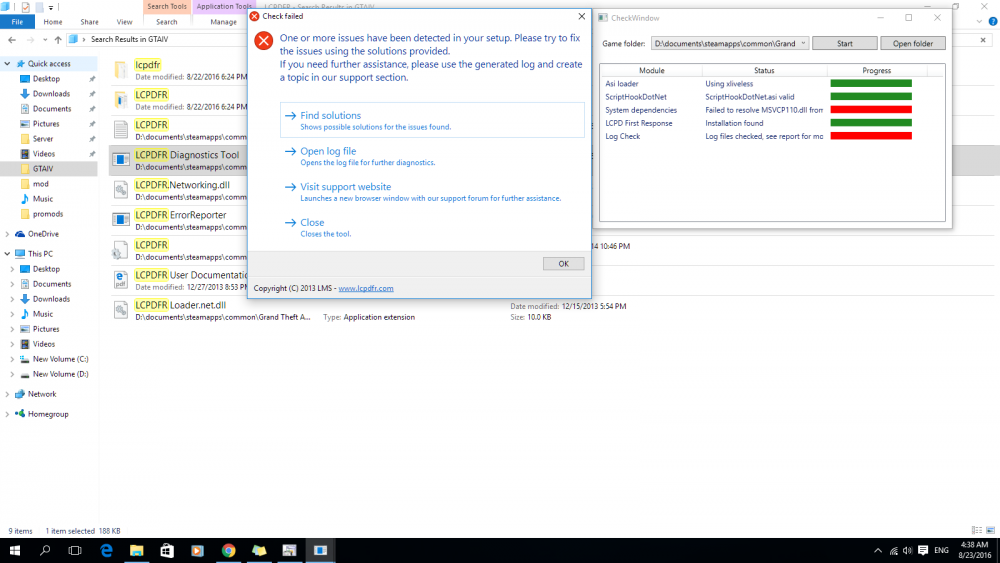
Hello, this is my first post on the forums here and I apologize if I've placed this post in the wrong place or anything like that but I'm currently having an issue with trying to use the LCPDFR mod in GTA IV (Version 1.0.7.0 from steam). Every time I start up my game I get a message that says "Error In Script: Loader.Loader" I have looked online and all of the troubleshooting steps I've seen haven't done me much good, I ran the diagnostic tool and I received some errors (I'll post the result below) and I will post the log I received too, I'm hoping someone here can help me! Thanks in advance! Dylan. Diagnostics_23.8.2016_4_53_59.log Oh, and if my system specs are needed then here they are: Intel Core i5 2500 Gigabyte GeForce GT 730 (2GB GDDR5) Intel DQ67SW Motherboard Windows 10 Pro 64 Bit 16GB DDR3 RAM Also note that I have to always run GTA IV in Vista SP 2 compatibility mode for the game to even open for me