




ASTTrprDillon95
Members
-
Joined
Everything posted by ASTTrprDillon95
-
![[WIP] 2011 Liberty County Sheriff's Office Crown Victoria Police Interceptor](//s3-gallery.int-cdn.lcpdfrusercontent.com/gallery/album_628/sml_gallery_2982_628_29913.jpg)
From the album: WIP (ASTTrprDillon95)
Coming Soon!!! with Michael V.'s JCSO/LCSO Skin!!!! I am loving this CVPI!!!! CHange log from previous version(Image uploaded in another album[LCPDFR on Patrol]): Mirror lights added. Pending Changes: Grill lights Rear stobes. -
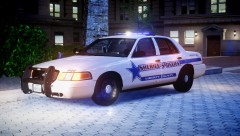 So this vehicle will be released.... Though I still have to add certain things in....
 -
Well I have to wait for Michael to agree....
-
From the album: LCPDFR on Patrol
Should I release this?? - ONLY If Michael V. agrees... -
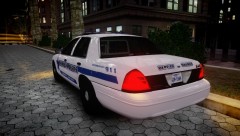
From the album: LCPDFR on Patrol
Should I release this?? - ONLY If Michael V. agrees... -
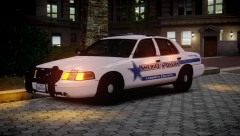
From the album: LCPDFR on Patrol
Should I release this?? - ONLY If Michael V. agrees... -
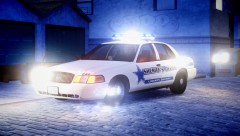 car: http://gtapolicemods.com/downloads.php?do=file&id=596 (You have to edit the Emerlights textures yourself) Skin:
 -
I hope some one can tell me which is better... I CANT DECIDE LOL Either OR
-
The problem doesnt lie with the Talon. Because It is the materials causing the RC20s. Check it. Because the Talon is usable and I can use it.
-
It fixes many things. ELS v7 fixes the stability of the ELS itself. Fixes the AI ELS system and fixes Multiplayer support.
-
Check your materials
-
-
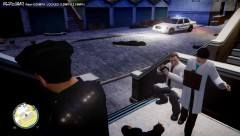
From the album: LCPDFR on Patrol
Apparently 4 people died so the coroners came -
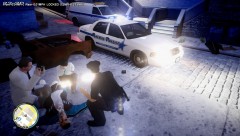
From the album: LCPDFR on Patrol
Apparently 4 people died so the coroners came -
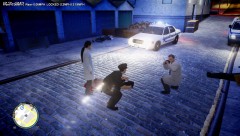
From the album: LCPDFR on Patrol
Apparently 4 people died so the coroners came -
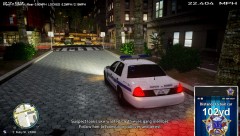
From the album: LCPDFR on Patrol
CVPI by Lt. Caine Livery By Michael V. -
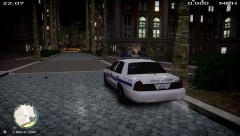
From the album: LCPDFR on Patrol
CVPI by Lt. Caine Livery By Michael V. -
From the album: LCPDFR on Patrol
CVPI by Lt. Caine Livery By Michael V. -
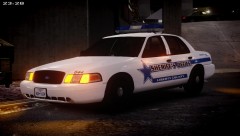
From the album: LCPDFR on Patrol
CVPI by Lt. Caine Livery By Michael V. -
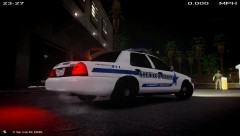
From the album: LCPDFR on Patrol
CVPI by Lt. Caine Livery By Michael V. -
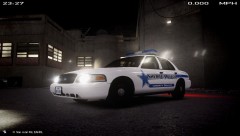
From the album: LCPDFR on Patrol
CVPI by Lt. Caine Livery By Michael V. -
-
Remap ELS
-
The reason is simple. there is conflicting Emerlights_emis. the inner edge has its own emerlights_emis. and the XT6 has its own emis as well there fore the crosses on the Extra, because when you imported the Inner edge, the extra immediately reads emis as its default material and uses it which causes the texture to go like that.
-
UPDATE: Gunman has been shot and killed by SWAT. Firefighters are ok but suffered 'superficial' wounds. An officer has been wounded. Police say.

![[WIP] 2011 Liberty County Sheriff's Office Crown Victoria Police Interceptor](http://s3-gallery.int-cdn.lcpdfrusercontent.com/gallery/album_628/sml_gallery_2982_628_29913.jpg)

