Skip to content
View in the app

A better way to browse. Learn more.

LCPDFR.com

A full-screen app on your home screen with push notifications, badges and more.

To install this app on iOS and iPadOS
  1. Tap the Share icon in Safari
  2. Scroll the menu and tap Add to Home Screen.
  3. Tap Add in the top-right corner.
To install this app on Android
  1. Tap the 3-dot menu (⋮) in the top-right corner of the browser.
  2. Tap Add to Home screen or Install app.
  3. Confirm by tapping Install.

DIRTDIVER879

Members
  • Joined

  • Last visited

Everything posted by DIRTDIVER879

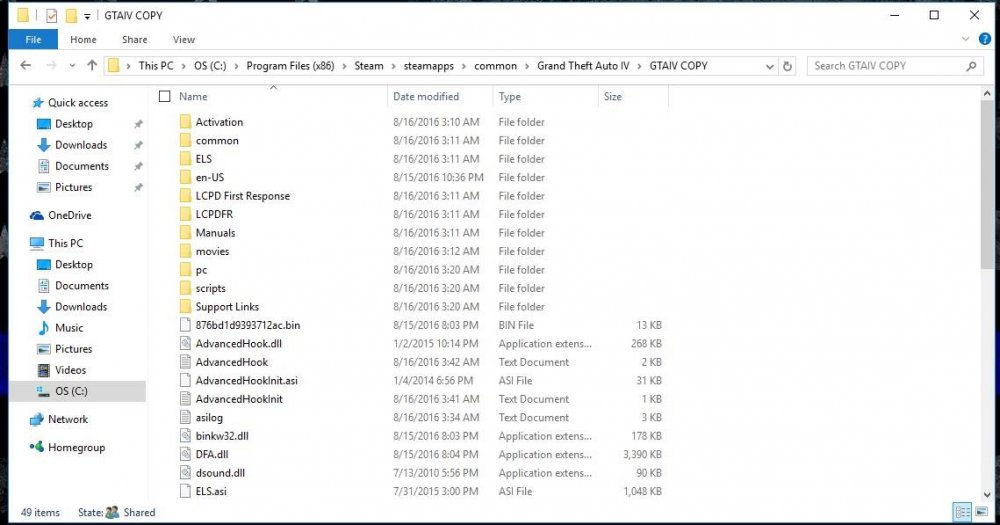
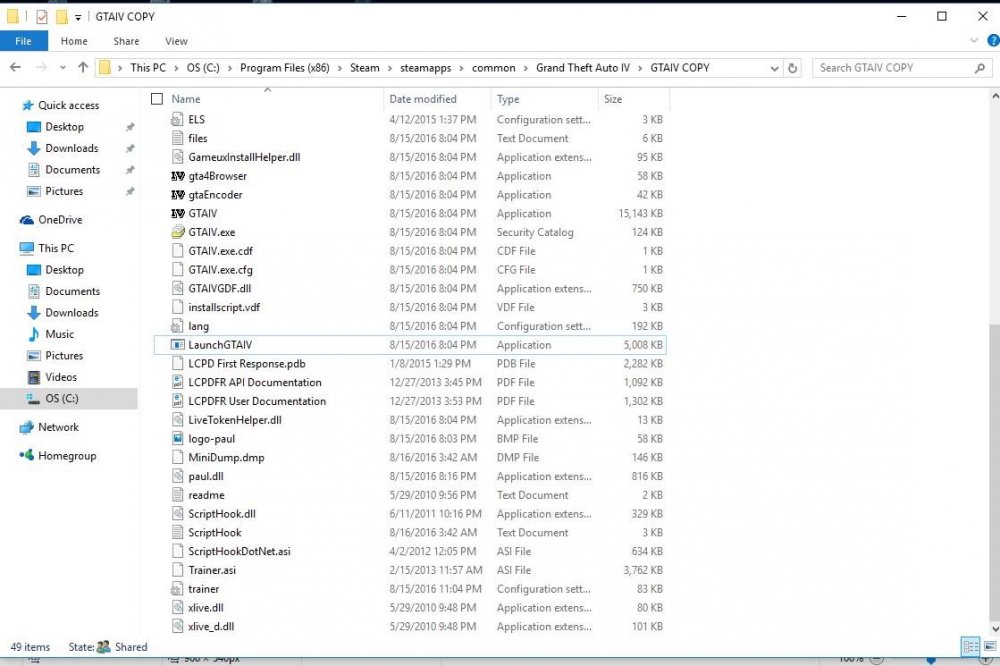
  1. I am very new to all of this, I downloaded GTAIV from steam with the intentions on playing LCPDFR. I installed everything, and installed .net, and the c++ visuals. I got the trainer menu to work... even spawned a NYSP cruiser that I added, but could not get LCPDFR to start. Tried various things, such as trying to change the attributions of the folder, but when I would uncheck "read only" it would automatically re-enable the "read only" setting. Now, the game is crashing on the black loading screen. Please, help me fix this.
Account

Navigation

Search

Search

Configure browser push notifications

Chrome (Android)
  1. Tap the lock icon next to the address bar.
  2. Tap Permissions → Notifications.
  3. Adjust your preference.
Chrome (Desktop)
  1. Click the padlock icon in the address bar.
  2. Select Site settings.
  3. Find Notifications and adjust your preference.