t0y
Members
-
Joined
-
Last visited
Everything posted by t0y
-
-
-
-

From the album: t0y's Projects
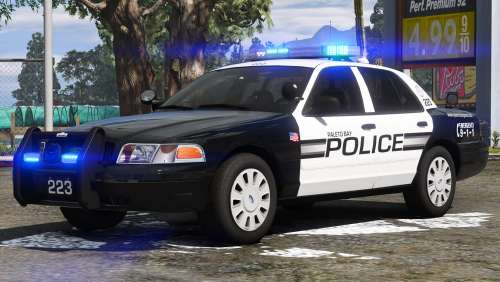
Here is a CVPI, idk what else I'm supposed to say. I'm really hungry atm and no one is home so I probably need to get take out but idk where to order from, so annoyed. I do have gummy bears though, maybe I'll eat those. I'll keep you guys posted on that one.© t0y, Chappie
-
 Thanks 🙂 me too No u Negative
 -
From the album: t0y's Projects
Solo car, already posted some trash pics of it in a different album so here it is again bye.© t0y, Slendis, Chappie
-
Ok cool thanks boys.
-
Yeah, same thing happens on Edge, and I can try my phone later
-
 Thanks! yes Good good Thanks! And no, sorry I really like the french and the spanish "los santos" and english looks odd on the Quebec car, at least for me. Thanks! Will do! ok
 -
Yeah, I've been dragged back in lol. Hmm that's odd, Chrome. It seemed to happen right after the gallery update, and has been pretty consistently slow recently. Images on the google images search thing wont load if they are from FR, if I go to my profile and hit "images" they will all be white, and going to gallery would take 5m to load the whole thing, or they'd all be blank except a select few. It only happens with FR, and only happened after the update which is why I think it's FR instead of me, although who knows.
-
Not that it's your fault, but pourquoi? I notice it especially in the gallery/images it's just... soo.... sloooooooooooooooooooow. It's not my internet, even though it's trash the slowness only happens on here, and it happens for other people too. It has only been this slow since the weird gallery update a while back, any way to fix this please? Quite annoying. ALSO Speaking of the gallery can we get that 4mb gallery limit out of the way please, thanks. Much love bye. Also btw I'm back here if this was a surprise, I liked the 0.4 technology behind it type post and so yeah hiya.
-
 Ah nice, he made really nice IV SPVM models if I remember correctly.
 -
From the album: t0y's Projects
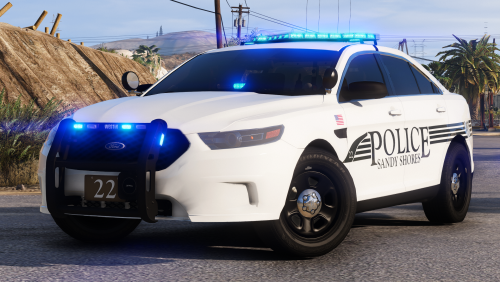
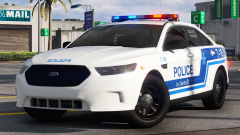
Hey there big boys and big girls, here is another part of my SPVLS pack, but it's an FPIS this time. That is all good day.© t0y, Chappie
-
Oh nice, have fun t0ying with it lol. Looking good!
-
Ah cool, where did you get it? And nice looks good so far.
-
 Nah those are the flashing white lights that flash back and forth (left and then right) in the place of the takedowns, the actual takedowns are both sides. Whoops I was planning to release as is sorry, it doesnt look as good with steelies.
 -
From the album: t0y's Projects
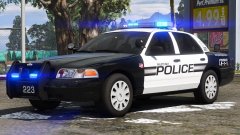
Here is a Massachusetts based department pack, yes that department (Cambridge AKA Plymouth AKA like 100 other MA departments.) It is all blue, but like all my other packs comes with a r/b texture change option. Small pack though only CVPI and FPIU. Sorry the rest of these pics are low quality, they havent fixed the 4mb limit yet (angry emoji)© t0y, Chappie
-
Eww no, not as good as their old graphics at least. Thanks 🙂 me neither tbh. Code 3 Defender
-
no u Lmao thanks, yeah I love SPVM I'm just sad they ruined their graphics like SQ 😞 Go back where? 😞 thanks though lol. :boi: they're your plates, and idk what you mean about front window tint but I may or may not fix that if I figure it out. Thanks otherwise though cutie.
-
From the album: t0y's Projects
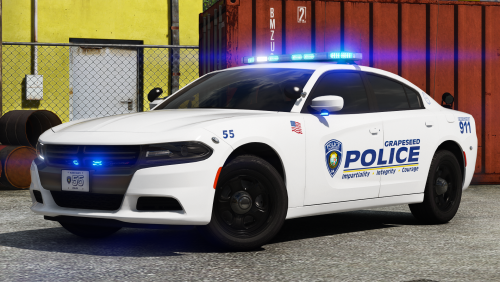
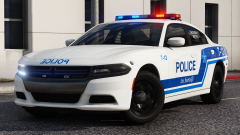
AKA Police Service of the City of The Saints AKA LSPD AKA SPVLS AKA SPVM AKA Montreal Police AKA its lore friendly tho. Anyway here is a 2018 charger, part fictional but mostly accurate, also comes with a livery with the protest stickers on it. This is a 4 car pack so more pics coming later today or tomorrow.© t0y, Chappie
-
-
 Nope I decided not to include those as some of their cars dont even have them and I personally dont like the like of them. And regardless these are technically lore friendly so accuracy is non of my concern (although like I said they're pretty accurate anyway.)
 -
Thanks! Maybe... For now I'll just be releasing these vics along with a few other packs, but I plan on circling back and doing FPIUs and maybe some other cars for LSSD. One day... Me too man, me too. no u I won't I promise. I'll try, although I'm not sure that's entirely true. I'm sure other people set them up correctly. Thanks! I cant figure out how to do that heart eye emoji, but I would if I could.
-
-
From the album: t0y's Projects
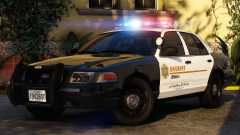
This is old, but recently updated, other screenshots and packs and this will be released with some other jazz. Other pics coming soon ish.© t0y, getinmybelly, Chappie