ShieldedCat
Members
-
Joined
-
Last visited
Everything posted by ShieldedCat
-
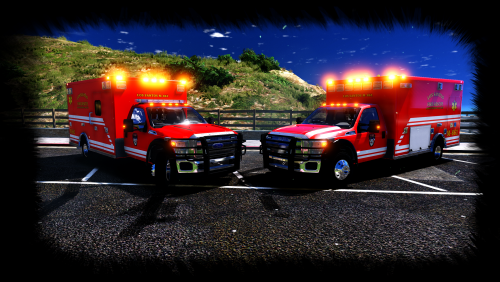 It's a pretty nice looking Ambulance. Interior is filled with a lot of detail and the lighting on it makes it perfect eye candy. Though one of the biggest issues to me is the fact that the cabin of the ambulance seems to be detached more than usual from the rest of the vehicle as shown in these pictures. This is the lightbar model one btw.
- 53 comments
- 17 reviews
-
Since this was made for a clan, are we not allowed to create videos of the modification?
- 129 comments
- 44 reviews