


sterlingarcher
Members
-
Joined
-
Last visited
Everything posted by sterlingarcher
-
-
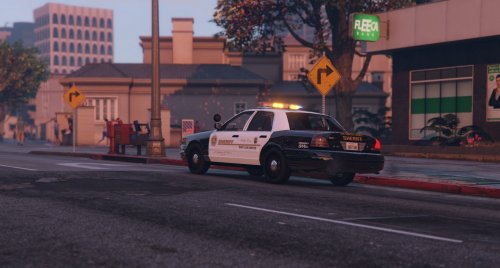 Awesome skin pack, would love to see one for the 2015/2016 Ford PI Taurus. Very accurately detailed indeed!
- 2 comments
- 3 reviews
-
.thumb.jpg.61de846de400ca98f85d205992527de1.jpg) There's a problem with the siren even when installed properly, as in if it breaks (glass is shot out or minor ding for ex.) the siren noise bugs out and sounds like nails to a chalkboard. Anyone know a fix for this? I installed into patchday5 and added the flags lines to the meta. Otherwise, a beautiful model.
There's a problem with the siren even when installed properly, as in if it breaks (glass is shot out or minor ding for ex.) the siren noise bugs out and sounds like nails to a chalkboard. Anyone know a fix for this? I installed into patchday5 and added the flags lines to the meta. Otherwise, a beautiful model.- 265 comments
- 83 reviews
-
GTX 980 Ti, i7 4790k, 16GB RAM, good cooling. Really shouldn't be a problem, also already tried downloading the latest drivers.
-
Anyone experience this? Example in this video. Textures around the world start disappearing and the game starts to lag after I spawn in a vehicle mod. In my case, I installed F5544's Arjent CVPI along with a 4K skin texture pack that has the "cvpi_sign_1" through "cvpi_sign_8" textures replaced in the ytd. This sometimes goes away if I were to not use 4K textures on any of the modded cars I have. Is this normal? Please let me know, any help would be greatly appreciated.

.thumb.jpg.61de846de400ca98f85d205992527de1.jpg)