Skip to content
View in the app

A better way to browse. Learn more.

LCPDFR.com

A full-screen app on your home screen with push notifications, badges and more.

To install this app on iOS and iPadOS
  1. Tap the Share icon in Safari
  2. Scroll the menu and tap Add to Home Screen.
  3. Tap Add in the top-right corner.
To install this app on Android
  1. Tap the 3-dot menu (⋮) in the top-right corner of the browser.
  2. Tap Add to Home screen or Install app.
  3. Confirm by tapping Install.

GrossBananaBear

Members
  • Joined

  • Last visited

Everything posted by GrossBananaBear

  1. And do you know how to make uniform skins?
  2. What font did you use btw for the Sheriff Skin?
  3. I now know how to make vehicle models and how to install them properly, but does anybody know how to make ped textures, or what to use to create them?
  4. Thank you very very much! This certainly did help!
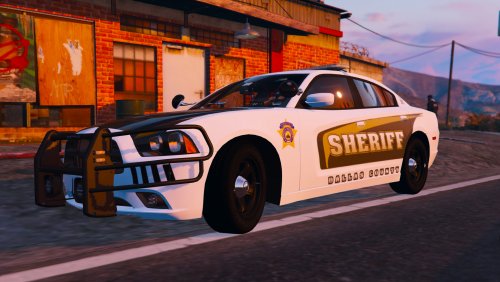
  5. I have had in recent days trouble getting some of my car mods installed. I would follow the path that the readme requires but still it doesn't seem to work almost ever. I am using OpenIV and tried installing a Dodge Charger 2014 and that didn't work but for whatever reason a 2013 Ford Taurus works. Any help would be greatly appreciated! And I am brand to lspdfr so I don't know much about it lmao.
Account

Navigation

Search

Search

Configure browser push notifications

Chrome (Android)
  1. Tap the lock icon next to the address bar.
  2. Tap Permissions → Notifications.
  3. Adjust your preference.
Chrome (Desktop)
  1. Click the padlock icon in the address bar.
  2. Select Site settings.
  3. Find Notifications and adjust your preference.