MrGame4ndWatch
Members
-
Joined
-
Last visited
Files posted by MrGame4ndWatch
-
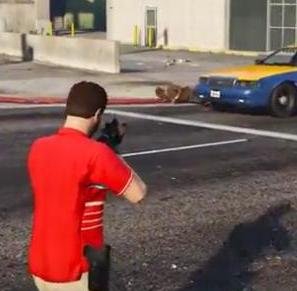
Hides the reticle and reticle kill marker completely and is toggleable ingame. Unlike all the other no reticle mods out there, this one to my knowledge is actually working and WORKS WITH SNIPER RIFLES, you can have no reticle whilst still having the sniper scope! With this mod, you can toggle the reticle ingame with gta 5 settings! Installation instructions provided in the readme, everything should be simple and straightforward. Thanks for downloading my first mod!
This mod does not support DLC weapons or weapons added by mods.
See comments on https://www.gta5-mods.com/weapons/noreticle for more information.
Video below by @Lyrad demonstrating my NoReticle mod along with the Realistic Melee! mod by @Techengage
Just gonna repeat what I said in the comments section about it up here:
"Awesome, like what you did there! As long as the creator of Realistic melee is ok with it I am. I intended this mod to be more of a basis for people to do what they want with and you did just that. I won't be updating this mod any time soon, probably never as there's no need to so I don't mind if people edit my method to suit them as long as it's not a blatant copy of the original structure mod (noreticle) I provide the structure, you build off it. Anyways, glad that you found a use for it in your own gameplay and took it upon yourself to help others in the process! "
I can't and won't provide any support for it and if @Techengage has a problem with it it will be taken down but, here is the link to the download of the mod mashup that @Lyrad created: http://www.lcpdfr.com/applications/core/interface/file/attachment.php?id=59845
- 11,454 Downloads
- 15 Comments
Updated