


MrGame4ndWatch
Members
-
Joined
-
Last visited
Everything posted by MrGame4ndWatch
-
 My response to Lyrad on my NoReticle mod page, just wanted to stick this here for clarification. If you, Techengage, would like to update your mod with Lyrad's edit with my NoReticle as a seperate option or something, I'd be fine with it. As in the quote, I'm not going to update it anytime soon and only intend it to be a basis for others. Cheers!
- 36 comments
- 7 reviews
-
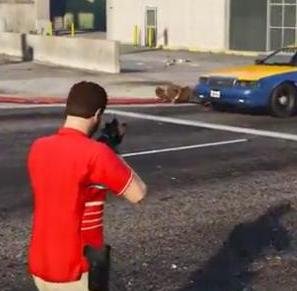 Awesome, like what you did there! As long as the creator of Realistic melee is ok with it I am. I intended this mod to be more of a basis for people to do what they want with and you did just that. I won't be updating this mod any time soon, probably never as there's no need to so I don't mind if people edit my method to suit them as long as it's not a blatant copy of the original structure mod (noreticle) I provide the structure, you build off it. Anyways, glad that you found a use for it in your own gameplay and took it upon yourself to help others in the process! EDIT: Also used a part of your video as a screenshot, hope you don't mind!
- 15 comments
- 2 reviews
-
If i'm understanding your question correctly and correct me if i'm not, the backup file frontend.xml is there if you used any other no reticle mods before this one. Some mods before this one by other people edited the frontend.xml and set the alpha of the reticle to 0, erasing it. If you used any of these mods, you need to use the backup provided or make the change yourself in order for my mod to work.
- 15 comments
- 2 reviews
-
Just wanted to kind of bump this, I'm still here and would appreciate feedback from those that have used this mod. Comments above have both been dealt with. I did have a past mod on an account with the user JUDGE (reticlebegobne) but I removed it due to it not working. The other claim by toastinyou was totally invalid and as such you can see that he has hidden or marked for deletion his non working no reticle mod. This is the only working no reticle mod with sniper rifles on gta5mods and lcpdfr.com and the whole internet as far as I am aware. Feedback appreciated!
- 15 comments
- 2 reviews
-
-

- 1
-
-
Not the same actually, mine works. I made it half-delirious and drunk, it was a terrible mess so I hid it.
- 15 comments
- 2 reviews
-
Hides the reticle and reticle kill marker completely and is toggleable ingame. Unlike all the other no reticle mods out there, this one to my knowledge is actually working and WORKS WITH SNIPER RIFLES, you can have no reticle whilst still having the sniper scope! With this mod, you can toggle the reticle ingame with gta 5 settings! Installation instructions provided in the readme, everything should be simple and straightforward. Thanks for downloading my first mod! This mod does not support DLC weapons or weapons added by mods. See comments on https://www.gta5-mods.com/weapons/noreticle for more information. Video below by @Lyrad demonstrating my NoReticle mod along with the Realistic Melee! mod by @Techengage Just gonna repeat what I said in the comments section about it up here: "Awesome, like what you did there! As long as the creator of Realistic melee is ok with it I am. I intended this mod to be more of a basis for people to do what they want with and you did just that. I won't be updating this mod any time soon, probably never as there's no need to so I don't mind if people edit my method to suit them as long as it's not a blatant copy of the original structure mod (noreticle) I provide the structure, you build off it. Anyways, glad that you found a use for it in your own gameplay and took it upon yourself to help others in the process! " I can't and won't provide any support for it and if @Techengage has a problem with it it will be taken down but, here is the link to the download of the mod mashup that @Lyrad created: http://www.lcpdfr.com/applications/core/interface/file/attachment.php?id=59845
- 15 comments
- 2 reviews
-
-
- 5
-
