Skip to content
View in the app

A better way to browse. Learn more.

LCPDFR.com

A full-screen app on your home screen with push notifications, badges and more.

To install this app on iOS and iPadOS
  1. Tap the Share icon in Safari
  2. Scroll the menu and tap Add to Home Screen.
  3. Tap Add in the top-right corner.
To install this app on Android
  1. Tap the 3-dot menu (⋮) in the top-right corner of the browser.
  2. Tap Add to Home screen or Install app.
  3. Confirm by tapping Install.

Mr. Scoobs

Members
  • Joined

  • Last visited

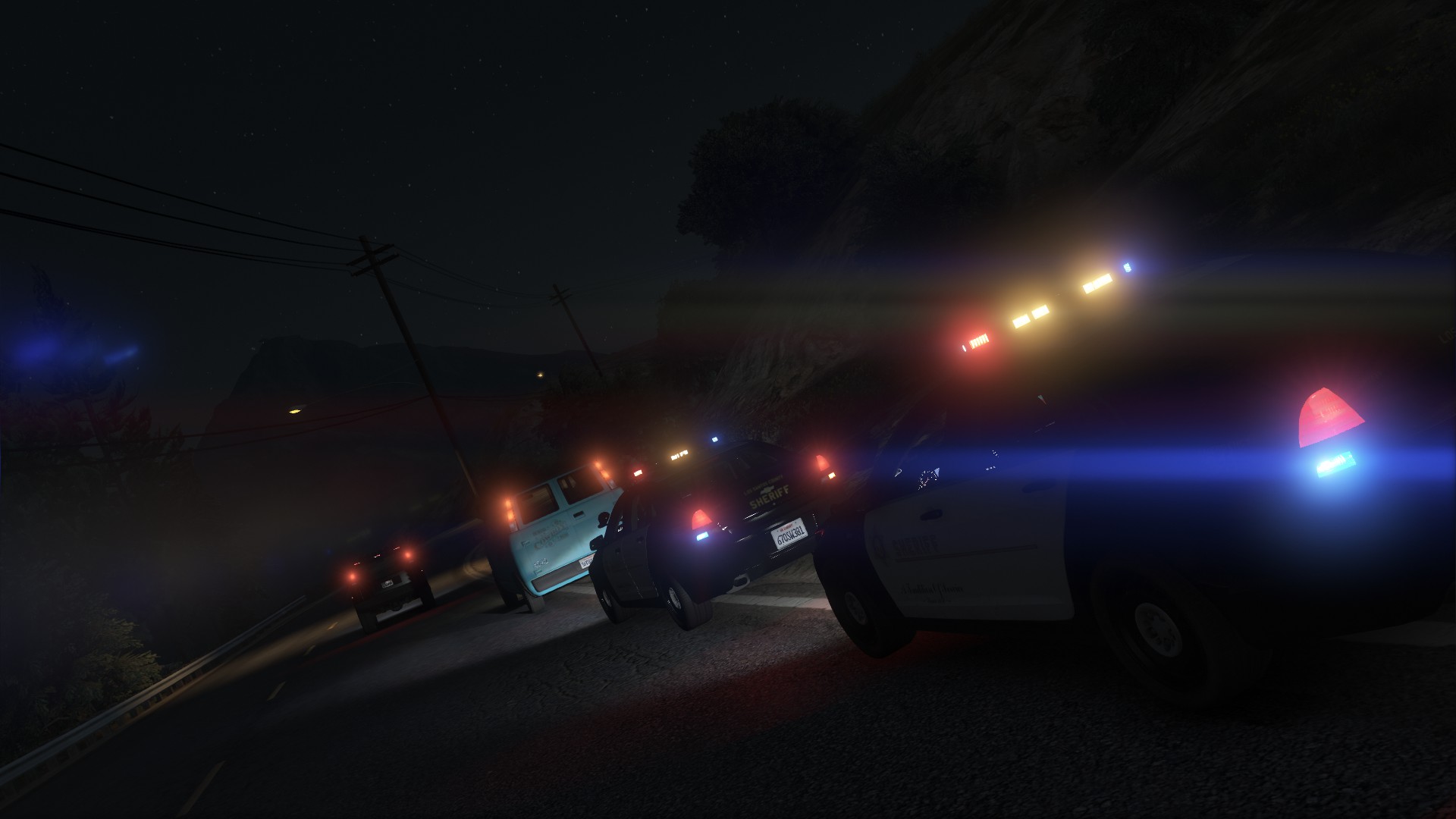
  1. I installed new a couple new cars and I when I flip on the lights with ELS the environmental lighting appears in the wrong places. I attached two screenshots, and the lights are showing underneath the car instead of the direction they're supposed to facing. Is there any way to fix this?
  2. That seems to have worked, looks like I was missing some DirectX files. Easy Fix: Error 0xc000007b "Application was unable to start correctly" - YouTube Thanks!
  3. I tried reverting back to old game version but haven't reverted Rage
  4. What is it your exactly looking for? The general, plugins, advanced, or game settings?
  5. Yes, and some steps even multiple times
  6. Yes, I am still getting the error code and can't figure out what the cause is for the life of me
  7. I meant the most current version of ScriptHook but realized its still outdated. I've tried every single thing on that support thread before coming on here and nothing still works. I'm on a fresh install and directory.
  8. Let me preface by saying it's been a while since I've last played GTA V and LSPDFR and wanted to get back into it. I updated the game, LSPDFR, RagePluginHook, and ScripthookV. I get hit with "The Application was unable to start 0xc000007b error". I tried looking online through YouTube and other forums and updated Net Framework and even reinstalled DirectX but to no avail I'm still getting the same error code. I deleted everything and reinstalled the game and still get the same error code with no mods folder just a fresh directory. Is there anything I can do?
  9.    brenden.iannetta reacted to a post in a topic: RageNativeUI Out of date
  10.    brenden.iannetta reacted to a post in a topic: RageNativeUI Out of date
  11. It was Coastal Callouts for sure. I deleted it and ran the game and no crashes. I read through the Coastal Callouts thread and found that others are having the same problem and PNW is working on an update. Sorry to incovience you
  12. Thats my bad. I attached the right file but to make it easier for you I attached it here RagePluginHook.log
  13. The only plugin that I loaded up was LSPDFR. I attached the RPH log. RagePluginHook.log
  14. Not this time. This time I loaded up the game and loaded up LSPDFR went on duty and crashed within a min. I take out RageNativeUI and it runs fine no crashes I just can't use coastal callouts or EUP.
  15. It unfortunately did not solve the issue. I have attached my RPH log RagePluginHook.log
  16. After the new update (July 2022) I've updated Rage Plugin Hook and LSPDFR but have been experiencing crashes. I finally narrowed it down to RageNativeUI being out of date with me trying to run Coastal Callouts and EUP. Is there a new RageNativeUI for the July update?
  17. I assume this is what you're talking about ScriptHookV.log

Account

Navigation

Search

Search

Configure browser push notifications

Chrome (Android)
  1. Tap the lock icon next to the address bar.
  2. Tap Permissions → Notifications.
  3. Adjust your preference.
Chrome (Desktop)
  1. Click the padlock icon in the address bar.
  2. Select Site settings.
  3. Find Notifications and adjust your preference.