


Ph33r_
Members
-
Joined
-
Last visited
Everything posted by Ph33r_
-
-
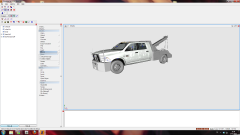 Why not make it a single cab? Other than that little suggestion, great work!
 -
I'm pretty calm, he asked for constructive criticism and was just pointing out its francis not liberty city. I like his skin, but just thought he should give me credit for using the goodyear wheelbacking I made that came from my pack. (I dont mind if he changed the color, i made it easy that way for anyone to do, but at least give me credit for it is all I was asking, not a big whoop.
- 11 comments
- 3 reviews
-
Pretty good, but maybe label it as "Francis" International Airport not LibertyCityAirport? And maybe give me some credit for using the wheels/rims i made?
- 11 comments
- 3 reviews
-
Good point guys! I realized this after posting the image and forgot to include the "yellower" skin. You two were the early bird just hours after i uploaded it but now its updated with the truer color! Sorry for the mistake!
- 3 comments
- 10 reviews
-
My first hand at trying to make a texture for a vehicle in GTA4. I hope its up to most standards as I've had to do a lot of tweaking in and out of game as the model author's own template was not scaled properly. It is a Liberty City skin for Camion's Hydramax to blend into Francis International Airport representing New York's Port Authority fire truck. I've added GoodYear tires with matching body paint color rims along with red light textures for the ELS version. Now if only the "FR" in LCPDFR stood for Fire Rescue with a working script! Enjoy!
- 3 comments
- 10 reviews

