




NotSlyther
Members
-
Joined
-
Last visited
Everything posted by NotSlyther
-
-
-
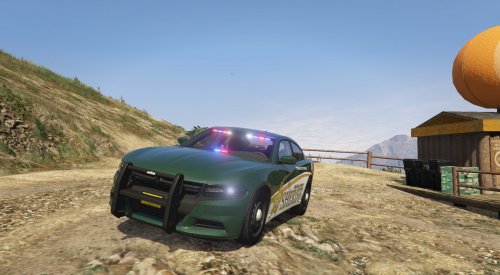 This is my first ever car i have posted to LSPDFR so there is gonna be some errors, sorry for them if there is any. V1.1.0 Update : Added lights to the front rambar. I fixed the skin error. Let me know if there is anything wrong that i can fix and i will try my best to fix it. Do NOT reupload anywhere else without my permission. If you would like to use the vehicle for a FiveM Community contact me on discord at Devin Nikitenko#2292
- 9 comments
- 3 reviews
-
-

- 1
-
-
-

