Salashdot03
Members
-
Joined
-
Last visited
Everything posted by Salashdot03
-
-
 Well any of the testures. I know the location for all of them. If you want I'll write the readme for you. So you don't have go through the headache. Cause I am gonna release my eup textures too. So I have all the locations in my readme already.
- 70 comments
- 16 reviews
-
-
-
-
 Oh got ya and no Im not from Germany myself, but the people that help me make these are. German is starting to rub off on me.
- 16 comments
- 1 review
-
-
They are actually right and I forgot to delete it form the readme. First and foremost, there is no long for females in EUP. Secondly I did not release the male short sleeve cause I didn't want to effect peoples game play. If you read it copies over the original files. Lastly I did female short selvee because I didnt want to leave the females left out. The readme is 100% right. You are right on the hat. Location ModsUpdate/x64/dlcpacks/eup/dlc.rpf/x64/models/cdimages/eup_componentpeds_p.rpf/mp_f_freemode_01_p/p_head_diff_010_b I appreciate the response but, don't say false things the readme is right for the locations.
- 16 comments
- 1 review
-
-
-
-
@ginot1994 Yes jngo and I are already working on the car skins for it and you need skin control to get the right blue for the pants. @CandyDaddy9 No problem glad you enjoy it.
- 16 comments
- 1 review
-
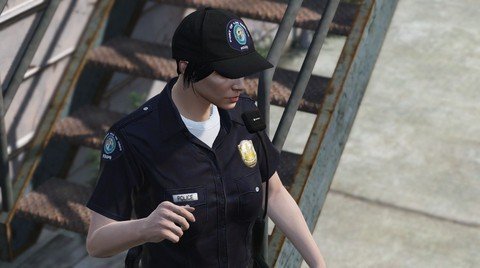
SKIN CONTROL NEEDED In order to get the best out of this mod you must have skin control why?I based the uniforms off of the Los Angeles Port Police so, I made the uniforms more on the blue side. When in skin control you must go to pants model 22 and select texture 3. EUP NEEDED In order to get the port shirt you must go into accessories and select 20 years of service patch. The hat replaced one of the two SAPR hats and the female shirt replaces the original LS police shirt. Knowing that you MUST BACK EVERYTHING UP. That is how you select those shirts and the hat. ALSO DOWNLOAD THIS Why would you download the ped skin and not the car skin? ALWAYS READ THE README Put in the desktop and open with notepad. Also one last important thing enjoy (:
- 16 comments
- 1 review
-
-

- 3
-
-
 ELS!
ELS! -
-
-
-
-
 The original. GTAV/update/update.rpf/coomon/data/levels/vehicles.meta *common
- 66 comments
- 18 reviews
-
-
I did it for the replacement and it didn't work do I need use a different vehicle?
- 66 comments
- 18 reviews
-
-
Definitely great model, but it needs work on the handling. I would put the tahoe in sheriff2 and it would flip. Otherwise great models, cheers to a real tahoe.
- 66 comments
- 18 reviews
-
All the updates on my 2013 tahoe.