


dph3Kt
Members
-
Joined
-
Last visited
Everything posted by dph3Kt
-
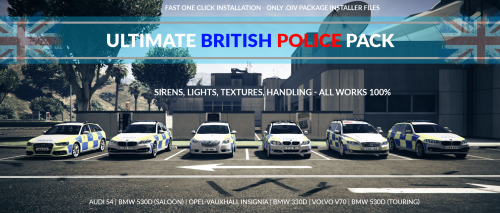 Absolutely great Vehicle Texture pack, for those who are looking to switch their Police Fleet to British, start here! you seriously have no other choice, especially with an easily installed pack via .oiv and a very precise and helpful Installation guide, definitely giving this a thumbs up and 4/5 stars! keep up the great work!
- 52 comments
- 22 reviews
-
-

- 1
-
-
UPDATE! - These are errors that I have found visually with this pack, I do not claim it's a confirmed bug/glitch, just observation on my end. - BMW 530D (Sheriff Cruiser) - Wheels are off centered. - Audi S4 (Police Cruiser) - Wheels are off centered. - Volvo v70 (Unmarked Cruiser) - All blue lights on the vehicle are extremely bright, blinding at night, compared to others.
- 52 comments
- 22 reviews
-
Absolutely enjoyed these cars, slowly transferring everything to a British style, just need better peds, fantastic work, well done! Only problem I found... (Will Update and correct as I investigate further) -Siren audio was still default, not sure if you had added that. -I believe on the Audi S4, the rims seem to be off centered when in motion, nothing major but little things are very annoying :P -Volvo v70's Lights on the roof seem to be VERY bright at night, compared to the other police vehicles
- 52 comments
- 22 reviews
-
-
-

- 2
-
