Skip to content
View in the app

A better way to browse. Learn more.

LCPDFR.com

A full-screen app on your home screen with push notifications, badges and more.

To install this app on iOS and iPadOS
  1. Tap the Share icon in Safari
  2. Scroll the menu and tap Add to Home Screen.
  3. Tap Add in the top-right corner.
To install this app on Android
  1. Tap the 3-dot menu (⋮) in the top-right corner of the browser.
  2. Tap Add to Home screen or Install app.
  3. Confirm by tapping Install.

daniel33186

Members
  • Joined

  • Last visited

Everything posted by daniel33186

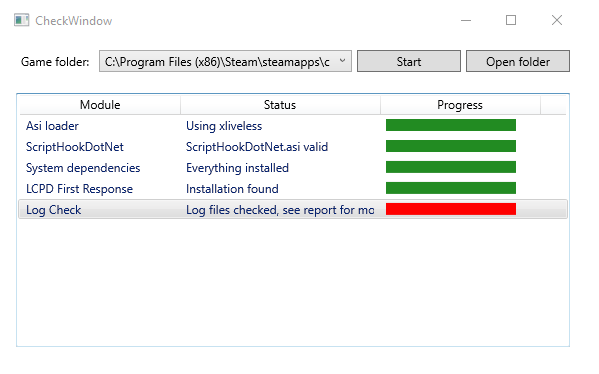
  1. when i start the lcpdfr mod it works for a while and then crashes the entire game at first i thought it was just the game its self. when i ran the diagnostics tool i noticed it has a error see below. im not very tech savvy and so the log file is like a different language to me. if i could get some help with this problem that would be much appreciated thanks. ps i am running windows ten Diagnostics_3.6.2016_18_10_4.log

Account

Navigation

Search

Search

Configure browser push notifications

Chrome (Android)
  1. Tap the lock icon next to the address bar.
  2. Tap Permissions → Notifications.
  3. Adjust your preference.
Chrome (Desktop)
  1. Click the padlock icon in the address bar.
  2. Select Site settings.
  3. Find Notifications and adjust your preference.