
Lt Cole
Members
-
Joined
-
Last visited
Everything posted by Lt Cole
-
-
-
-
-
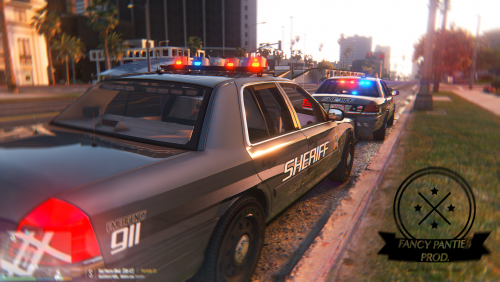 how to install with all the mods and shit i dont have eny of that cool shit win i installed the car in to police2 slot
- 108 comments
- 11 reviews
-
-
-
-
 np
np -
Install You Going to need NotPad++: https://notepad-plus-plus.org/ And Siren Mastery : http://www.lcpdfr.com/files/file/12577-siren-mastery-fully-master-your-siren-tones/ Win you that done open siren sounds and put tham in C:\Program Files (x86)\Steam\steamapps\common\Grand Theft Auto V\plugins\SirenMastery\CustomSirens know win thats done go back in your siren mastery folder and you will see VehicleSirenSetup.xml Relace with my VehicleSirenSetup.xml Open it with Notpad++ you will see <VehicleModel>***CAR NAME***</VehicleModel> about 4 time's add like POLICE POLICE3 POLICE2 POLICE4 Etc Thanks you For Downloading ------------------------------------------------------- Credits LtCole QuentinJericho ------------------------------------------------------------- Demo Here ------------------------------------------------------------- Bugs Let me know so i can fix tham ------------------------------------------------------------- Is this file going to be updated Mabby ------------------------------------------------------------ Are You going to add more Tones Yes --------------------------------------------------------- Fell free to tell me what siren i Should do next
-
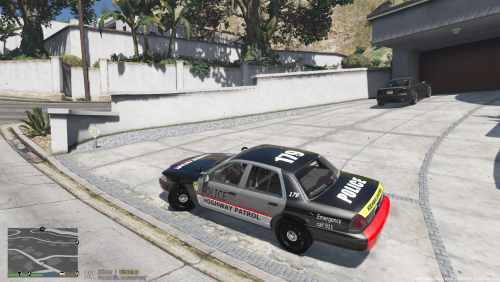 it looks ok mabby do a letter better with the red and hood and not make it look like a race car sorry man
 -
-
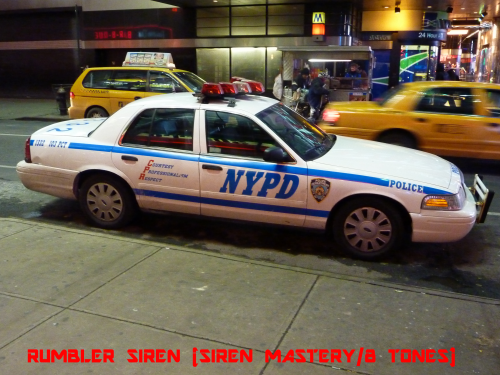 did you edit the VehicleSirenSetup.xml it that dont work try this <?xml version="1.0" encoding="utf-8"?><SirenControl><VehicleSirenSetup> <VehicleModel>POLICE</VehicleModel> <VehicleModel>POLICE2</VehicleModel> <VehicleModel>POLICE3</VehicleModel> <VehicleModel>POLICE4</VehicleModel> <VehicleModel>FBI</VehicleModel> <Sirens> <Siren1 SirenType="Primary">Main</Siren1> <Siren2 SirenType="Secondary">POLICEMAIN2</Siren2> <Siren3 SirenType="Secondary">RamHiLo1</Siren3> <Siren4 SirenType="Secondary">RamHiLo2</Siren4> <Siren5 SirenType="Secondary">RamHiLo3</Siren5> <Siren6 SirenType="Secondary">RamHiLo4</Siren6> <Siren7 SirenType="Secondary">RamHiLo5</Siren7> <Siren10 SirenType="Horn">horn</Siren10> </Sirens> </VehicleSirenSetup></SirenControl>
- 28 comments
- 5 reviews
-
it look like this <?xml version="1.0" encoding="utf-8"?> <SirenControl> <VehicleSirenSetup> <VehicleModel>POLICE</VehicleModel> <VehicleModel>POLICE2</VehicleModel> <VehicleModel>POLICE3</VehicleModel> <VehicleModel>POLICE4</VehicleModel> <VehicleModel>FBI</VehicleModel> <Sirens> <Siren1 SirenType="Primary">Main</Siren1> <Siren2 SirenType="Secondary">POLICEMAIN2</Siren2> <Siren3 SirenType="Secondary">RamHiLo1</Siren3> <Siren4 SirenType="Secondary">RamHiLo2</Siren4> <Siren5 SirenType="Secondary">RamHiLo3</Siren5> <Siren6 SirenType="Secondary">RamHiLo4</Siren6> <Siren7 SirenType="Secondary">RamHiLo5</Siren7> <Siren10 SirenType="Horn">horn</Siren10> </Sirens> </VehicleSirenSetup> </SirenControl> ------------------------------VVVVV----------------------------------------- <VehicleSirenSetup> <VehicleModel>POLICE</VehicleModel> <VehicleModel>POLICE2</VehicleModel> <VehicleModel>POLICE3</VehicleModel> <VehicleModel>POLICE4</VehicleModel> <VehicleModel>FBI</VehicleModel> <Sirens> win you have at that part just copy the <VehicleModel>POLICE</VehicleModel> and go down the <VehicleModel>FBI</VehicleModel> And press enter and Copy and past and rename it
- 28 comments
- 5 reviews
-
-
dose your VehicleSirenSetup.xml look like this <?xml version="1.0" encoding="utf-8"?> <SirenControl> <VehicleSirenSetup> <VehicleModel>***Vehicle Name Here***</VehicleModel> <VehicleModel>***Vehicle Name Here***</VehicleModel> <VehicleModel>***Vehicle Name Here***</VehicleModel> <VehicleModel>***Vehicle Name Here***</VehicleModel> <Sirens> <Siren1 SirenType="Primary">Main</Siren1> <Siren2 SirenType="Secondary">POLICEMAIN2</Siren2> <Siren3 SirenType="Secondary">RamHiLo1</Siren3> <Siren4 SirenType="Secondary">RamHiLo2</Siren4> <Siren5 SirenType="Secondary">RamHiLo3</Siren5> <Siren6 SirenType="Secondary">RamHiLo4</Siren6> <Siren7 SirenType="Secondary">RamHiLo5</Siren7> <Siren10 SirenType="Horn">horn</Siren10> </Sirens> </VehicleSirenSetup> </SirenControl> Use This One <?xml version="1.0" encoding="utf-8"?> <SirenControl> <VehicleSirenSetup> <VehicleModel>POLICE</VehicleModel> <VehicleModel>POLICE2</VehicleModel> <VehicleModel>POLICE3</VehicleModel> <VehicleModel>POLICE4</VehicleModel> <Sirens> <Siren1 SirenType="Primary">Main</Siren1> <Siren2 SirenType="Secondary">POLICEMAIN2</Siren2> <Siren3 SirenType="Secondary">RamHiLo1</Siren3> <Siren4 SirenType="Secondary">RamHiLo2</Siren4> <Siren5 SirenType="Secondary">RamHiLo3</Siren5> <Siren6 SirenType="Secondary">RamHiLo4</Siren6> <Siren7 SirenType="Secondary">RamHiLo5</Siren7> <Siren10 SirenType="Horn">horn</Siren10> </Sirens> </VehicleSirenSetup> </SirenControl>
- 28 comments
- 5 reviews
-
-
-
-
BxBugs123 CVPI Right if so Go to OpenIV Ctrl+F3 In the Search Bar But in police4.ytd open it make sure your in edit mode too know the skin you what to install name it vicz_sign_9 Becuz BxBugs123 CVPI have up too 8skins on the car so thay way to dont replace one know win you dont Searching you Should see 3 if you have a mod folder if not you should 2 know open and drag and drop Than Save it And Done :)
- 28 comments
- 5 reviews
-
Np I have State Police Skin cuz i like to play as State Police and The Reflecting Lights im useing
- 28 comments
- 5 reviews
-
This is my First Siren i Made i hope you like it ------------------------------------------------------------------------------------------------------------------- Install You Going to need NotPad++: https://notepad-plus-plus.org/ And Siren Mastery : http://www.lcpdfr.com/files/file/12577-siren-mastery-fully-master-your-siren-tones/ Win you that done open siren sounds and put tham in C:\Program Files (x86)\Steam\steamapps\common\Grand Theft Auto V\plugins\SirenMastery\CustomSirens know win thats done go back in your siren mastery folder and you will see VehicleSirenSetup.xml Relace with my VehicleSirenSetup.xml Open it with Notpad++ you will see <VehicleModel>***Vehicle Name Here***</VehicleModel> about 4 time's add like POLICE POLICE3 POLICE2 POLICE4 Etc Thanks you For Downloading Credits LtCole Made: Main PoliceMain2 RamHiLo RamHiLo2 New Horn QuentinJericho Made: OldHorn RamHilo3 RamHiLo4 RamHilo5 -------------------------------------------------------------------------------------------------------------------- Old Demo Here --------------------------------------------------------------------------------------------------------------------------------- New Demo
- 28 comments
- 5 reviews
-
-

- 6
-
-
-
-
 Albo1125 Thanks for the help

.thumb.jpg.1db0be3e377ccefdd47e57a95ec56762.jpg)