


ZIDANEbigboss
Members
-
Joined
-
Last visited
Everything posted by ZIDANEbigboss
-
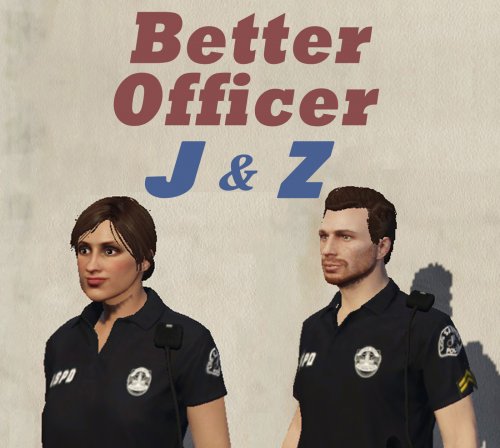 ========= Requirements ======== 1. Skin Control 2.1 : Download (185KB) 2. Emergency uniforms pack Menu 2.1.1.0 : Download (1mb) 3. Emergency uniforms pack 7.4 : Download ( 376mb) ========== Installation ========= Simple just copy to Gta 5 Folder. In-game open Skin Control Menu then load. Dont forget change mood to Happy by your mod menu. note: open/close Skin Control Menu (default: F8) 119 code keyboard You can change hotkey by open Skin Control.ini & find code here Hopefully Useful
- 8 comments
- 3 reviews
-
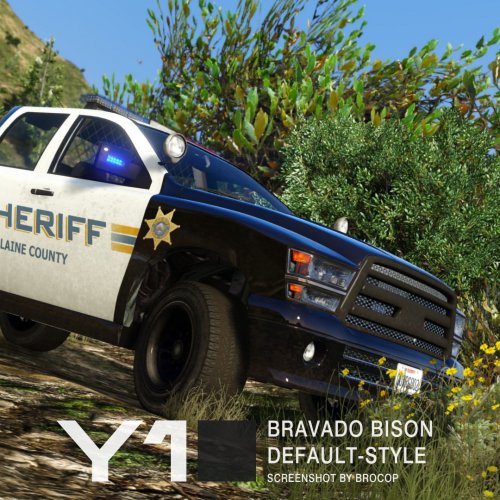 Files: update/x64/dlcpacks/patchday3ng/dlc.rpf/x64/levels/gta5/vehicles.rpf Skin (if needed): Locate files's on OpenIV - Open sheriff2.ytd - Import (.dds) - Save download another skin here Input model in-game: sherriff2
- 11 comments
- 4 reviews
-
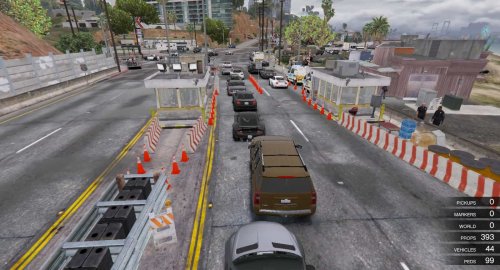 @Elbeto457 try load map again in game. press F7 - new map(for refresh) - and load map again - file chooser. if still same, try this way Hummer H6 (download) i think there one problem that is patriot car.
- 9 comments
- 2 reviews
-
@Elbeto457 @ringiskong guys make sure you have installed Map Editor first (Download here) and all this below in your GTA 5 folder 1. ScriptHookV 2. ScriptHookVDotNet 3. NativeUI 4. Visual C++ Redistributable for VS 2015 x64 Download here dude, i have one pack of all: Download here (14mb, Mediafire) hopefully useful:)
- 9 comments
- 2 reviews
-
@ringiskong for simple installation you must install Map Editor first Download here (tell me if you cannot install map editor), and copy script folder after extract my rar in your GTA 5 folder. start the game and go to location Or if you want manually load, after extract rar find New Gate with Checkpoint.xml in script/autoloadmaps, then copy in your GTA 5 folder. In game default key is F7 for open menu of map editor. choose load map - choose file - find that file dude
- 9 comments
- 2 reviews
-
-
@SuperNish35 ty for your information rule before. here dude 4K Satelite View Map
- 9 comments
- 2 reviews
-
========= Requirements ======== Map Editor 2.13 : Download ========== Installation ========= (For automatically load in game) Copy script folder to Gta 5 Folder. (For manually load in game) Copy New Gate with Checkpoint.xml to Gta 5 Folder. In-game open Map Editor Menu then load. hopefully useful
- 9 comments
- 2 reviews
-
-

- 1
-
-
@officergoertzen Some files not imported, more information below. vehicles.oac(Line 1): Not supported format version, actual: "10" but expected "11". how to fix it dude. pls reply
- 14 comments
- 1 review

