


White9thGenSi
Members
-
Joined
-
Last visited
Everything posted by White9thGenSi
-
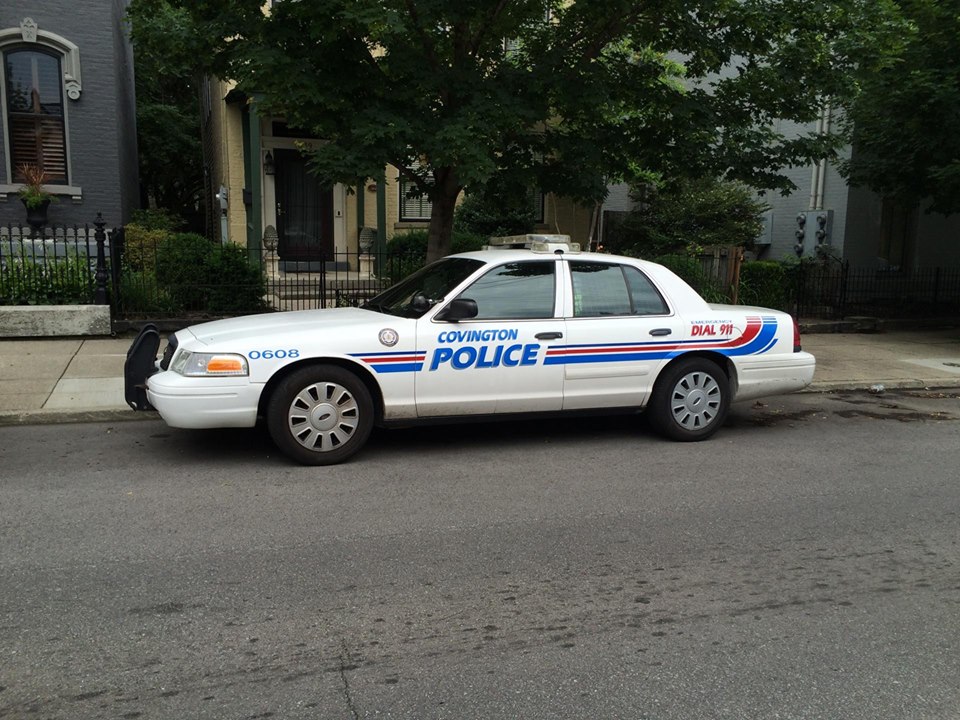
Officer Wade has been awesome and made a skin (that looks badass!) for me. Posting an additional picture for him to use
-
This is my brother's cruiser. I can provide more detailed pics if needed.
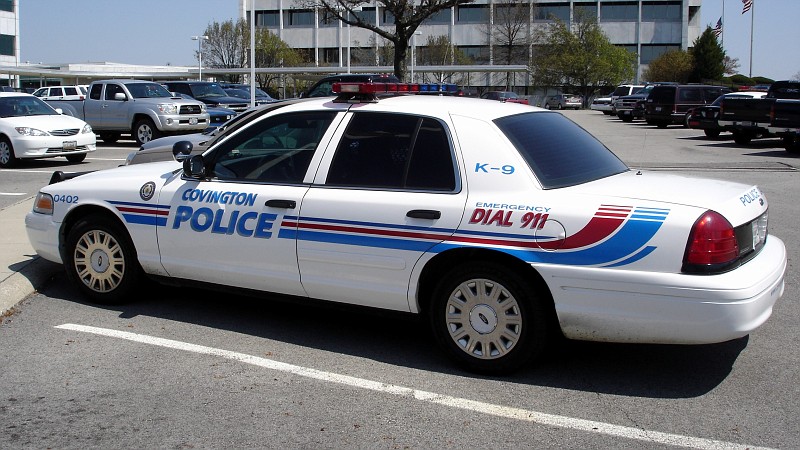
-
My brother is a police officer and I want to duplicate his patrol car. I downloaded GIMP 2.8 and was messing around with it but I am not even comfortable calling myself a novice at this stuff. I am looking for some decent videos of how to use GIMP for skin creation specifically and have only found one that has no sound and the user moves too fast to keep up with. If any of you skin creators have any advice I would greatly appreciate it. *shameless plug inbound* or if any of you would like to create one for me, I would be happy to pay for one. Thanks in advance. New to the forum and LSPDFR so I'm not sure if this is the correct location for this post. Relocate if necessary. This is the cruiser. Not too involved in comparison to some of the others I have seen one here.


