


Ridered1990
Members
-
Joined
-
Last visited
Everything posted by Ridered1990
-
Well crap....
-
NoNameSet saves lives
-
Had the same problem that i posted about and found a fix, here is the link
-
Not sure, when policesmartradio is installed and i go on duty and select a car, everything goes as planned and it starts to load all the extras once i load in with the car (also does it if i am at a station that i need to go get a car from the garage), but then it says i'm on duty and that is it and the game sorta freezes, but i can hit esc and go into the menus and all that and when i go back to the game its like it un-freezes for a quick second and then freezes again. As for Computer+ i hold the key for it to activate and it just flickers and wont come up. What i did was i have Update, X64, and X64e.rpf in my mod folder so what i did was take the fresh one from my game and copy it into my mods folder so it starts fresh and re added my car models and skin mods and it worked for me. Also before i did that i went into my GTA V properties in steam and verified the game cache and they had a patch update i needed to install. Hope this helps.
-
Update: It worked! Thank you very much sir, i also uninstalled and re installed my asi stuff just in case, i still cannot run police radio or run the computer + but at least i am in the game. Thank you again!
-
I did not update my mods folder no, i will try that now, and yes the i have the asi files installed.
-
So as a few people have posted (i researched some but have not found a solution) when i load RPH everything goes as planned (everything is up to date) but i get stuck on the loading screen and it never loads the game. Also when i try and load into single player without RPH i get a crash. I uninstalled LSPDFR and the game worked fine even with RPH. I am fairly new to the GTA V modding so go easy on me, if i need to attach anything let me know and i can do that. As stated before i am almost 100% sure i have updated everything to the latest released versions.
-
 So i downloaded and installed the mod how you are supposed to. But now when i go on duty shortly after coming out of the screen it freezes as if all of the plugins are loading and then it tells me that i am on duty but does not show that anything has loaded. Also i can still hit pause and un pause and the player and surrounding environment is sill frozen. If i remove police smart radio the game works just fine. Any ideas?
- 1,196 comments
- 127 reviews
-
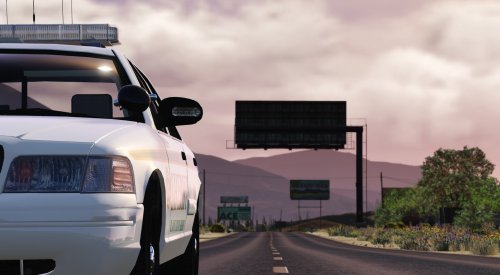 Loved the car, having a Whelen Freedom makes the car stand out, and it is just as bright as the real life counterpart. Only one thing i was not a fan of was the rear facing white and take down lights. Other than that love the car
- 21 comments
- 15 reviews
-
-

- 1
-
-
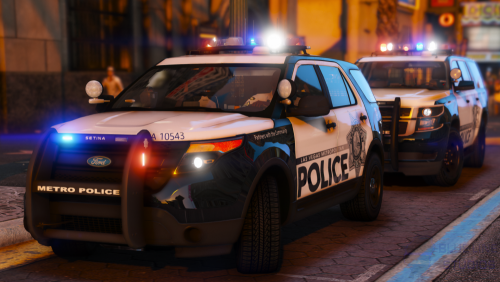 I tried this model out, i enjoyed it. The take downs on this thing are fantastic everything goes white and it is great. Probably my fault but on the tahoe patrol i had something floating in the air from the lightbar. Other than that i enjoyed this pack.
- 67 comments
- 25 reviews

