Joe C Wilson
Members
-
Joined
Files posted by Joe C Wilson
-
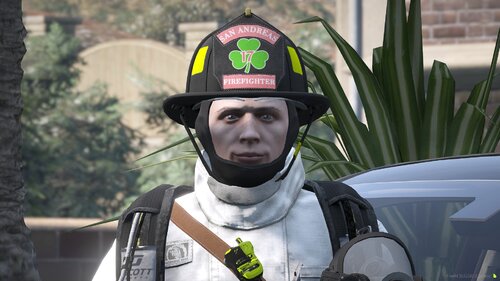
I’ve put together a mini texture pack for EUP that features the first-ever "Luck of the Irish" themed shamrock textures for the Traditional MSA N6A Helmet by JA Designs. This pack covers roles like CHIEF, CAPTAIN, LIEUTENANT, ENGINEER, FIREFIGHTER, EMS, and APPRENTICE. These textures are FiveM-Ready and LSPDFR compatible. These textures draw inspiration from the traditions of my local fire department and are proudly worn by many firefighters throughout the United States. They celebrate Irish-American heritage and emphasize that the fire service is an inclusive environment for all, regardless of religious beliefs.
- 36 Downloads
Updated -
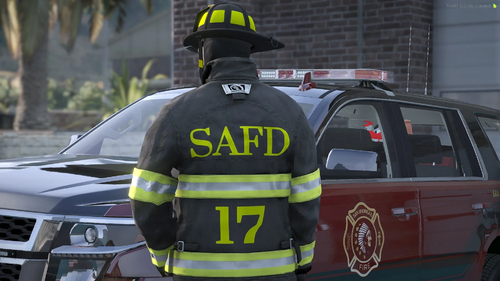
I have created a small texture pack for EUP that includes tan, black, and white SAFD lettering for the bunker gear. The name of the department is SAFD, which stands for San Andreas Fire Department. The station number is influenced by my local fire department, which in turn draws inspiration from the Luck of the Irish shamrocks worn by them.
- 301 Downloads
- 3 Comments
Updated -
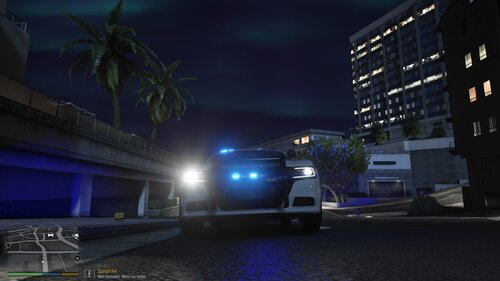
If you have installed a car model or car pack and noticed that the vehicle's headlights shut off when you activate the emergency lights, you can resolve this issue by following these steps:
1. Locate the carvariations.meta file.
2. Change the light settings value to 1. For added compatibility, especially if it is a replacement vehicle slot (like police or police2), you may also want to set the siren settings to 13.
The most common carvariations.meta file can be found in the following directory:
mods/update/x64/dlcpacks/mpchristmas2/dlc/common/data
In the carvariations.meta file, make sure to include the following lines:
```xml
<lightSettings value="1" />
<sirenSettings value="13" />
```
This should fix the issue with the headlights turning off.
Note that the police and police2 car variations are hard-coded and cannot be changed unless you manually add them to a new DLC Pack folder, such as mpchristmas2. An example for the police car slot is as follows:
[Click to reveal spoiler tag]:
Pasted content- 37 Downloads
Updated -
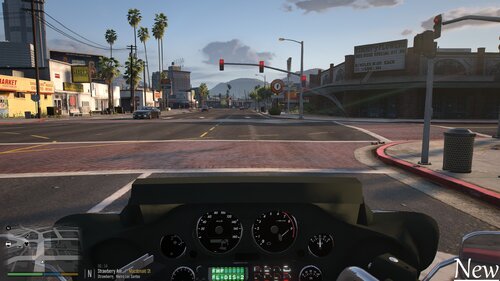
If you've recently replaced the default police bike with the Electra Glide or installed it as an addon and are experiencing issues with the camera obstructing your view, there's a simple fix. By installing a modified meta file over your existing one, you can enhance your camera's range of view while riding the Electra Glide. To implement this solution, locate and open the vehicles.meta file, find the entry for either the police bike or the addon vehicle, and replace the relevant text with the updated information.
<cameraName>FOLLOW_BIKE_CAMERA</cameraName>
<aimCameraName>BIKE_AIM_CAMERA</aimCameraName>
<bonnetCameraName>BIKE_PCJ_POV_CAMERA</bonnetCameraName>
<povCameraName>BIKE_PCJ_POV_CAMERA</povCameraName>- 15 Downloads
Updated -
This Emergency Uniforms Pack (EUP) Backup Configuration "EUP Backup Configurations [9.3]" replicates the use of the lore-friendly police agencies and emergency services from Grand Theft Auto V for LSPDFR (Los Santos Police Department First Response) with the addition of all EUP Uniforms for your character and AI officers including a custom ambient spawning system for all jurisdictions!
This modification also brings several new stations to San Andreas featuring an exclusive EUP uniform selection within the Duty Selection Menu/EUP Menu and includes EUP Badge Props Configurations all in one package with a unique feature - weather variations!
This EUP Backup Config currently offers Class A, Class B, Class C, Utility, Beach Detail, Polo, Detective, Tech, Fatigues, and many more uniforms for all of the police agencies and departments.
This works with and without Ultimate Backup/Stop The Ped excluding the EUP medical coroner units. If you want the EUP coroner units, you must install Stop The Ped. Otherwise, traffic policer is a good alternative for non-EUP coroner units.
Configured for Law & Order 9.3 + Serve & Rescue 1.5
Featuring 60 plus exclusive departments and agencies for all of your LSPDFR needs!
Thank you everyone for 150,000+ downloads! Let me know if you enjoy this mod by leaving a review! Much appreciated!
You can use WINRAR or 7-ZIP to open the modification files
Bonus Features:
[Click to reveal spoiler tag]:
Backup Options:
All departments come with sub-division uniforms; Air Unit/SWAT/etc.
[Click to reveal spoiler tag]:
Q&A:
[Click to reveal spoiler tag]:
Vehicle Slots that I use (regarding backup units & ambient units):
[Click to reveal spoiler tag]:
Required Modifications (Prerequisites) EUP 9.3 Version (Full List In Download)
Download Links [Click to reveal spoiler tags]:
How To Install EUP Backup Configurations | EUP 9.3 | GTA 5 LSPDFR (2021)
EUP Backup Configurations (Mod Showcase) | EUP 9.3 | GTA 5 LSPDFR | 4K
EUP 9.3 and Backup Install Easy [Emergency Uniform Pack] - GTA 5 LSPDFR
EUP 9.3 Install with INSANE BACKUP Units! GET THIS FREE!
Terms and Conditions: Do Not Re-Upload Without My Permission. Do not redistribute this modification in any way, shape or form, instead, please give a link to the modification.
- 202,687 Downloads
- 944 Comments
Updated -
Preview of Liberty City Traffic in GTA 5 via @YouTube
This mod was made to bring new traffic to San Andreas using the IVPack.
I got tired of seeing the same old vehicle models while playing as a cop in LSPDFR, so I thought I’d try my hand at making traffic spawn with these fresh cars.
There’s nothing else like this mod out there, so I figured it was time to turn the idea into something real.
This mod introduces cars, boats, and planes to San Andreas, featuring vehicles inspired by Liberty City. The cars from GTA IV that are already in GTA 5 have been included to keep the theme consistent. It doesn’t affect parked vehicles, so you should be good to go with story missions. If you run into any problems, just give me a shout. Thanks!
To install this mod, simply drag and drop the popgroups.ymt file into this path in OpenIV. Just a heads up - if you don’t have a mods folder, it’s a good idea to create one since that’s the only way to back up your game files unless you manually save them in a secure spot on your computer.
mods/update/update/x64/levels/gta5
First off, you'll need a gameconfig mod to get mods working. I recommend using the gameconfig linked below along with its prerequisites for the Legacy version of GTA 5.
https://www.gta5-mods.com/misc/gta-5-gameconfig-300-cars
Next up, this is the GTA IV car pack that I used to set up this modification. You have to install it. It comes with an OIV, so it will install automatically for you. Just run the OIV installer in OpenIV.
https://www.gta5-mods.com/vehicles/ivpack-gtaiv-vehicles-in-gtav- 142 Downloads
- 5 Comments
Updated -
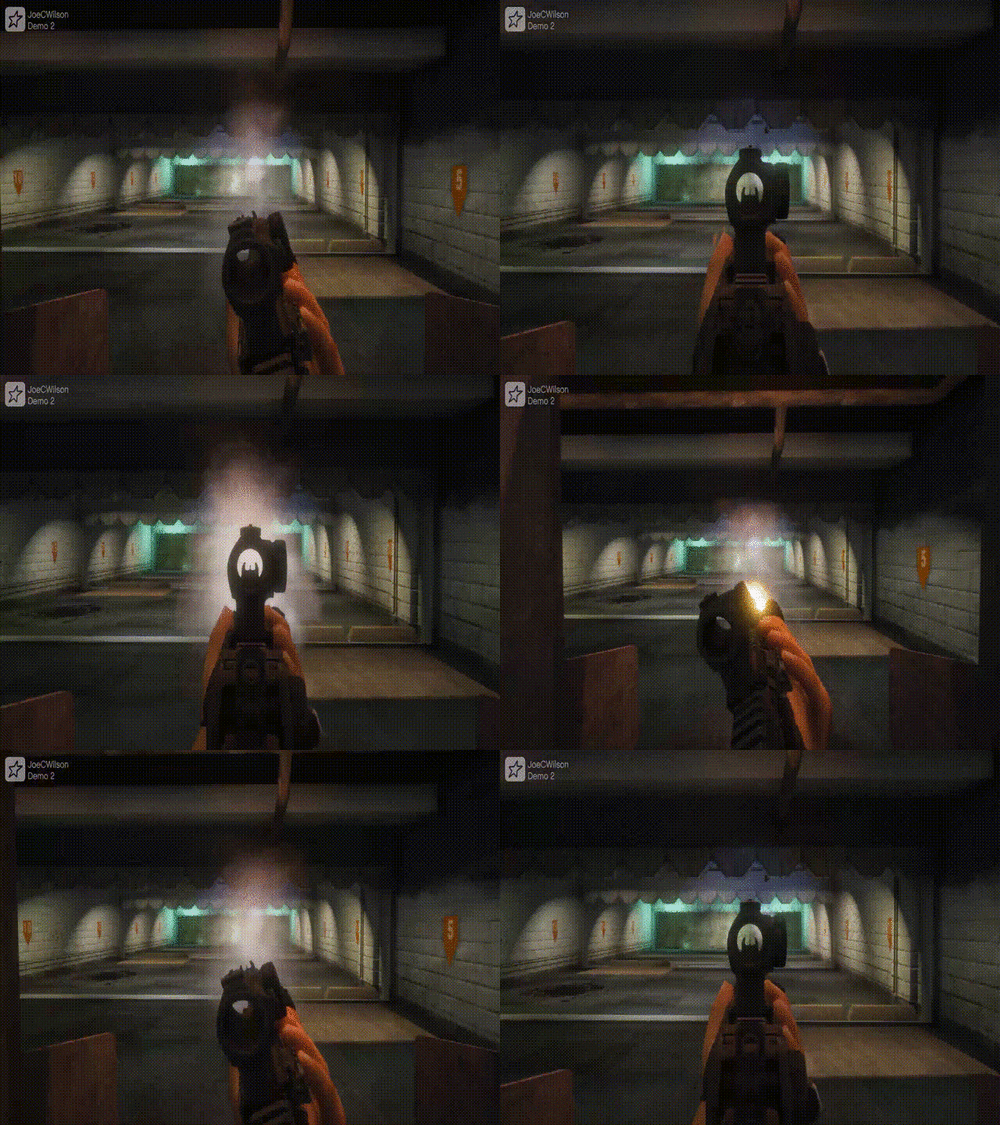
This replaces the default Pistol, Combat Pistol, Taser, Carbine Rifle, Pump Shotgun, and SMG animations with tactical ones and includes new idle and running animations. The magazine sizes for Pistol and Combat Pistol increased to 17. The pump shotgun shell slot was decreased from 8 to 5. This edited meta also changes specific rifle firing modes, including the Carbine full auto to semi-auto. You can use both the ADS and tactical grip within this modification. This modification also changes the flashlight distance, including the attachments, allowing the light to bounce and illuminate more accurately. You can now fire rifles, submachine guns, and pump-action shotguns while inside vehicles. The modification corrects the behavior of the NPCs, preventing them from attacking or fleeing when the fire extinguisher is used.
I suggest using the first-person flashlight texture if you prefer having the flashlight centered, as the game has an issue lining up the flashlight with the reticle.
Known Bugs
Flashlights Do Not Line Up With Reticle (If Running Third Person Flashlight Overhaul Texture)
The modified weapon metadata was configured and tested for use with custom weapons in GTA 5. Using unmodified "vanilla" weapons may result in compatibility problems.
Backup your files!
1)
Drag and drop weaponanimations.meta, weaponcomponents.meta, and weapons.meta from this download in Grand Theft Auto V\mods\update\update.rpf\common\data\ai
2)
Additionally, you may install Flashlight Overhaul's flashlight texture in update/update.rpf/x64/textures/graphics.ytd
3)
Lastly, you will need to disable Flashlight Override in the lspdfr.ini - to do this set Ambient.DisablePlayerFlashlightOverride = true to false
If you run into technical issues, please use the comment section. Thank you.
Modifications I recommend while running this modification:
Spoiler
Modification credits:
Spoiler
I take no credit for making these meta files but rather for compiling them together so we can use the flashlight overhaul, rate of fire, tactical grip, and fire extinguisher fix modifications together. My edited version of the weapon meta contains animations for weapons such as the Pump Shotgun, SMG, and taser that are not included in the tactical grip modification. Most of these modifications require you to edit the meta files yourself, so I decided to do it for you. Enjoy! ~ Joe C Wilson.
Realistic Weapon Behavior In Action:
- 9,737 Downloads
- 56 Comments
Updated