GerPolizeiZollMods
Members
-
Joined
-
Last visited
Everything posted by GerPolizeiZollMods
-
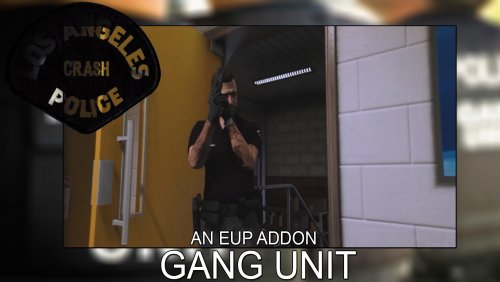 GANG UNIT PACK ________________________________________________________________________________ INSTALLATION: [UNIFORM] Go to: (mods)/update/x64/dlcpacks/eup/dlc.rpf/x64/models/cdimages/eup_comonentpeds.rpf and just replace all folders [CAPS] Go to: (mods)/update/x64/dlcpacks/eup/dlc.rpf/x64/models/cdimages/eup_comonentpeds_p.rpf and just replace all folders ________________________________________________________________________________
- 7 comments
- 6 reviews
-
-

- 8
-
-
 Ich werde es versuchen^^ Aber ich weiß noch nicht so recht wie ich dass anstellen soll weil das Menü anscheinend in der .dll Datei ist und ich noch nicht weiß wie ich das Abändern kann. Aber ich werde mich mal rein lesen:)
 -
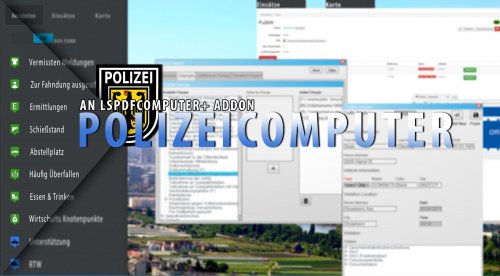
PolizeiComputer ist ein Addon für Computer+ Mit PolizeiComputer wird eure Polizeiarbeit noch ein stück Realistischer denn jetzt könnt ihr auch eure Berichte schreiben und die jeweiligen Straftaten auswählen. ===================================================================================================== INSTALLATION 1.Lad dir LSPDFR Computer+ 1.3.5.0 von LSPDFR runter (http://www.lcpdfr.com/files/file/11453-lspdfr-computer/ || 2.geh zu"\Grand Theft Auto V\Plugins\LSPDFR\ComputerPlus\" und ersetzte alle Datein mit denen aus dem rar archiv. 3.Startet das Spiel ===================================================================================================== CREDITS -PieRGud -Stealth22 -AlconH -Fiskey111 -Albo1125 -LtFlash -ainesophaur -Ger-PolizeiZollMods
-
 Wann kommen die Skins?( ͡° ͜ʖ ͡°)
 -
 You must go to ''wardrobe'' and you find the skins in the following categories: Narcotics Unit tshirt: [TOP:94] Texture: 1/3 Windbraker Jacket: [TOP:4] Texture: 1/16 Bulletproof vest: [ARMOR:12] Texture: 3/5 Safety vest: [ARMOR:11] Texture: 2/3
- 8 comments
- 4 reviews
-
-
- 1
-
-
SO YOU CAN FIND THE SKINS INGAME: You must just go to''WARDROBE'' and you find the skins in the following categories: Narcotics Unit tshirt: [TOP:94] Texture: 1/3 Windbraker Jacket: [TOP:4] Texture: 1/16 Bulletproof vest: [ARMOR:12] Texture: 3/5 Safety vest: [ARMOR:11] Texture: 2/3 PREVIEW VIDEO:
- 8 comments
- 4 reviews
-
-
- 3
-
-
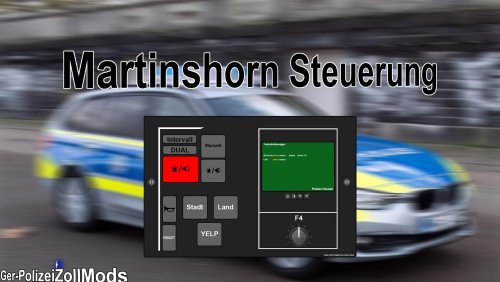 You need ''Siren Mastery''! Preview: FILES -Conifg -CustomSirens -UI -VehicleSirenSetup.xml INSTALLATION: Go to your Gta V folderC://Spiele/RockstarGames/Grand Theft Auto V / Plugins / SirenMastery then simply replace the filesCREDITS Albo1125 Delco24 - Controller Unbinding meta edits Festivalmatt - All the default UI images and getting the UI images set up properly. NAudio developers. TaylorSwift - Siren Switch and Siren Toggle tones. TopMods - All German Police Sirens Ger-PolizeiZollMods - New UI images
 -
 In this skin pack you find 8 different ''Departments'' (FBI, DEA, U.S. Marshals, LAPD Detectiv, NCIS, Secret Service, CIA , USACIDC (CID) ) You can choose and replace one with the ''IAA Agent'' ID CARD'S: BADGE'S: JACKETS: You can change the jacket skin to ''no print'' that meaning the U.S. Marshel and FBI Jacket skin is like the vanilla Grant Theft Auto skin
- 10 comments
- 4 reviews
-
-
- 5
-
-
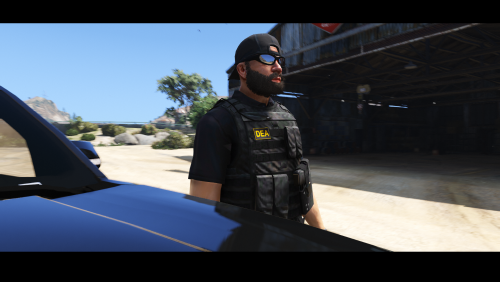 This is a fictional DEA Uniform. FILES INCLUDED -u_m_m_doa_01.ytd -u_m_m_doa_01.yft -u_m_m_doa_01.ydd -u_m_m_doa_01.ymt -u_m_m_doa_01_p.dd u_m_m_doa_01_p.ytd -Redme INSTALLATION: Use SparkIV or OpenIV to import the Files Uniform: Go to "(mods)/update/x64/dlcpacks/mpheist/dlc.rpf/x64/models/cdimages/mpheist_componentpeds.rpf" Cap: Go to "(mods)/update/x64/dlcpacks/mpheist/dlc.rpf/x64/models/cdimages/mpheist_componentpeds_p.rpf" Youtube Videos:
- 5 comments
- 4 reviews
-
-
- 2
-
-
-
-
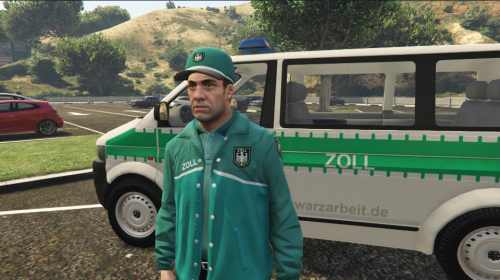 How to install: Use OpenIV to import the Files: Uniform : (mods)/update/x64/dlcpacks/mpheist/dlc/x64/models/cdimages/mpheist_componentpeds.rpf" Cap :(mods)/update/x64/dlcpacks/mpheist/dlc/x64/models/cdimages/mpheist_componentpeds_p.rpf" By downloading and using the contents of this archive you agree to the following terms: It is forbidden to upload this or a modified version for public without permission. Changing textures is allowed for personal use. Any commercial or by laws prohibited use of the content of this archive is forbidden. Beim Herunterladen oder Nutzen der Inhalte dieses Archives stimmst du folgenden Bedinungen zu: Es ist nicht erlaubt, diese oder eine veränderte Version ohne Erlaubnis zu veröffentlichen. Das Bearbeiten von Texturen ist nur für den Eigennutzen erlaubt. Jegliche kommerzielle oder durch geltendes Recht verbotene Nutzung ist nicht gestatt