



Kent Robbins
Members
-
Joined
-
Last visited
Everything posted by Kent Robbins
-
I do not use that mod. I actually didn't even have a mod folder. But that worked. The only issue that i have now is the Ragehook application keeps removing itself every time i launch the game and i have to go in an reinstall lspdfr every time i want to launch the game so it redownloads the application.
-
Here we are sorry about that. RagePluginHook.log
-
I am usually able to track down my crashes and fix them myself, also have gone through all the recent crash topics as well with nothing working for me. **EDIT GTA will run in the standard launch just not with LSPDFR. Here is my Rage crash file log. CrashReport_Kentr_638182482298623168 (1).zip
-
-
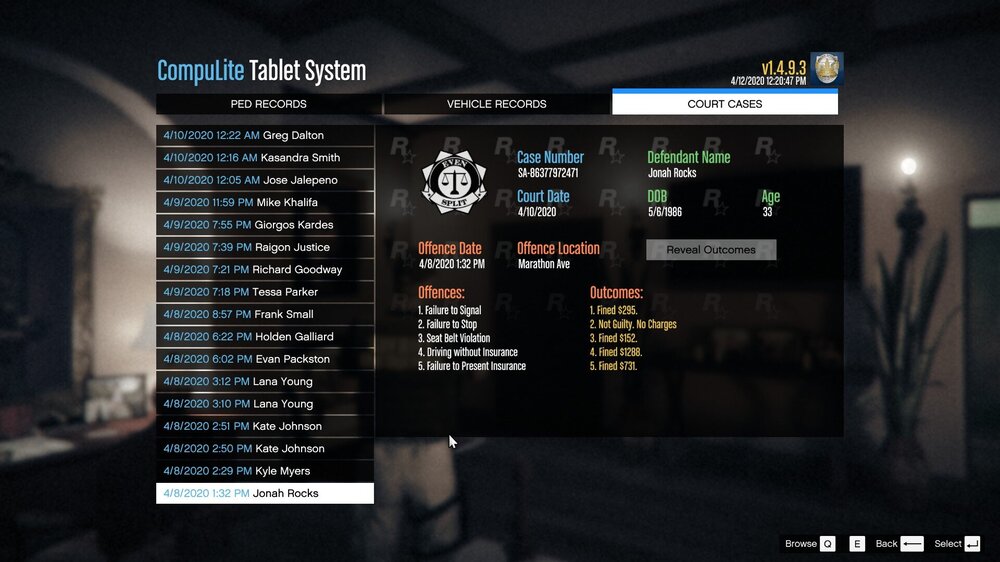
So I have been motoring my stats for the past few weeks and notice that my player stats are not fully updating. My Vehicle Stopped and Shots fired are updating for my character Kent Robbins but that is all that is updating see file attached. I am currently using Compulite and maybe that is causing the issue I am not sure. I sync my player at the start and end of every session, Why using compulite I issue the tickets and arrests through the plugin. And as you can see I have been issuing tickets and arrests see file attached. Any feedback/suggestions/help would be greatly appreciated.
.thumb.png.43d5eb2c2f6d42a019071beefc4bc8bb.png)
-
From the album: Coronavirus Pandemic
Sheriffs Office photo during city wide quarantine.© Kent Robbins
-
-
-
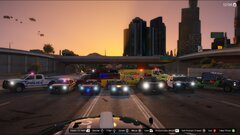
From the album: Coronavirus Pandemic
Everyone is on lock down giving Emergency services a chance to have some photo opportunities© Kent Robbins
-
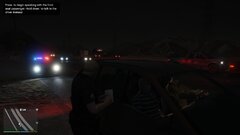
From the album: Coronavirus Pandemic
Pulled over for 85 in a 65 leaving the city prepping for the quarantine. Cited a wreckless driving ticket.© Kent Robbins
-
So the issue I am running into is that the game crashes 8/10 times that i try to load lspdfr, and when it does load the game has severe lag. But if i launch GTA5 without mods the game has no lag at all and operates correctly. I am not sure of what could be causing the issue. Here is a log from when i just got the game to launch. See attached file below. RagePluginHook.log
-
I'm not sure what is causing my game to crash. I have used all my current mods before with no issues. Any help would be greatly appreciated as I am not entirely to sure how to read the crash reports. RagePluginHook.log
-
[Log Check] Checking log files [Log Check] asilog.txt seems okay [Log Check] ScriptHookDotNet.log doesn't start loader script [Log Check] 2016-04-11 04:36:46 - Initializing ScriptHookDotNet v1.7.1.7 BETA (on GTA IV version 1.1.2.0 with C++ Hook version 0.5.1) 2016-04-11 04:38:23 - Direct3D device created! 2016-04-11 04:38:25 - SEARCHING FOR SCRIPTS... 2016-04-11 04:38:25 - Loading scripts in Assembly 'scripts\LCPDFR Loader.net.dll' ... 2016-04-11 04:38:36 - ...found script 'LCPDFR_Loader.Loader'! 2016-04-11 04:38:36 - ...found script 'LCPDFR_Loader.PublicScript'! 2016-04-11 04:38:36 - DONE! 2 valid scripts found! 2016-04-11 04:38:36 - STARTING SCRIPTS... [Log Check] ScriptHook.log doesn't start AdvancedHook thread [Log Check] Log start: Mon Apr 11 04:36:44 2016 ----------------------------------------------- [INFO] GTA IV Script Hook 0.5.1 - (C) 2009, Aru - Initialized [INFO] Process base address: 0x10d0000 [INFO] Auto detecting game version [INFO] Using game version EFLC 1.1.2 [INFO] [SimpleTrainer] Thread started [INFO] [SimpleTrainer_TBOGT] Thread started [INFO] [SimpleTrainer_TLAD] Thread started [INFO] [ScriptHookDotNet] Thread started [Log Check] LCPDFR.log lists one or more errors [Log Check] ------------------------

.png.f3ab37e3769ac8e3f3a14d17318f0585.png)
