

wildmustang06
Members
-
Joined
-
Last visited
Everything posted by wildmustang06
-
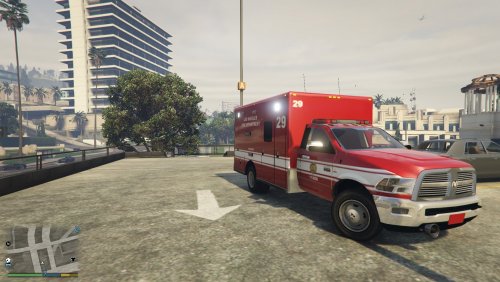 This is my third texture and it is for GlitchGamer's Rambulance. For some reason it is low res and idk why. I will make improvements to the texture as time goes on and hope this will be a successful project in the long run :) RAMBULANCE:
 -
 It has to be name police.ytd/ police.ytf/ ect. It should not be sheriff
 -
I honestly have no solution. It's something on Carperino could help you with. Sorry :( Wait you did put it in X64e not X64i right?
-
Ok. Try reinstalling the cvpi and make sure you edit the police.ytd and NOT police+hi.ytd
-
1) Create a new folder in your gta 5 directory 2) Name it mods 3) Copy and paste any file you would like to mod into the mods folder (in this case x64e.rpf) 4) make your changes to the file you place in the mods folder instead of making them in your main directory
-
wildmustanggaming@gmail.com Make sure you drage the x64e file into a folder named mods before making changes to it. Use open IV to mod the file. If you mod the file in your main directory it detects the file as corrupt and will not work.
-
Sure I'll send them later today. Contact me through email. Did you install it into a mods folder or directly into x64e?
-
Did you save when you in the ytd file? Also make sure it's police.ytd and NOT police+hi.ytd. As for the lights idk. Thats a very strange issue but my texture has no effect on the light setup. It has nothing to do with the texture, it is an issue with Carperino's car. You're going to have to ask him.
-
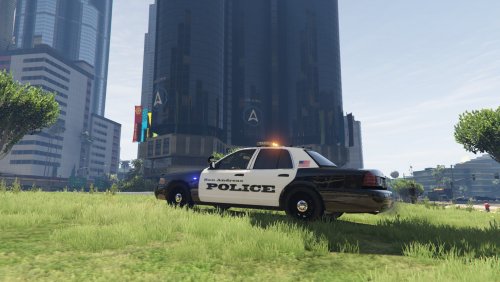
This is a texutre for Carperino's Cvpi found here: http://gtapolicemods.com/downloads.php?do=file&id=4407 This is my second ever texture so be sure to leave feedback :) It is based off of Ontario PD Install directions are found in the Readme.txt file Be sure to check out my Youtube channel: https://www.youtube.com/channel/UCyknIYySJ7JFIHUh9gh2hCQ
-
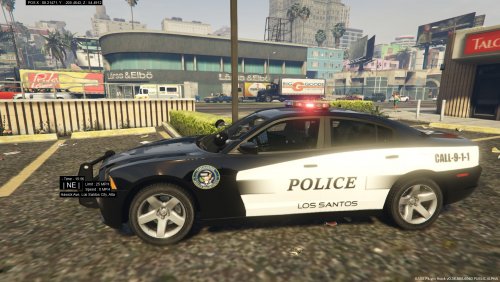 This is my first ever texture. It is for Carperinos Charger. The texture is still heavily under development and I hope to make many improvements to its current build. Criticism is welcomed. DO NOT REUPLOAD THIS FILE WITHOUT MY PERMISSION. Be sure to subscribe to my youtube: https://www.youtube.com/channel/UCyknIYySJ7JFIHUh9gh2hCQ Instructions for install are in the readme.txt file Caperinos Charger: http://www.lcpdfr.com/files/file/10482-2014-dodge-charger-marked-rx/
- 1 review
-
-

- 1
-