


Reddington
Members
-
Joined
Everything posted by Reddington
-
-
-
Open your GTA directory-->ELS-->pack_default. open the VCF of the car.
-
Actually, I didn't ask. Are you using ELS?
-
I briefly touched upon this in my GTA V FAQ's, but seeing as there are still some people not aware, lets have a dedicated topic. Emergency Lighting System (ELS) is meant to be used with ELS specific cars. These cars have been built around ELS and the features it provides. Fortunately, ELS also works for non ELS made cars in the most basic form - effectively turning ELS into a better Siren Mastery, or for those who don't know what that mod is, it gives you better control over your siren. ELS requires you give a car the VCF XML. This VCF allows for ELS to read and recognize the car as being made for it. All you need to do is rename the VCF to the name of your non ELS car, place it in your active ELS folder (pack_default is the default folder). We're not done yet, there's some edits that need to be made first in order to have everything work smoothly. I will be provided a VCF that already has everything set and ready to go if you don't want to do any editing. Just rename it to the appropriate car, place it and you're ready. The VCF is attached at the bottom of this post - you can ignore everything else from here. For those who want to learn and do some basic editing, open the VCF you want to edit. 1) Under "interface", you'll see LstgActivationType. Between the two tags is the word "manual". Delete that and put "auto" instead. What this means is that when you turn on your lights, it will turn on all of them, instead of turning them on in stages like you can with ELS cars. 2) Under <EOVERRIDE> you'll see multiple extras. Where it says IsElsControlled="true", change all of them to "false". Only change the IsElsControlled entry! This is pretty self explanatory, it tells ELS if it's controlling the lights or not. In continuation of the siren control, there is a section called <SOUNDS> . Here, you can disable certain tones (AllowUse="false") if you don't want the car using them. There is the <ACORONAS> section which lets you mess with wig wags, I'm not positive if that actually does anything for non ELS cars. I may try it later just to see, but I'm assuming it does give wigwags. As many cars as you have in your game, you can have the same amount of VCFs. My game is full of ELS cars and I've yet to run into a VCF limit. You can edit the active ELS car limit in the ELS ini. NON ELS VCF.xml
-
Under EOVERRIDE, AllowEnvLight= should be "true" for all of them.
-
That would be an ELS thing. Maybe the VCF for the car has environmental lights disabled.
-
Try again, change them to a higher value. Try 5000.00 for daytime and 5000.00 for night. It might be VERY bright, and if it is, that just means it works and you need to decrease the values.
-
-
Scroll back up to my FAQs and read the bit about editing the visualsettings, that should help.
-
 I haven't played Halo in well over a decade. I can hardly wait for it to come to PC. I played Siege, but I sucked. lol
- 36 comments
- 1 review
-
I've never focused on k/d in any game. I used to play CSGO competitive every so often and that was more to make myself better, not to compete.
- 36 comments
- 1 review
-
I tried Insurgency, and I love the gun sounds and looks, but the game is just too hardcore of a shooter for me.
- 36 comments
- 1 review
-
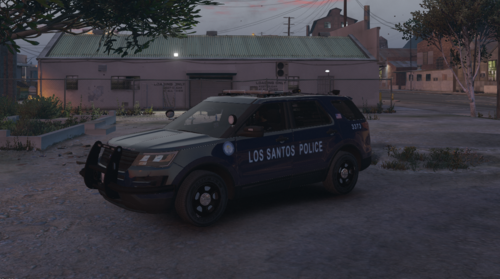 Awesome, looking forward to it! I saw someone asking about all blue lights - Depending on what you want to do, I could beta the next update and make all the lights blue for you so you can have the all blues to include in the download, or I can just do it after the update is released. Whatever works for you.
- 57 comments
- 5 reviews
-
Hi again, got the pack installed and tried it out. - When you go code 3, the headlights on all the models turn off. Would be really nice if the headlights stayed on. - Any chance of takedown lights, or is that not possible on this light bar? - Would love stage one lighting, but I think you mentioned about doing this already.
- 57 comments
- 5 reviews
-
From the album: Red's LSPDFR chaos
-
From the album: Red's LSPDFR chaos
-
I'm not sure if it was intentional, but in the download, the Impala VCF is provided, but there's no Impala files.
- 57 comments
- 5 reviews
-
 @BradM I don't know if you still log on or not, but is there any chance at all of updating this pack to fix some issues or remastering the pack? It has been a long while since I used this pack, but I wanted to try it again and just installed the 14 Charger to see if I wanted to switch packs. When you turn on the lights (stage 3), the headlights turn off. Turn the emergency lights off, headlights come back on. Unless I'm blind, there's not an option to fix this in the VCF. If I'm remembering right, the Impala needs its roof height raised so prisoner's heads don't pop out.
- 147 comments
- 65 reviews
-
-
-
-
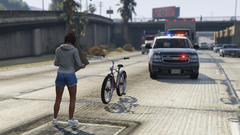 I'd of immediately just grabbed her and walked her off to the side. People who block roads, especially freeways for protests are assholes.
 -
 Thanks, I'll have to try it out.
 -
Could put the markings over the black stripe in the front. Stretch out the text a little and see how it works. If not, put it on the side, near the furthest window. Play around with it and see what works. 🙂 That's what I do when I mess with skins. (I don't make them, I take existing ones and just add supervisor text for my game)


