


Reddington
Members
-
Joined
Everything posted by Reddington
-
-
ScriptHookV isn't required for LSPDFR, you can easily just remove SHV.
-
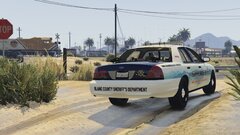
From the album: Red's LSPDFR chaos
Skin beautifully made by @OttersFromSpace -
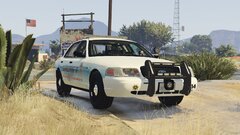
From the album: Red's LSPDFR chaos
Skin beautifully made by @OttersFromSpace -
For now, yes, I would remove the mods you installed and verify if you can play or not. There's so many reasons the game can be crashing, but it usually comes down to something the user did. If you edited anything at all, revert that.
-
There's no removing this launcher. Rockstar requires it now. My worst nightmare about this launcher now is that it requires GTA to be up to date. I have some of my essential files backed up and I'm hoping I can successfully revert versions as I have for years.
-
What else have you added recently?
-
I hadn't installed EUP yet, was slowly trying to get everything installed one at a time to avoid any issues. EUP is installed now, and EUP configurations is next once I verify EUP is working.
-
Update on the uniform - When going on duty in the city or county, it lets me select an LSPD uniform, but there's no option for sheriff.
-
In addition to the above, it angers me that all these companies want to branch away from Steam and put games on their oh-so-"pretty" launcher. First off, literally no one on Earth asked for or wanted company exclusive launchers. Second, there are various reasons Steam will always beat out these other garbage launchers, but the main one is convenience. People like myself love having all of our games in one area that we can get to when we want. Back when physical copies were a thing - and even now collectors (such as Mr Terry on Youtube) has a huge collection of retro games that are all bundled and displayed together. He doesn't have one shelf for X company and another for Z. Third, almost all of these other launchers look like trash and have poor layouts. Uplay sucks, Origin is somewhat decent, Blizzard sucks and Cockstar's launcher is absolute trash! One of the biggest positives to PC gaming was not dealing with exclusive Xbox/PS garbage. If it was released on PC, everyone could play it and we could easily get to it. While it still is easy to get it, it's not convenient. Companies need to stop biting Steam and the consumers in the ass and stay on STEAM and NOT require their launcher to play! No one wants all these launchers for different companies. No one, ziltch, notta - only the companies, and frankly, what they want doesn't matter.
-
Something else to try, which works for me. GTA will start up and load into the screen where you choose to play online or singleplayer. Immediately after clicking singleplayer, launch Rage.
-
Same. I don't care how beautiful GTA 6 looks, if online is a requirement, I will just stick to V.
-
I'm not sure if this has been confirmed or if this is what's happening, but I had read that you can no longer play GTA in offline mode - which is fucking stupid. Cockstar is basically forcing you into GTA Online.
-
The only way to uninstall it without a backup, and assuming the mod doesn't have an auto uninstaller is to delete your mods folder (assuming you have one) and remake it.
-
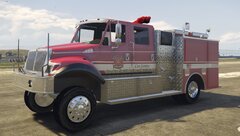 Damn that suspension is high. It looks like a mud unit, lol.
 -
Since the new launcher fucked everyone over, I decided to finally update everything since I hadn't yet gotten to experience 0.4. As of right now, everything is working fine. I got my character created, however I'm not seeing the option for adding tattoos. or glasses. Another thing, once Rage loaded, I was not seeing police icons on the map. However, I was still able to go to the stations and go on duty. The stars didn't appear until after I was on duty. Is that intentional, or? I did see we can frisk people now, but I'm not finding the config to edit the items we find. Is that not available yet? Finally, when going on duty at the PD, I was not seeing an option to actually change into a uniform. I saw the option to customize certain things like props, but nothing about my uniform.
-
I'm with you. A friend of mine, @Diamond Casino and Resort had his PC trashed from this launcher. I got GTA installed, but I'm dreading launching it. If it works, that means I will spend the next 48 hours+ trying to dance with modded and see if it works and is stable. If it doesn't work, I'm uninstalling GTA and never buying another game from Rockstar.
-
Some have speculated it's so Rockstar can hide Red Dead behind their garbage launcher. While that sounds accurate, another possibility is that future GTA titles will be exclusive to their launcher and not be on Steam - or if they are on Steam, require the launcher still. A third reason, his was another attempt at fucking over modders. While some people have reported PC issues resulting from this launcher, what it ultimately fucks up is modded GTA. This new launcher was so unnecessary. There was no need what so ever for it. Same. I was never going to update GTA unless I had to get a new PC, yet here I am, forced to update because cockstar just can't stop screwing people over.
-
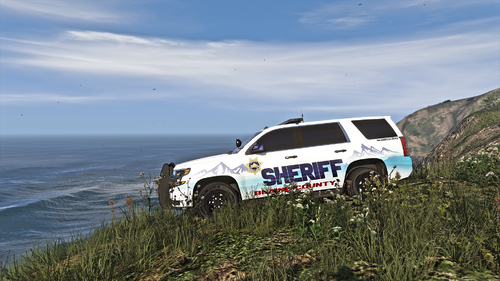 My personal preference is lore friendly, however I will use non-lore friendly as well if I really like the overall livery, which in this case, I do.
- 36 comments
- 1 review
-
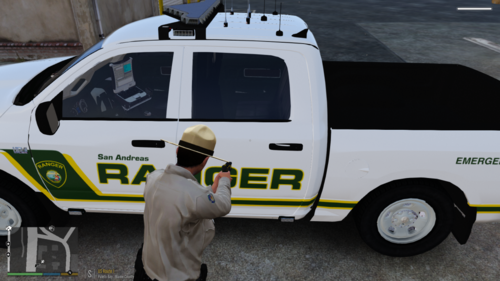 @Clarinetplayer77 Would it be possible to change this into a script so it's active even if we go into non Rage GTA? I often go in for screenshots or to mess around.
 -
Absolutely loving all of them! I'll get some screenshots tonight, thanks again. I might have one more vehicle request later (a 17 Ram, sadly doesn't fit with yours), but I'll wait a bit to request that.
- 36 comments
- 1 review
-
Very beautiful livery, it looks amazing! I love the mixture of white and blue, and the red text fits in. Definitely my new favorite pack! Thanks for adding the rest of the vehicles!
- 36 comments
- 1 review
-
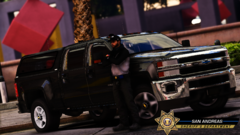 Where is he releasing this stuff at?
 -
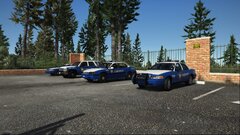 Link to pack?
 -
Whose model is this?



