


Creators: Due to background reprocessing of files, approvals and file security checks may be delayed. Thanks for your patience.


Reddington
Members
-
Joined
Everything posted by Reddington
-
Your topic has been moved to LSPDFR 0.4 Support. Please post in the correct location in the future.
-
Getting them to spawn with a pre-determined pattern is easy, just change the number from 22 to whatever the pattern is. <Lstg1 Enabled="true" Pattern="22" /> <Lstg2 Enabled="true" Pattern="22" /> <Lstg3 Enabled="true" Pattern="22" /> If you haven't set up the patterns in the VCF, then pressing "L" will default them to the pattern that was chosen by the author. On some models, the author has it set up to where warning lights are connected to code 3 lights, however since you said you can turn on warning lights for stage 1 or 2 manually, I'm thinking there might be another factor.
-
You really only need to watch the first half, but also check out the very end. Two tow trucks in pursuit..like what? Here is the article and background for this chase - https://www.fox29.com/news/police-capture-suspect-following-stolen-ambulance-chase-in-philadelphia
-
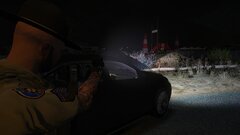
From the album: Red's LSPDFR chaos
-
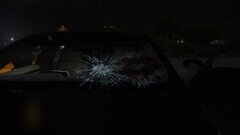
From the album: Red's LSPDFR chaos
-
From the album: Red's LSPDFR chaos
-
For future reference, please read our guidelines which state not to thread hijack (steal someone's thread). Create your own thread for your issue!!
-
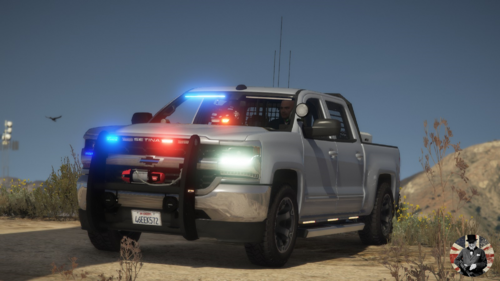 Beautiful truck, and love the lights, especially the rear ones. Thanks for adding siderunners as well, I live for 'em!
- 58 comments
- 16 reviews
-
-

- 1
-
-
-
-
@Steve6645 What is the texture name for vehicle dirt or window in the .ytd so I can delete it? The dirt really messes up the side runners.
- 58 comments
- 16 reviews
-
-
- 1
-
-
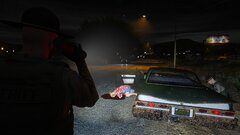
From the album: Red's LSPDFR chaos
-
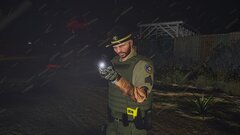
From the album: Red's LSPDFR chaos
-
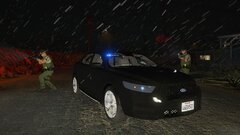
From the album: Red's LSPDFR chaos
-
Your topic has been moved to LSPDFR 0.4 Support. Please post in the correct location in the future.
-
Your topic has been moved to LSPDFR 0.4 Support. Please post in the correct location in the future.
-
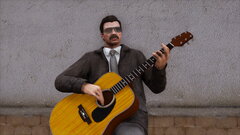 All I can think of is Jeff singing "fuck my neighbor" and I can't stop laughing.
 -
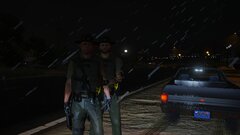
From the album: Red's LSPDFR chaos
-
 As someone who has installed like 99% (if not 100%) of your cars, having an official dlcpack for them is VERY convenient. I love all of the cars, but for whatever reason the Transit really has me hooked. I guess it's just that "surveillance van" look. It'll be amazing for ERT.
- 484 comments
- 78 reviews
-
-
- 1
-
-
About your edit: I'm so sad, so very sad Super Script isn't an actual name.
-
@SkullArmy17 Helpful tip: ELS has no effect on whether a skin will work for a car or not. If the template is the same, the skin will fit. In short, there's no such thing as ELS skins and non ELS skins.
-
-
 I swore I fixed that. Is it on all the slicktops, or just a couple? I must of accidentally dragged in the wrong archive with the last updated and reverted that. The 'light' texture has been added to all the slicktops. Also, the 'slim' texture was still red/blue as well. That has been fixed for all the slicktops.
- 269 comments
- 17 reviews
-
This topic has been moved to the appropriate forum. Please post in the correct location in the future.
-
ELS really isn't complicated at all. 🙂 It's just one button for lights, one for siren and one to switch tones.. Personally I find ELS lights to look better, non-ELS is just too fake. In our downloads section there's a category for vehicles, and you can filter them by ELS and non ELS. Have a look through that.

