


Jfloyd17
Members
-
Joined
-
Last visited
Everything posted by Jfloyd17
-
From the album: Miscellaneous Images
-
From the album: Miscellaneous Images
-
From the album: Miscellaneous Images
-
From the album: Miscellaneous Images
-
From the album: Miscellaneous Images
-
From the album: Miscellaneous Images
-
From the album: Miscellaneous Images
-
From the album: Miscellaneous Images
-
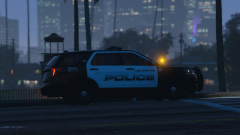
From the album: Miscellaneous Images
-
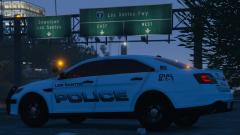
From the album: Miscellaneous Images
-
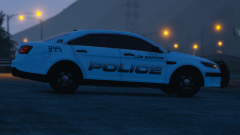
From the album: Miscellaneous Images
-
Los Santos Police Department Media Relations Division 250 Sinner Street, Los Santos SA 90013 (328)-159-1681 December 28, 2020 FOR IMMEDIATE RELEASE Update on Lifeinvader Active Shooter Situation At approximately 06:30 A.M. on the morning of 12-28-2020, Los Santos Area Emergency Dispatch received multiple reports of an active shooter situation at the Lifeinvader Headquarters on South Del Perro Boulevard in Rockford Hills. Units responded within 3 minutes of the initial 911 call, and made entry into the building. Officers ended the threat by fatally striking the suspect with their service weapons. A total of seven people were struck by gunfire, including one officer and the suspect. 5 civilians were killed, and 1 civilian victim and 1 LSPD officer were taken to Mount Zonah Medical Center with gunshot wounds where they remain in critical condition. All officers involved in the shooting are being placed on paid administrative leave pending further investigation. The suspect, Andrew Ruiz, was a former Lifeinvader employee. LSPD detectives believe Ruiz acted alone, and are currently working to find a motive. The identities of the victims will be released in a press conference later today. If you have any information relating to the incident, please call LSPD crimestoppers at (328)-200-LSPD / (328)-200-5773 or go to www.lossantospolice.gov/crimestoppers.
-
-
-
-
-
-
-
 Description: This mini-pack includes: Female Class A,B, & C shirts Male Class A,B, & C shirts Male Sergeant Decals A .png of the patch I made for these shirts. Feel free to use it and put it on hats, vests, jackets, etc. Required: EUP 8.1: EUP Menu: Installation Instructions: Included in ReadMe.txt Wardrobe: I also included a text document with the uniform settings in EUP menu. KEEP IN MIND not everyone's EUP is the same, and I can't guarantee that your outfits will look like mine.
- 2 comments
- 1 review
-
-

- 1
-
-
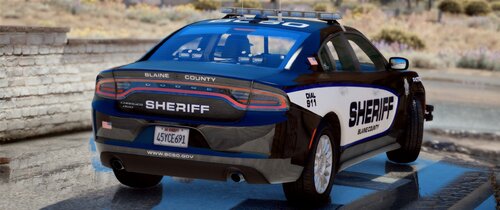 Very nice choice of rims on the 2018 charger, and I think the FPIU would look lovely with hubcaps as well. Overall, great pack.
- 54 comments
- 5 reviews
-
I was having this issue too. What worked for me is going to the files in the main GTA directory called GTA5.exe, GTAVLanguageSelect.exe, GTAVLauncher.exe, and PlayGTAV.exe, right clicking on them, going to properties, compatibility, and unchecking the run with administrator rights. Also, run RPH on directx 11 and windowed mode. Good luck with this issue, I know how frustrating this game can be sometimes. Hopefully you get a fix and can play soon.
-
 I'm a bit confused on where I change the agency. I've changed in the settings once I've launched the program, and edited the agency lists in the files. Thanks for the quick reply.
- 79 comments
- 28 reviews
-
Not too big of an issue, but I noticed that even on other departments forms, Los Santos Police Department is still the agency. Thanks for the help!
- 79 comments
- 28 reviews
-
I absolutely love PaperworkPlus and it is a necessity for any patrol. It adds so much more depth to patrolling in single player, as now you must slow down and record what is happening, rather than flying down highways and gunning everyone down. Great Work!
- 79 comments
- 28 reviews
-
I restarted my computer and everything was fixed. Hope this helps you out!


